Farm Vault Premium brings a customizable banking and savings system to Farming Simulator 25, giving you greater control over your farm’s finances. Version 1.1.0.0 introduces Nordic Edition, featuring a refreshed interface, improved graphics, and integrated vehicle and equipment purchases directly from your Vault accounts.
Features
Nordic Edition Interface
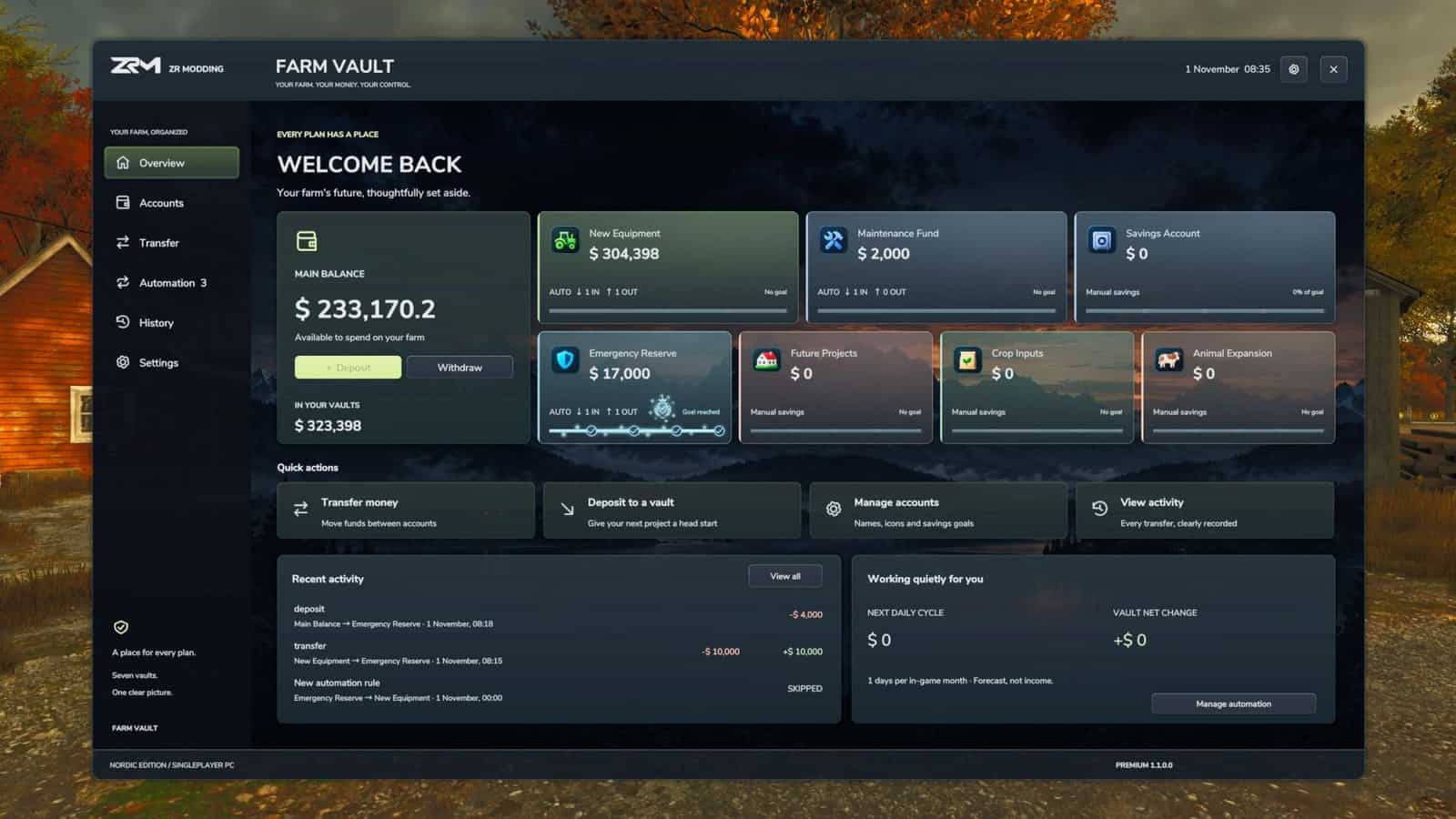
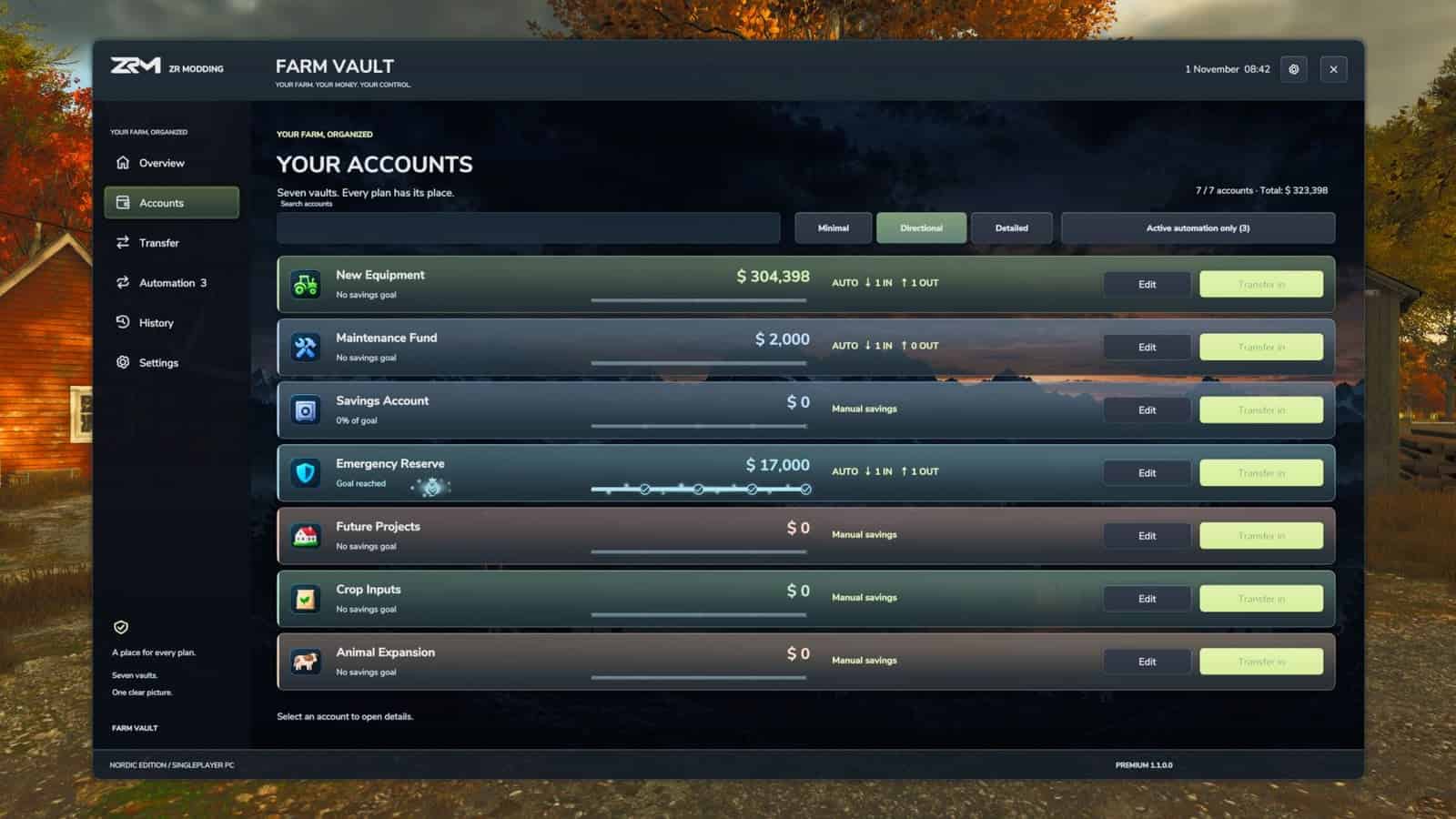
- Completely refreshed Nordic-inspired interface with a premium dark design and refined colors.
- Modern account cards, improved navigation, and a cleaner overall layout.
- Improved graphical quality across the Nordic icon library.
- Updated ZR Modding branding and Nordic Edition presentation.
7 Independent Savings Accounts
- Organize your farm’s finances across seven separate Vault accounts.
- Allocate funds to equipment, maintenance, savings, future projects, and more.
Fully Customizable Accounts
- Rename accounts to suit your farming operation.
- Choose from a large collection of unique account icons.
- Set individual savings goals.
- Customize account presentation and display styles.
Easy Money Management
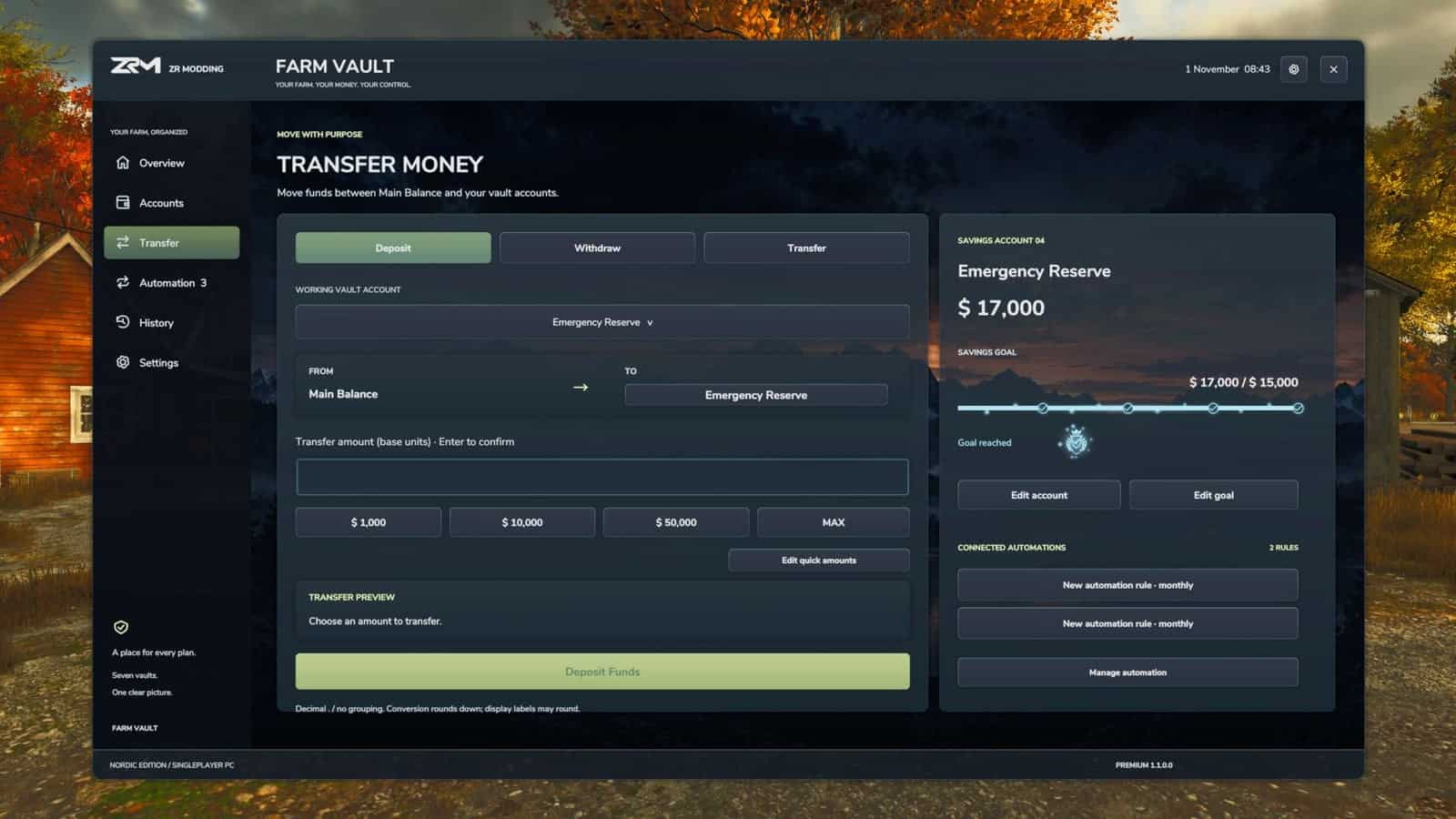
- Deposit money from Main Balance into your Vault accounts.
- Withdraw funds back to Main Balance.
- Transfer money directly between different Vault accounts.
- Manage your farm’s finances through one dedicated interface.
Customizable Quick Amounts
- Configure preset amounts for faster transactions.
- Reduce repetitive manual input when transferring money.
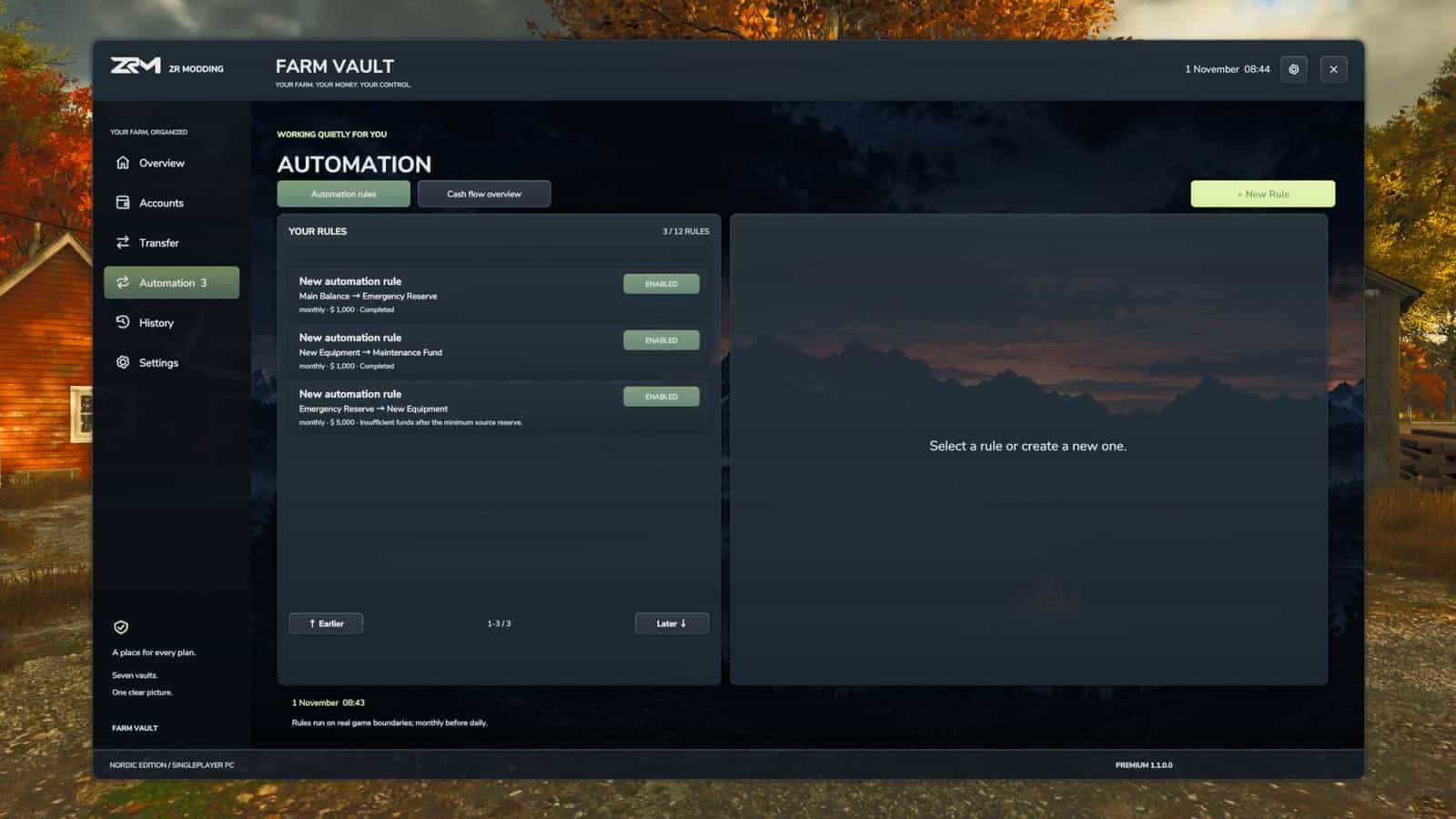
Daily & Monthly Automation
- Create optional automation rules to manage your finances automatically.
- Schedule transfers based on daily or monthly in-game cycles.
- Use fixed amounts or percentage-based transfers.
- Move money between Vault accounts and Main Balance.
- Enable, disable, and manage your automation rules directly inside Farm Vault.
NEW: Integrated Vehicle & Equipment Purchases
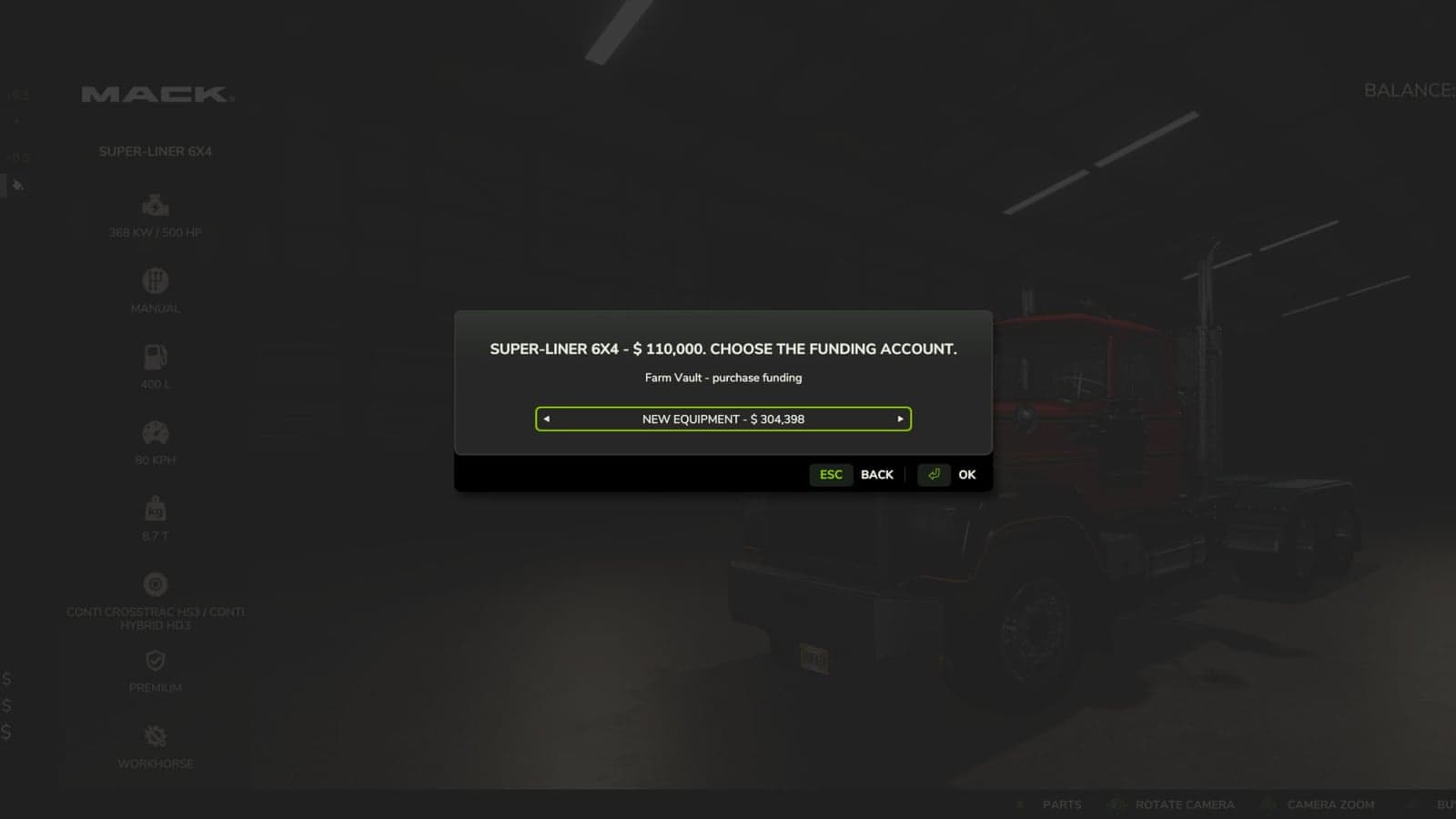
- Purchase vehicles and equipment using money from your Vault accounts.
- Select which Vault account should fund a supported purchase.
- Keep the original Farming Simulator 25 store purchase experience.
- Automatically handle the necessary funding through the integrated purchase process.
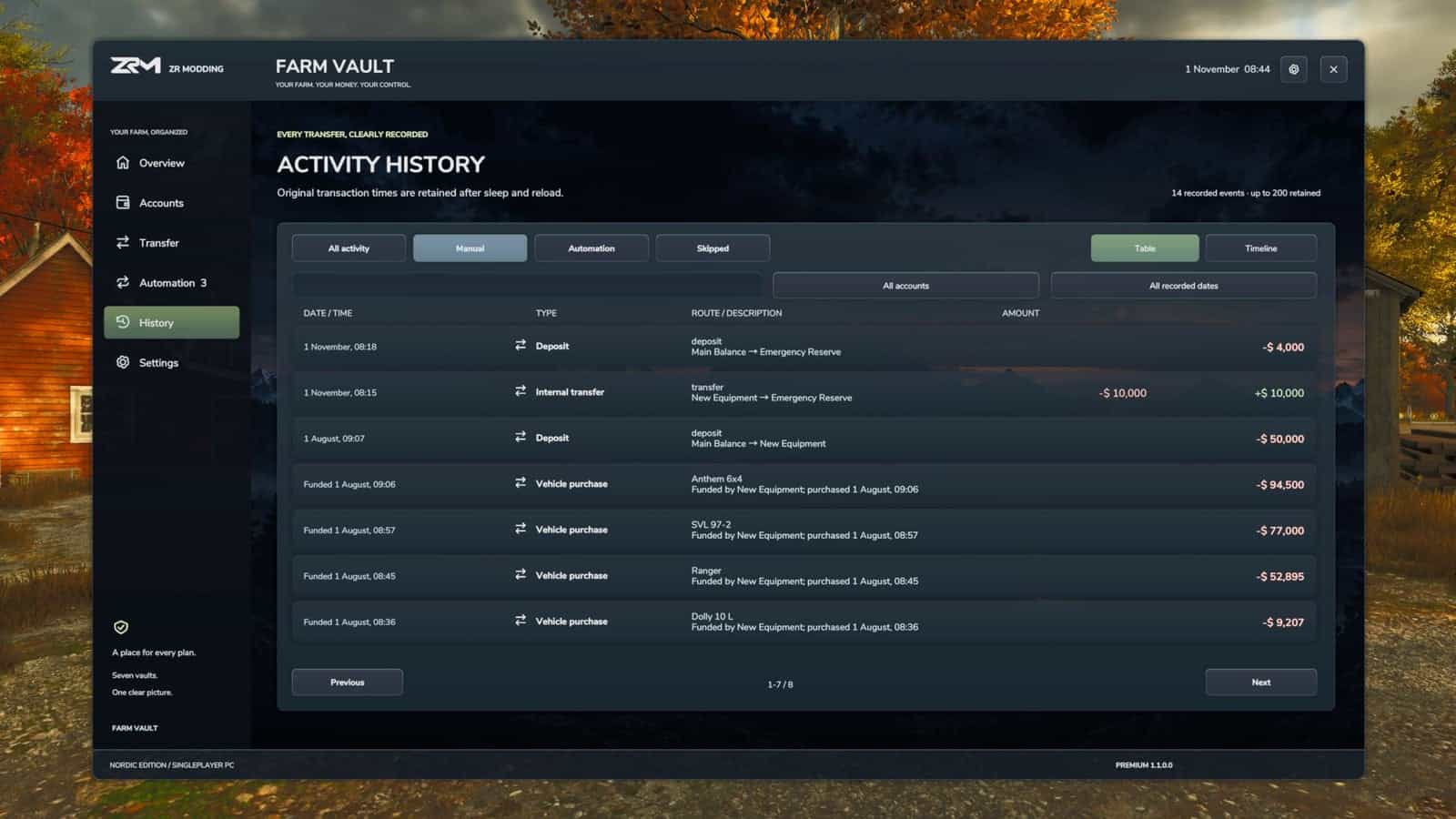
- Track Vault-funded purchases in Farm Vault’s Activity History.
- Organize equipment spending without manually withdrawing money beforehand.
Vault-funded purchases are supported, but leasing is not integrated. Leasing continues to use Farming Simulator 25’s standard system.
Improved Activity History
- Track deposits, withdrawals, transfers, automation transactions, and supported vehicle purchases.
- View transaction details with in-game dates and timestamps.
- Keep a clear overview of your farm’s financial activity.
Savegame Support
- Accounts, balances, settings, automation rules, and transaction history are saved with your career.
- Financial data is maintained separately for each savegame.
- Your saved information is restored when loading your career again.
How to Use
- Assign a key to
Farm Vault: Open menuin your game’s control settings. - Open Farm Vault and customize your seven accounts.
- Deposit money from Main Balance into your Vault accounts.
- Transfer funds, set savings goals, or configure optional automation rules.
- When purchasing supported vehicles or equipment through the in-game store, select the Vault account you want to use.
You can continue using the normal Farming Simulator 25 Main Balance whenever you prefer.
Additional Currencies Compatibility
Farm Vault Premium supports the separate Additional Currencies mod.
Additional Currencies is optional and not required. Farm Vault works independently but also supports its currency system when installed.
Due to Farming Simulator 25’s underlying currency calculations, converted amounts may sometimes be rounded. Always check the transfer preview before confirming a transaction.
Specifications
- Platform: PC only.
- Game Mode: Singleplayer only. Multiplayer and dedicated servers are not supported.
- Edition: Nordic Edition.
- Version: 1.1.0.0.
Installation and Setup
Place FS25_FarmVault.zip directly into your Farming Simulator 25 mods folder without extracting it.
Assign a key to Farm Vault: Open menu in your game’s control settings.
Back up your savegame before installing a new version.
To uninstall, transfer your Vault funds back to Main Balance and save your career before removing the mod.
Vault-funded purchases are supported through the integrated purchase workflow. Leasing remains handled by the standard Farming Simulator 25 system.
Changelog
V1.1.0.0
NEW FEATURES
- Introduced the completely redesigned Nordic Edition interface with a modern dark theme and improved navigation.
- Added integrated vehicle and equipment purchases using funds directly from your Vault accounts.
- Added account selection during supported vehicle and equipment purchases in the original FS25 store.
- Added transaction history for Vault-funded purchases.
VISUAL IMPROVEMENTS
- Completely refreshed account cards, panels, backgrounds, and overall UI presentation.
- Improved graphical quality across all 99 Nordic account icons.
- Updated ZR Modding branding and introduced a new Nordic Edition mod icon.
- Refined visual details, transparency, and UI consistency.
ADDITIONAL IMPROVEMENTS
- Improved Activity History presentation with in-game dates and timestamps.
- Preserved existing account balances, settings, automation rules, and savegame compatibility.
- Various stability and presentation improvements.
IMPORTANT
- PC Singleplayer only.
- Leasing is not integrated with Vault accounts and continues to use the standard FS25 system.
- Back up your savegame before updating.