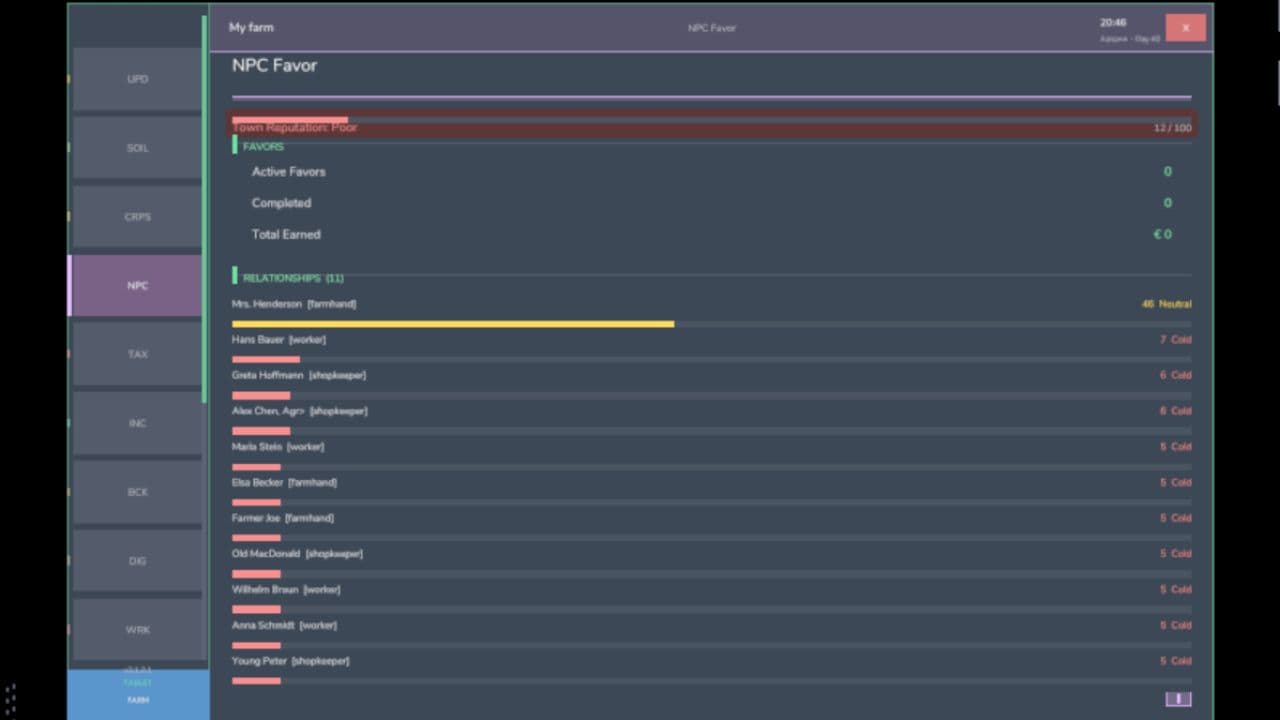
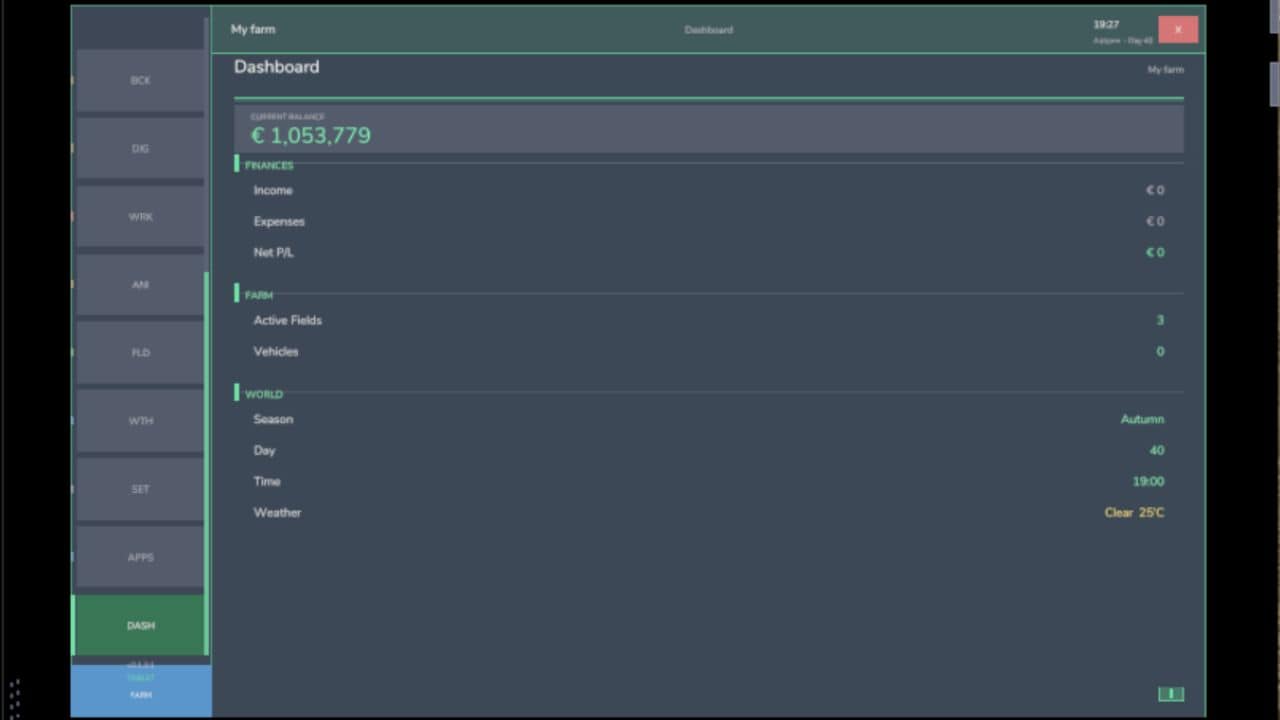
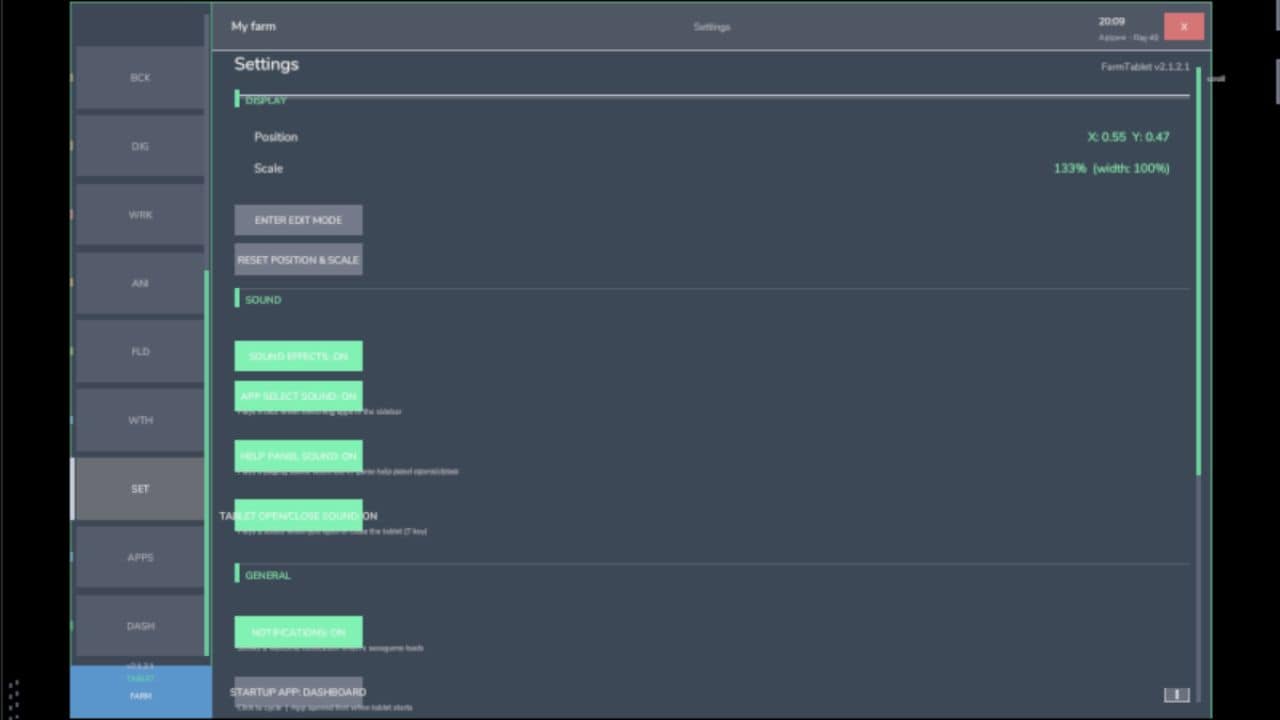
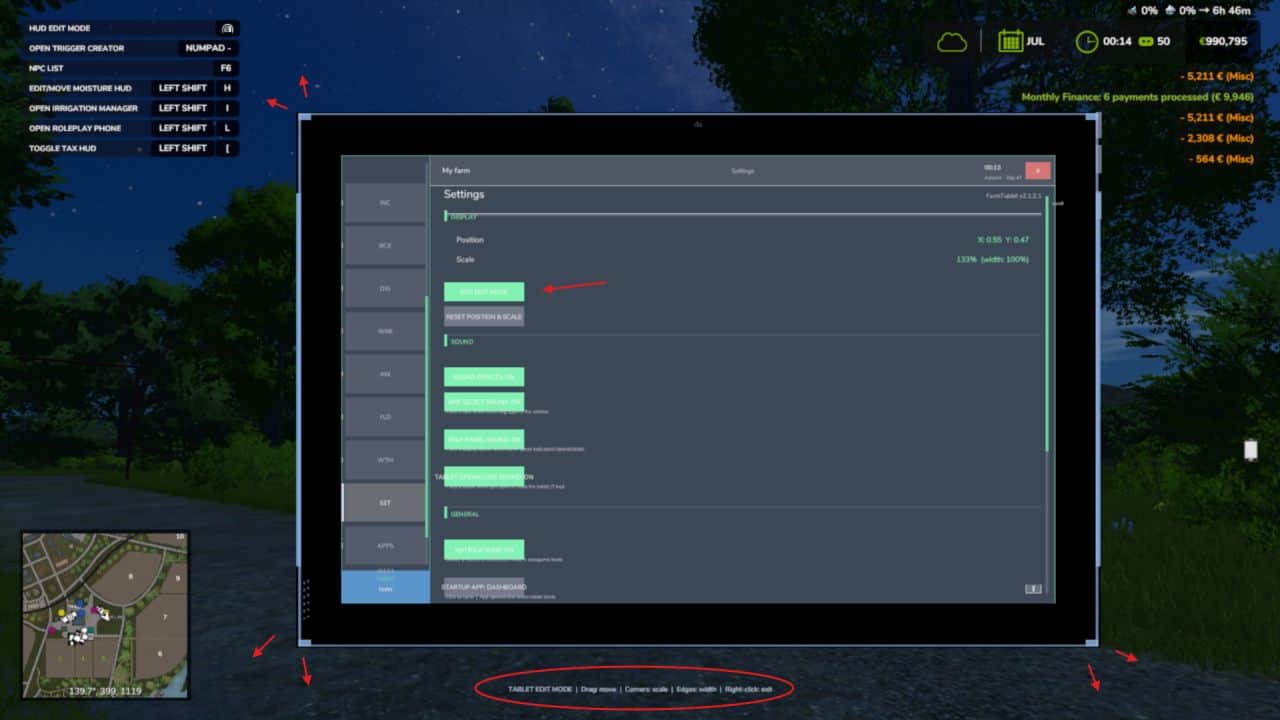
FarmTablet — A compact, all-in-one farm management tablet for Farming Simulator 25.
Originally inspired by a tablet mod for FS17, built from scratch for FS22 and now fully converted and rewritten for FS25. The goal is simple: useful farm info at a glance, without getting in the way of gameplay.
The mod has been rebuilt with a clean, modular structure — every app lives in its own file, making it easy to expand, fix and improve over time. It’s actively developed and shaped by community feedback.
What’s in it right now:
– Dashboard — farm overview with balance, fields, vehicles and world state
– Weather — current conditions, temperature, wind, cloud cover and forecast
– Fields — all owned fields with crop type and growth stage
– Animals — pen status with food, water and cleanliness levels
– Workshop — nearby vehicle diagnostics with fuel, wear and operating hours
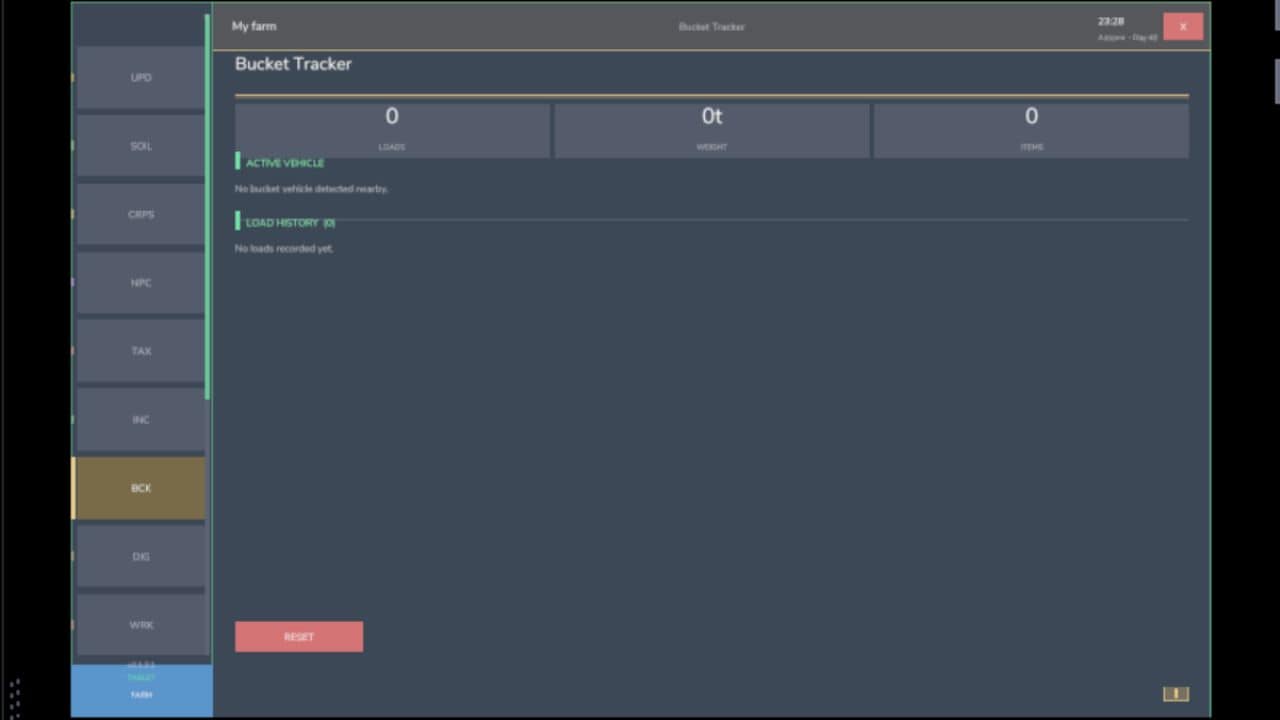
– Bucket Tracker — load counter for wheel loaders and excavators
– Digging — excavation tracking and soil scanner
– App Store — browse and manage installed apps
– Settings — configure the tablet from the pause menu
– Updates — changelog and version history
Mod integrations (auto-detected at runtime, safe to run without them):
NPC Favor, Soil Fertilizer, Seasonal Crop Stress, Income Mod, Tax Mod
What’s coming next:
– Better tablet visuals and frame design
– Icons instead of text labels
– Sounds, color tweaks and UI polish
– More apps and deeper interactions based on feedback
– Multiplayer improvements
The mod is in active development. Bug reports, ideas and suggestions are always welcome — this is a community project and your feedback directly shapes what gets built next.
V2.3.2.0
– Scrolling was backwards on all scrollable pages (Settings, Storage, App Store, Field Manager, etc.) — wheel up now correctly reveals content toward the top
– Scrolling the mouse wheel while the tablet was open also zoomed the game camera in/out — the tablet now fully captures scroll events so the camera is unaffected
– Sidebar app list scroll direction was inverted — wheel up now scrolls toward later apps as expected
– Section header text (green labels like CONDITIONS, FORECAST, STATUS) was being overlapped by the horizontal separator lines on every app page — spacing corrected so there is always clear room between dividers and section titles
– Settings page would snap back to the top while scrolling — the scrollable content height calculation was incorrect; now fixed so you can scroll freely to the bottom
– Storage page section headers were overlapping the fixed app header when scrolling down — a cover strip is now drawn to keep the header clean
– App names were showing as “Missing ‘ft_ui_app_…’ in l10n_en.xml” in the top bar and App Store — translations were not included in the mod package; now fixed, all app names display correctly
– EXIT EDIT MODE button was not responding to clicks while in tablet edit mode — drag detection was intercepting the click before it reached the button
– Exiting edit mode hid the mouse cursor while the tablet was still open, making the tablet unusable without closing and reopening it
– Version number displayed in the tablet was incorrect (showed 2.3.0.0 instead of the correct version)
– Digging app showed the wrong elevation (far below ground) when the player was sitting inside a vehicle — it now uses the vehicle’s position instead of the player node inside the cabin
– Field Manager and Field Jobs pages showed incorrect crop status — “Ready to harvest” detection was hardcoded to growth stage 7, which is wrong for many crops. It now uses each crop’s actual harvest threshold from the game data
– Weather app condition indicator displayed cryptic symbols ([**], [~~], [!!]) that are not in the game font — replaced with readable labels: CLEAR, RAIN, STORM, FOG, OVC, CLOUD
– Weather app condition label was drawn at a font size too large for the hero card, causing it to collide with the temperature value — size corrected
– Income Mod and Tax Mod ENABLE / DISABLE buttons had inverted highlight logic — the current active state is now highlighted (green = enabled, red = disabled)
– Workshop page subtitle incorrectly labelled nearby vehicles as “near” shops — now clearly shows “N shops | N vehicles nearby”
Required:
— Income Mod
— Tax Mod
— NPC Favor
— Realistic Soil & Fertilizer
— Seasonal Crop Stress
— Market Dynamics
— Realistic Worker Costs
— Random World Events