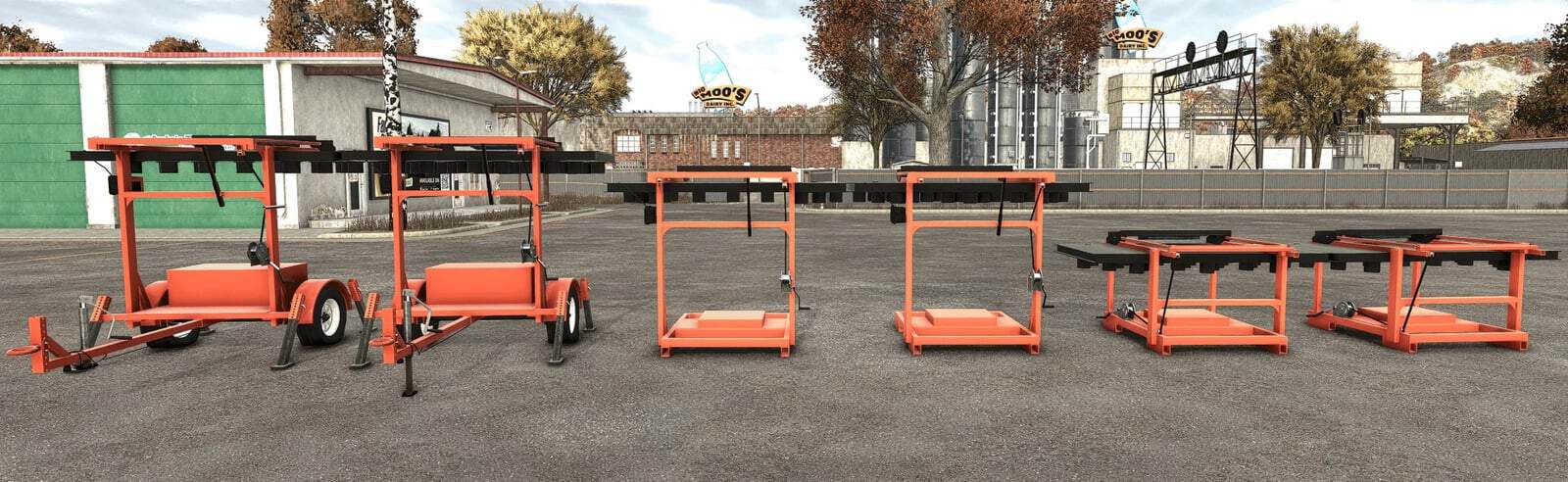
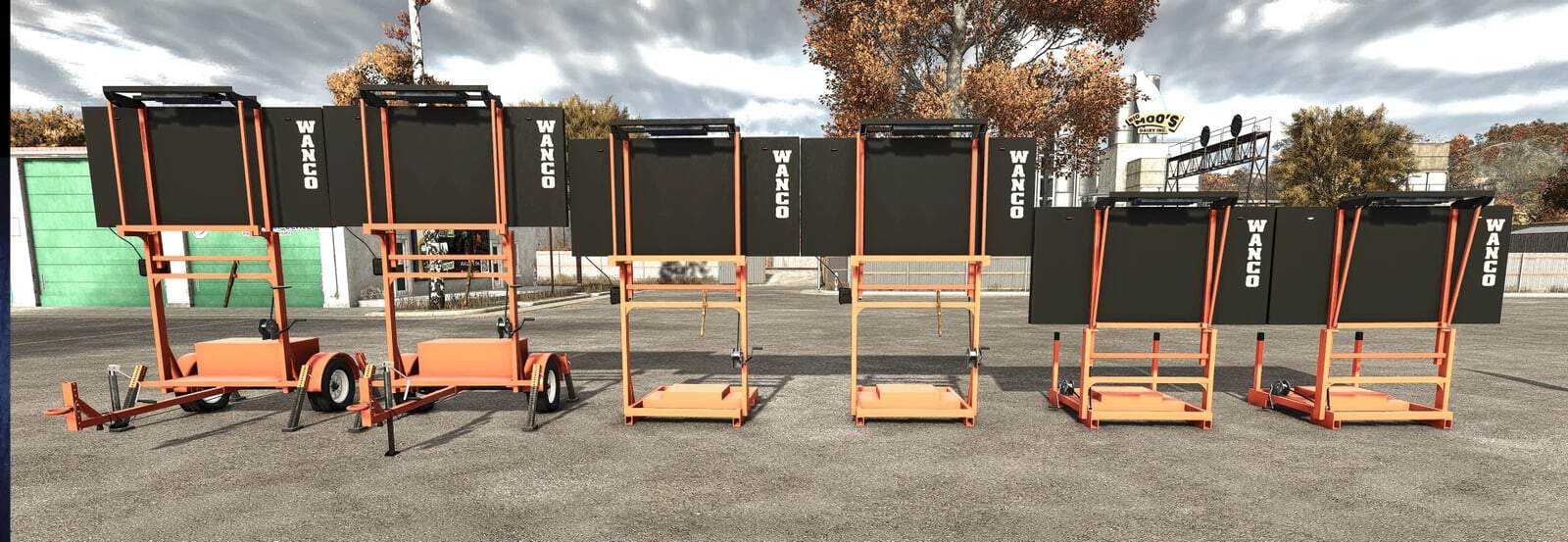
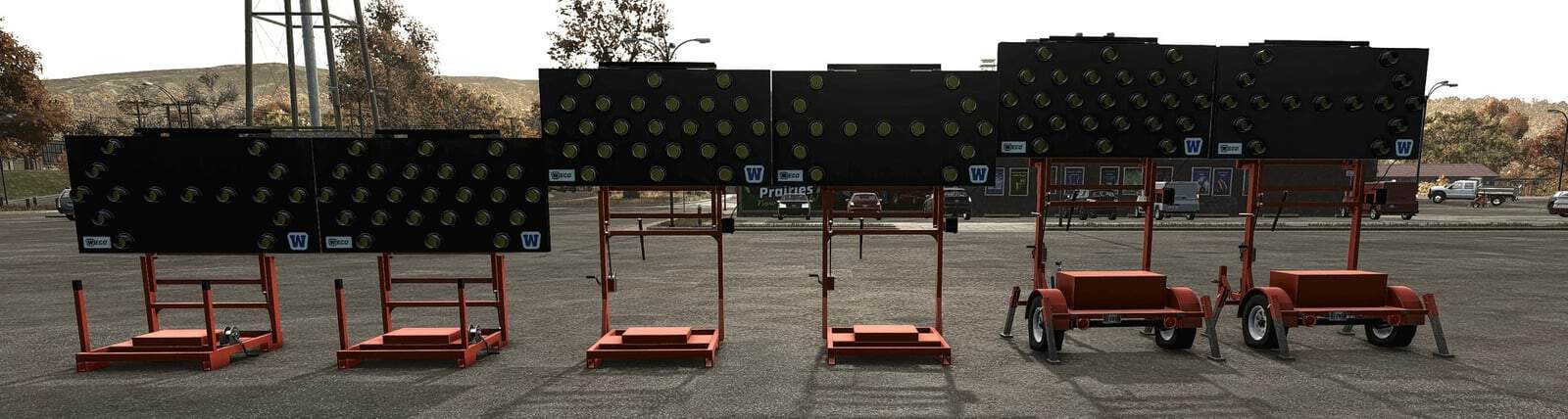
Converted to FS25 from the original FS22 mod by Poohbear Lance, with the same look, lights and modes as the FS22 original. This mod adds WANCO-style arrow boards to Farming Simulator 25 for road work, lane shifts and shoulder closures.
Features
- WANCO-style arrow board trailer with a folding board
- Low-profile skid version for truck beds and tight spaces
- Tall skid version for better visibility over traffic
- 15-light or 25-light board on every version, chosen in the shop
- Six display modes:
- Arrow Left
- Arrow Right
- Both Arrows
- Caution
- Middle
- Moving Arrow Left
- Moving Arrows Both
- Moving Tri Arrow Left
- Moving Tri Arrow Right
- Moving Arrow Right
- Tri Arrow Left
- Tri Arrow Right
- Diamond Flash
- Diamond Warning
- Works alongside the WANCO Automated Flagger for a full work zone setup
FS25 conversion
- Rebuilt for FS25 to match the FS22 original as closely as possible
- Amber lamp colors restored to match FS22
- Fixed stray line and stretching glitches on the board and the skid version
- Fixed WANCO logos
YOU NEED: Interactive Control (FS25) is required for the leg and sign click controls, the same as in FS22.
Specifications
- Game version: Farming Simulator 25
- Platform: PC/Mac
- Multiplayer: Untested
WANCO-style arrow board trailer
- 15-light board: $6,541
- 25-light board: $7,041
Low-profile skid
- 15-light board: $3,701
- 25-light board: $4,201
Tall skid
- 15-light board: $3,541
- 25-light board: $4,041
Installation
- Download
FS25_WANCO_Arrow_Board.zip. - Do not unzip it. Put the zip in your mods folder:
- Windows:
Documents/My Games/FarmingSimulator2025/mods - Mac:
~/Library/Application Support/FarmingSimulator2025/mods
- Windows:
- Turn the mod on in your savegame’s mod selection.
- Buy it in the shop.
- Download
FS25_interactiveControl.zip. - Do not unzip it. Put the zip in your mods folder:
- Windows:
Documents/My Games/FarmingSimulator2025/mods - Mac:
~/Library/Application Support/FarmingSimulator2025/mods
- Windows:
- Turn the mod on in your savegame’s mod selection.
Notes
If you find a bug, leave a comment with your game version and a list of your other mods.