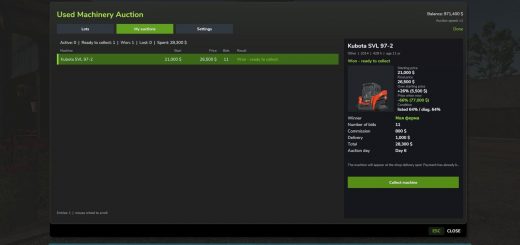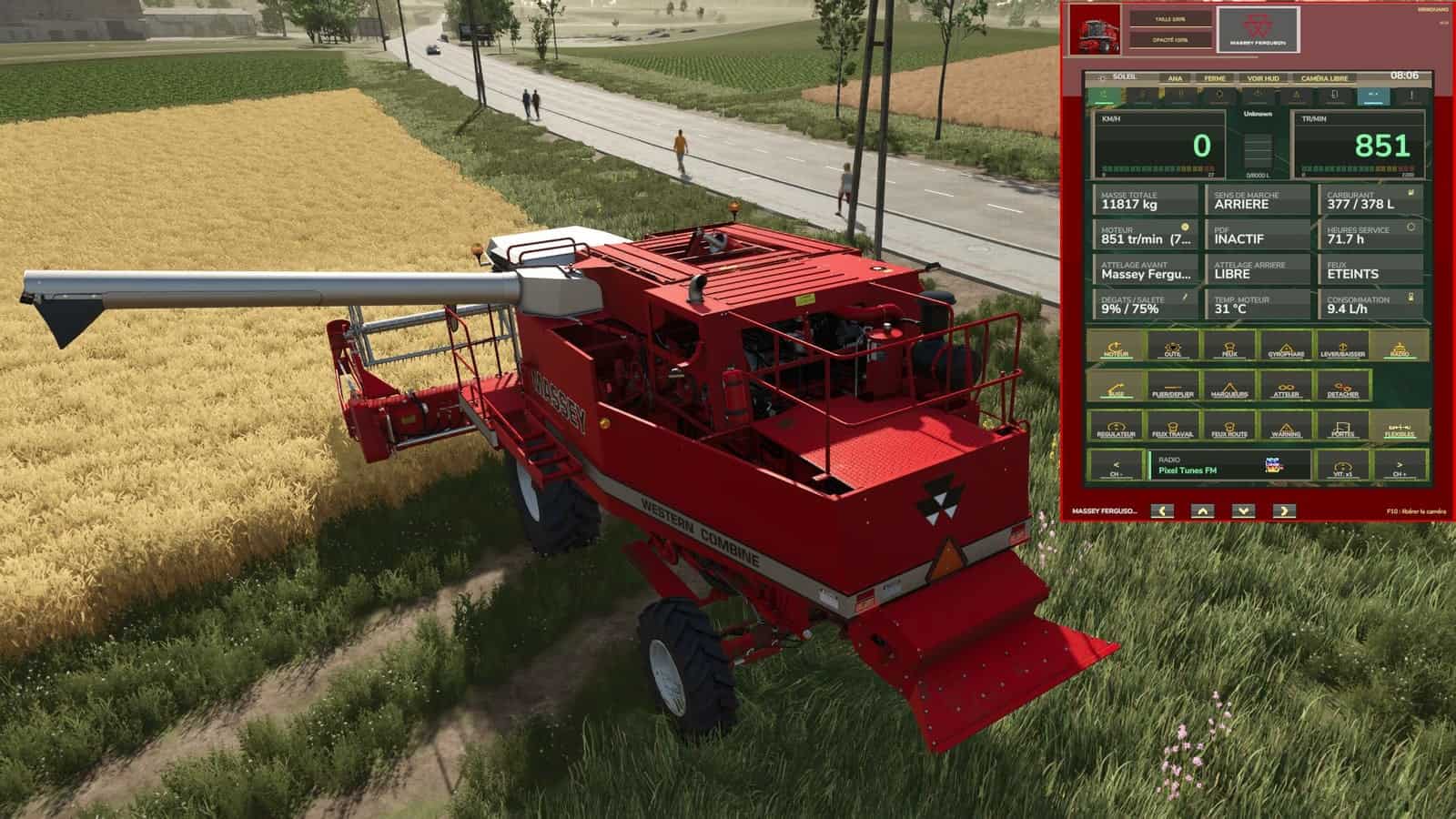
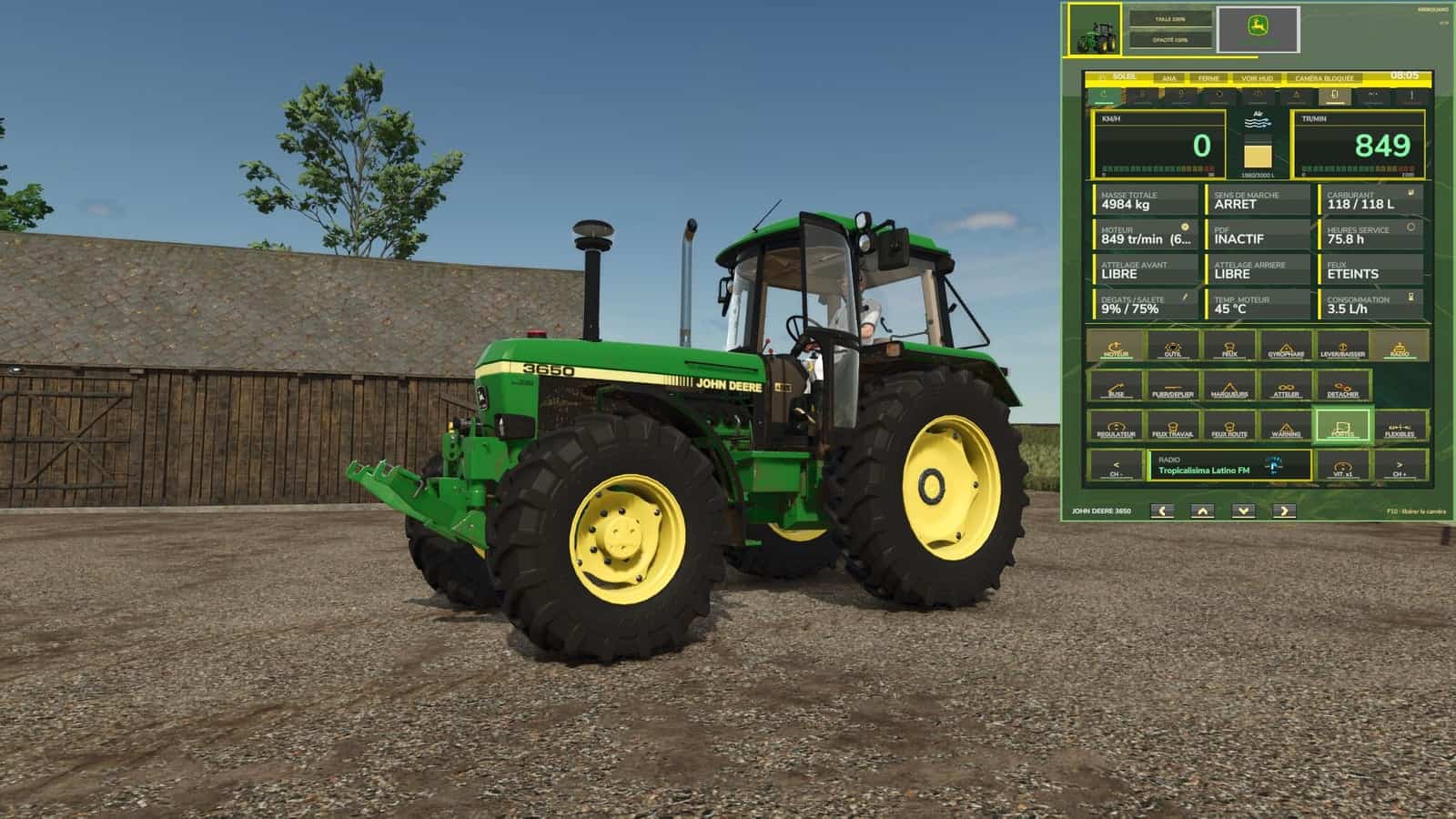
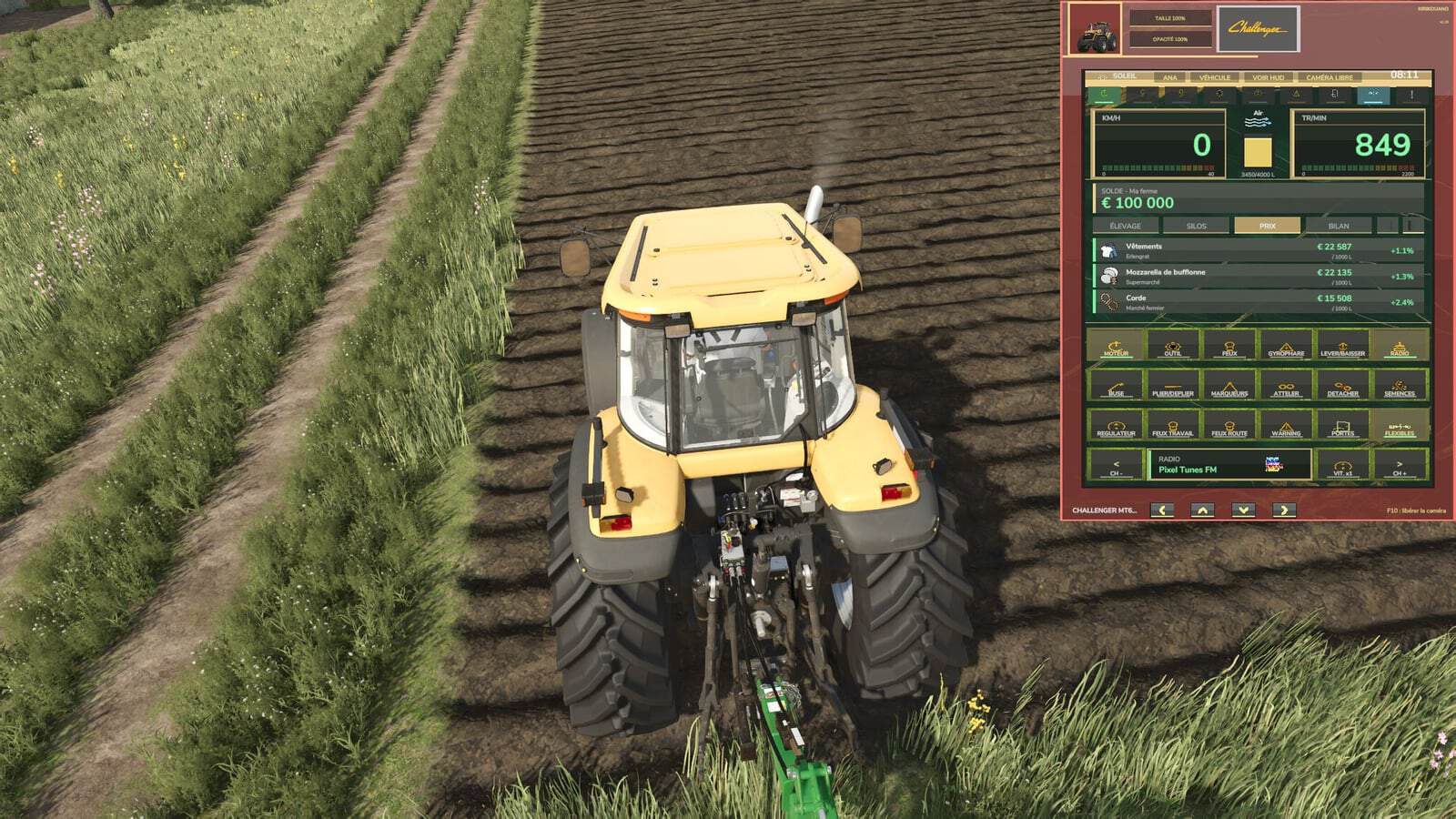
John Deere-style dashboard terminal overlaid on the screen. It displays and controls your vehicle without obstructing driving or the camera.
Features
- Display: RPM, speed, fuel, temperature and load.
- Two display modes: gauges or digital figures.
- Status lights.
- Frame, photo and name in the colors of the vehicle being driven.
- Buttons for engine, cruise control, lights, beacon and warning beacons.
- Implement, unloading, folding, lowering, attaching and detaching controls.
- Doors, hydraulic hoses and seeder controls, with the loaded seed displayed.
- Radio controls: previous channel, next channel and on/off.
- Speed controls: limit and power, solo or host.
- A button unavailable on the vehicle is greyed out.
- Farm Page with 4 tabs: balance and loan; animals, including health, food, water and straw by building; silos, including contents and fill level by product; prices, including best price per 1,000 L, selling point and trend; summary, including money, distance, driving time and max speed.
- Automatic alerts for a full silo, animals running low on food, water or straw, and rising prices.
- HIDE HUD hides the game display, which returns when closed.
- LOCKED CAMERA freezes the camera while in use.
- Adjustable size and opacity.
- Free movement using the frame arrows.
- Position, size, opacity and tab are saved.
- Game sounds.
- Tutorial on first launch.
- F9: show or hide.
- F10: activate the mouse to click buttons and tabs. Press F10 again to release the camera.
- Reassignable keys in Options > Controls.
- Languages: French, English, German, Spanish, Italian.
- Compatibility: multiplayer supported, with no conflicts with other mods.
Changelog
- V1.2.0.0
Complete Farm page: balance and loan, 4 tabs (Animals, Silos, Prices, Summary). Automatic alerts: full silo, lack of food, water or straw, rising prices. HIDE HUD, CAMERA LOCKED, SIZE and OPACITY buttons. Redesigned movement arrows. Position, size, opacity and tab are remembered. Game icons on the buttons. Game sounds. Tutorial on first launch. Terminal positioned between the game’s HUDs. The vehicle name no longer overlaps the arrows. Scroll through lists with the mouse wheel. Files organized into folders (icons, textures, sounds). Controller support removed: no more conflicts with the game’s controls. Various fixes and streamlined code. - V1.1.0.0
HIGH BEAMS button (full beam). WARNING button (hazard lights). Creator’s signature and copyright displayed on the panel. Corrections. HITCH: now attaches to the actually closest hitch point (front or rear), instead of always prioritizing the front; detection range increased. WORK LIGHTS: dedicated button added, separate from the position lights. The LIGHTS button only controlled the position lights. MARKERS: fixed a bug where only one of the two row markers could open; both markers now work correctly alternately. Activation key (F9) now visible and named in the in-game help (F1) and under Options > Controls. Visual improvements. Removal of the diagonal glass reflection on the panel. Panel movement arrows redrawn with a golden texture and bug fixed.