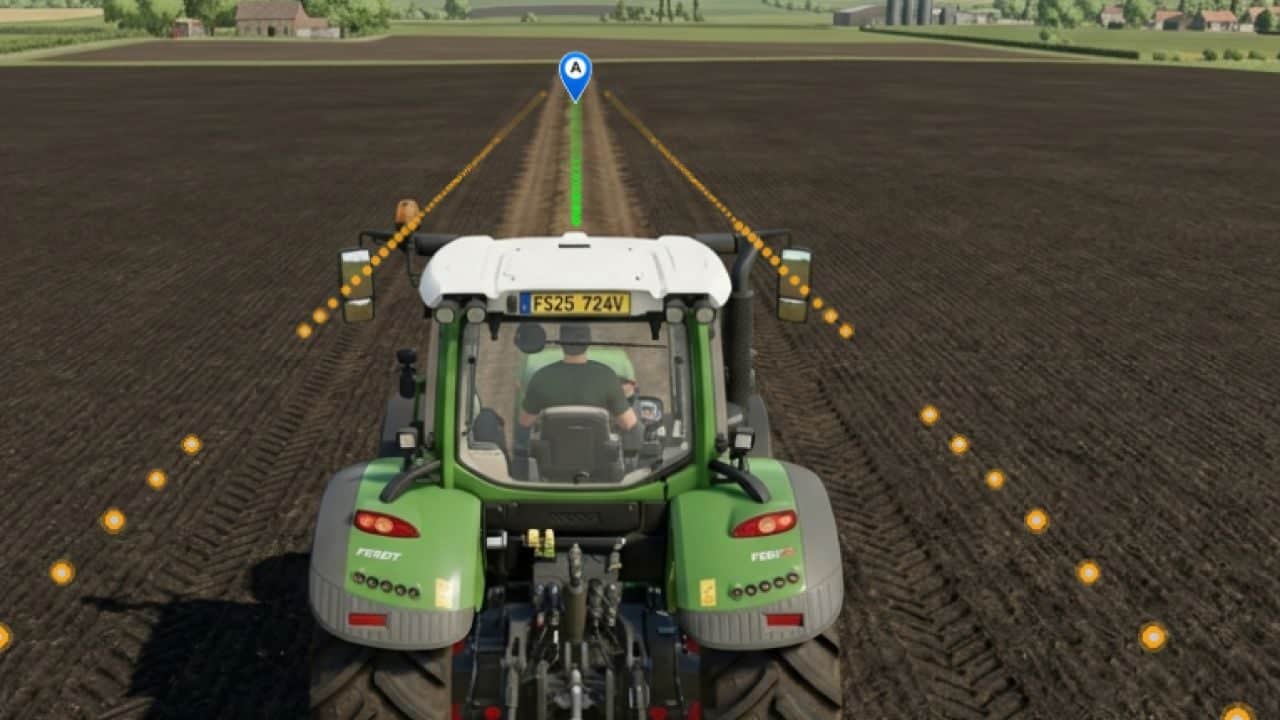
GPS Plus equips all tractors, harvesters, and sprayers with centimeter-accurate guidance for Farming Simulator 25.
Features
- Straight AB Lines: Mark Point A and Point B to create perfectly parallel tracks across your field.
- Instant Heading Mode: Create a guidance track instantly along your vehicle’s current direction with a single keypress, with no need to drive to the opposite side of the field.
- Fine Angle Snapping (0.5°): Rotate your guidance lines in 0.5° increments for alignment with roads, fences, and field boundaries.
- Lateral Track Nudge: Shift your active lane left or right by 10 cm on the fly to compensate for terrain shifts without resetting your track.
- Smooth Curve Recording (Curved AB Mode): Record irregular contours, terraced hillsides, or riverbanks. The custom algorithm applies cubic spline smoothing and tangential extension.
- Automatic Implement Width Detection: One click automatically scans attached implements, including planters, cultivators, sprayers, and headers, and sets the exact working width. Also supports manual 0.1m stepping.
- Automatic Headland Turns: When reaching the end of the field, press the turn shortcut and your machine executes a clean 180° turn directly into the next swath.
Controls and Shortcuts
- Right Shift + ; – Set Point A / B (AB Line)
- Right Shift + L – Straight Line on Current Heading
- Right Shift + ‘ – Set Curved Line A / B
- Left Alt + W – Toggle Steering / Auto Pilot
- Left Alt + A / D – Headland Turn 180° (Left / Right)
- Left Alt + I – Auto Detect Implement Width
- Left Alt + = / – – Adjust Width (+ / – 10cm)
- Left Alt + Up / Down – Rotate Heading (+ / – 0.5°)
- Left Alt + Left / Right – Nudge Line (+ / – 10cm)
- Left Alt + H – Toggle Guidance Lines Visibility