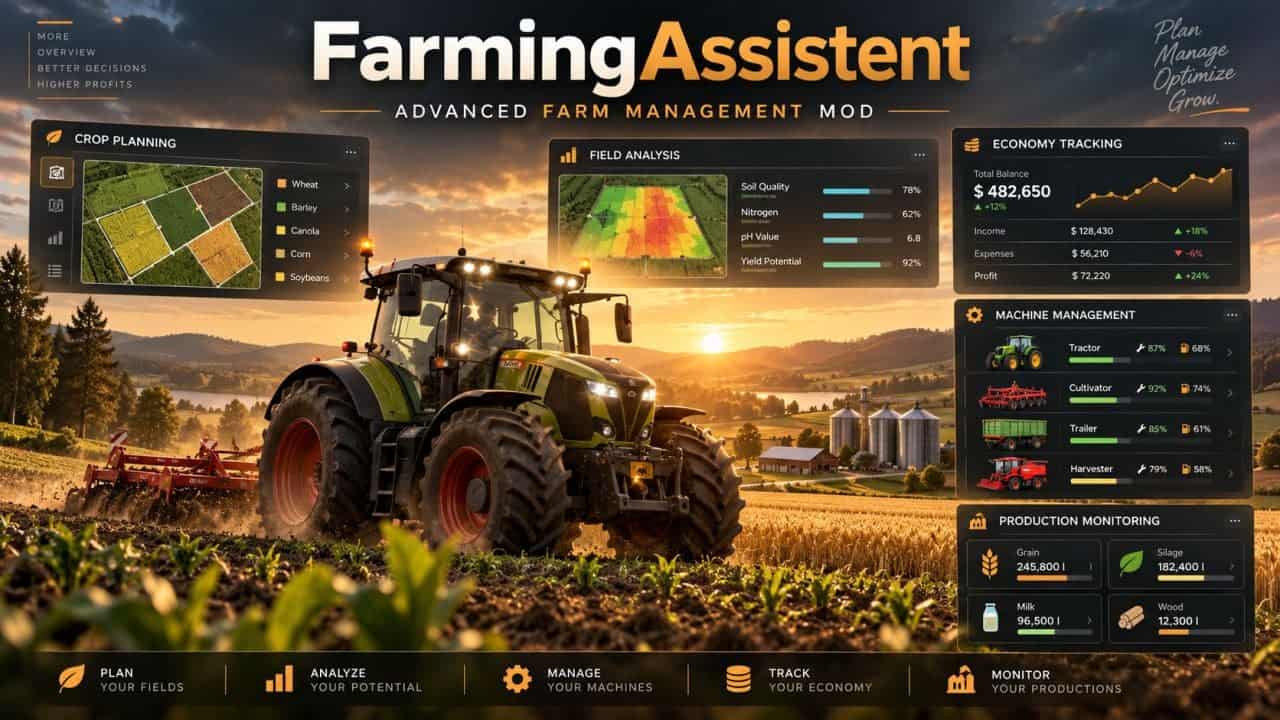
FarmAssistent is a farm management and planning tool for Farming Simulator 25. It combines field monitoring, work recommendations, crop rotation planning, financial information, storage management and other farm information in one interface.
FarmAssistent is a management and advisory tool. It helps you decide what to do next, but does not automatically operate machinery, purchase equipment, sell crops or perform field work.
Features
- Advanced field management with field monitoring, crop types, growth stages, field conditions, fertilization, weeds, stones, plowing and soil requirements.
- Precision Farming integration for nitrogen and pH information when the DLC is installed.
- Field status information and recommended actions.
- Intelligent field work planner that analyzes field conditions, recommends agricultural operations, displays urgent, planned, blocked and pending tasks, supports suitable soil cultivation methods, and tracks completed and skipped operations.
- Multi-year crop rotation planner with crop availability, seasonal calendars, crop rotation rules and catch crops. It supports sowing and harvesting schedules and validates generated plans against available crop information.
- Interactive farm map with field conditions, map layers, field status information and AI helper tracking.
- Farm economy and market information, including financial information, current selling prices, selling opportunities, estimated gross margins per hectare and seasonal farming activity.
- Storage, production and machinery monitoring, including stored crops, available resources, production supplies, machinery fuel levels and condition.
- Agricultural calendar and weather information, including sowing and harvesting periods, seasonal planning, precipitation warnings and freezing-temperature warnings.
- Field journal and seasonal reports with harvesting, preparation and sowing history, individual field activities, yearly summaries and end-of-year notifications.
- Modern graphical interface with detailed dashboards, four selectable interface themes, field information, task indicators, custom icons, visual status indicators and a configurable HUD.
- English and Polish language support.
- Multiplayer and dedicated server support. Farm information is shared through the server. Farm settings, crop plans and task statuses are managed by the server administrator or host, while other players have read-only access.
Specifications
- How to open: Left Shift + G
- Game: Farming Simulator 25
- Version: 2.0.3.0
- Multiplayer: Supported
- Dedicated servers: Supported
- Languages: English / Polish
Changelog
- V1.6.1.0
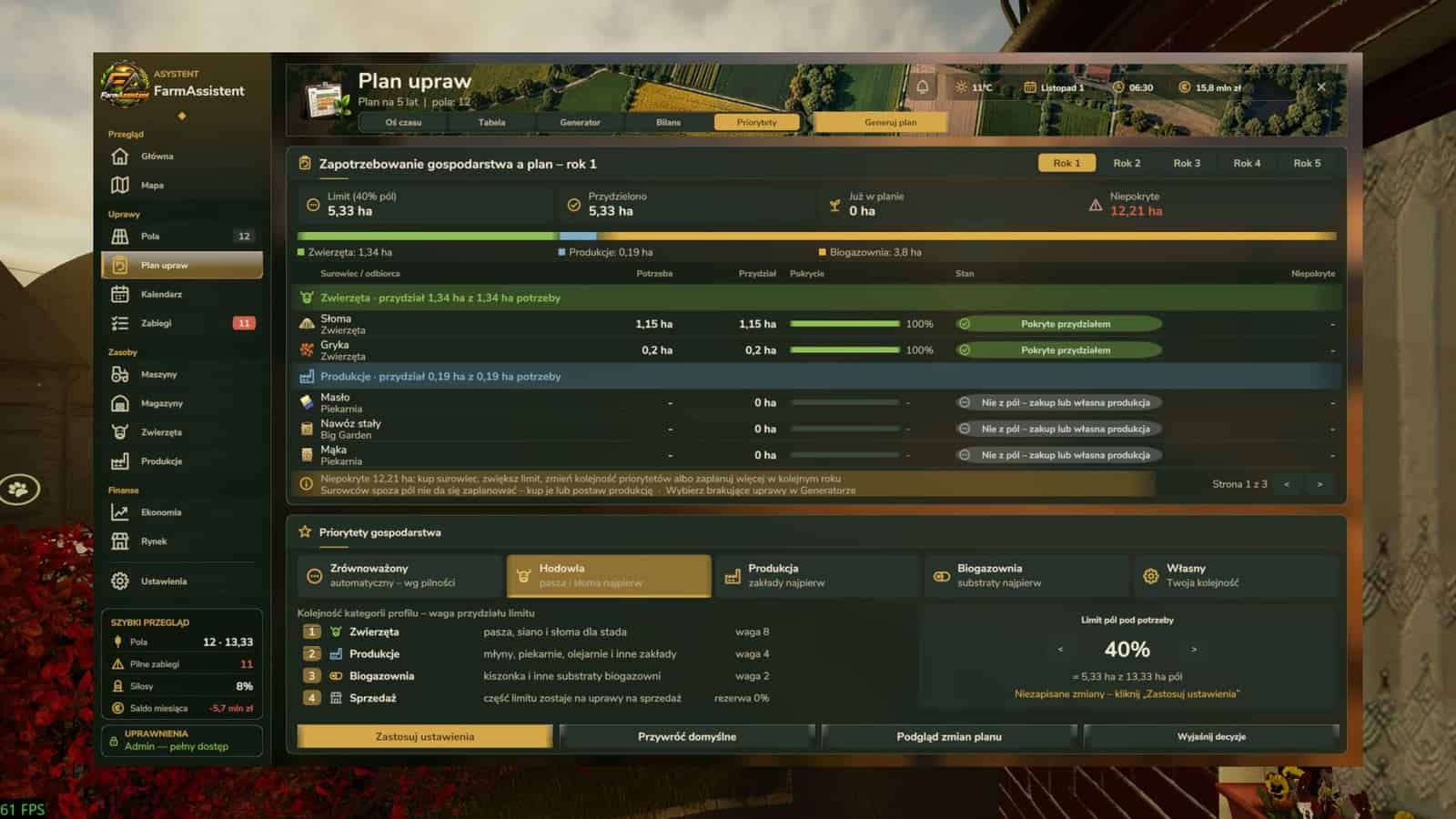
Crop Generator on farm priorities: the generator plans crops for real shortages of animals, productions and the biogas plant, also through chains, including silage via a bunker silo or bale wrapper, straw, hay and cut sugar beet, only from selected crops and only up to a yearly area limit, default 40% of field hectares. Fields are never split.
New Crop plan view “Priorities”: demand of the year with need, allocated and uncovered hectares, a bar of the limit used by the plan, and hints when the farm cannot cover everything, including buy, raise the limit, change the order and plan next year. These are recommendations only.
Modes and profiles: Automatic, with urgency from the data based on the size of the shortage and time to it, or own priorities. Profiles are Balanced, Livestock, Production, Biogas and Custom, with the order of Animals, Productions, Biogas and Sale controlled with Up/Down. Apply, Restore defaults, Preview plan changes and Explain decisions are available. The approved plan changes only after preview and Approve.
“Why” shows what a crop was planned for, its priority, the allocation and when the plan covers only part of the need. The reason is saved with the cycle and stays after loading. Settings are saved per farm and synchronised in multiplayer, administrator only. - V1.5.4.0
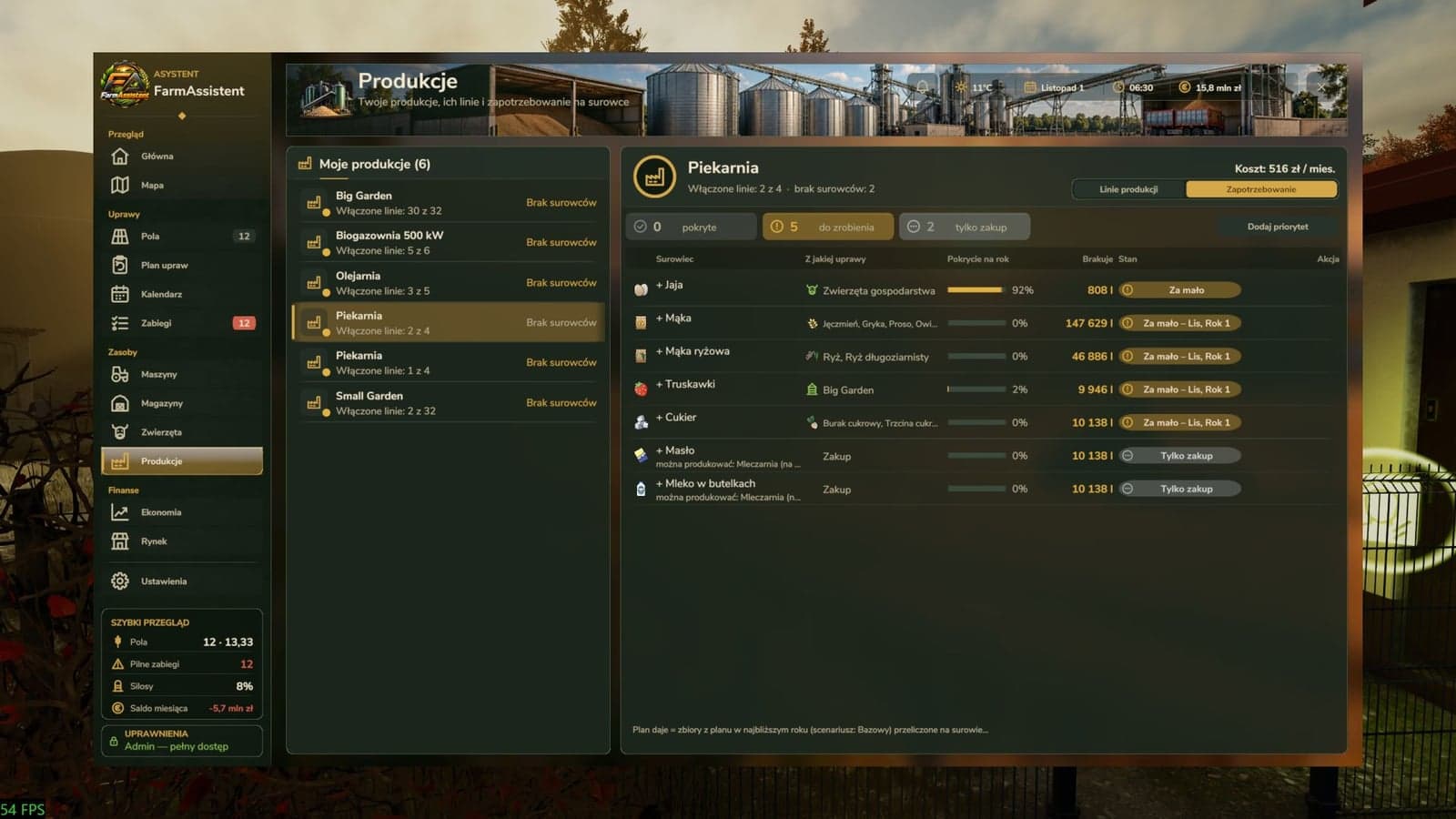
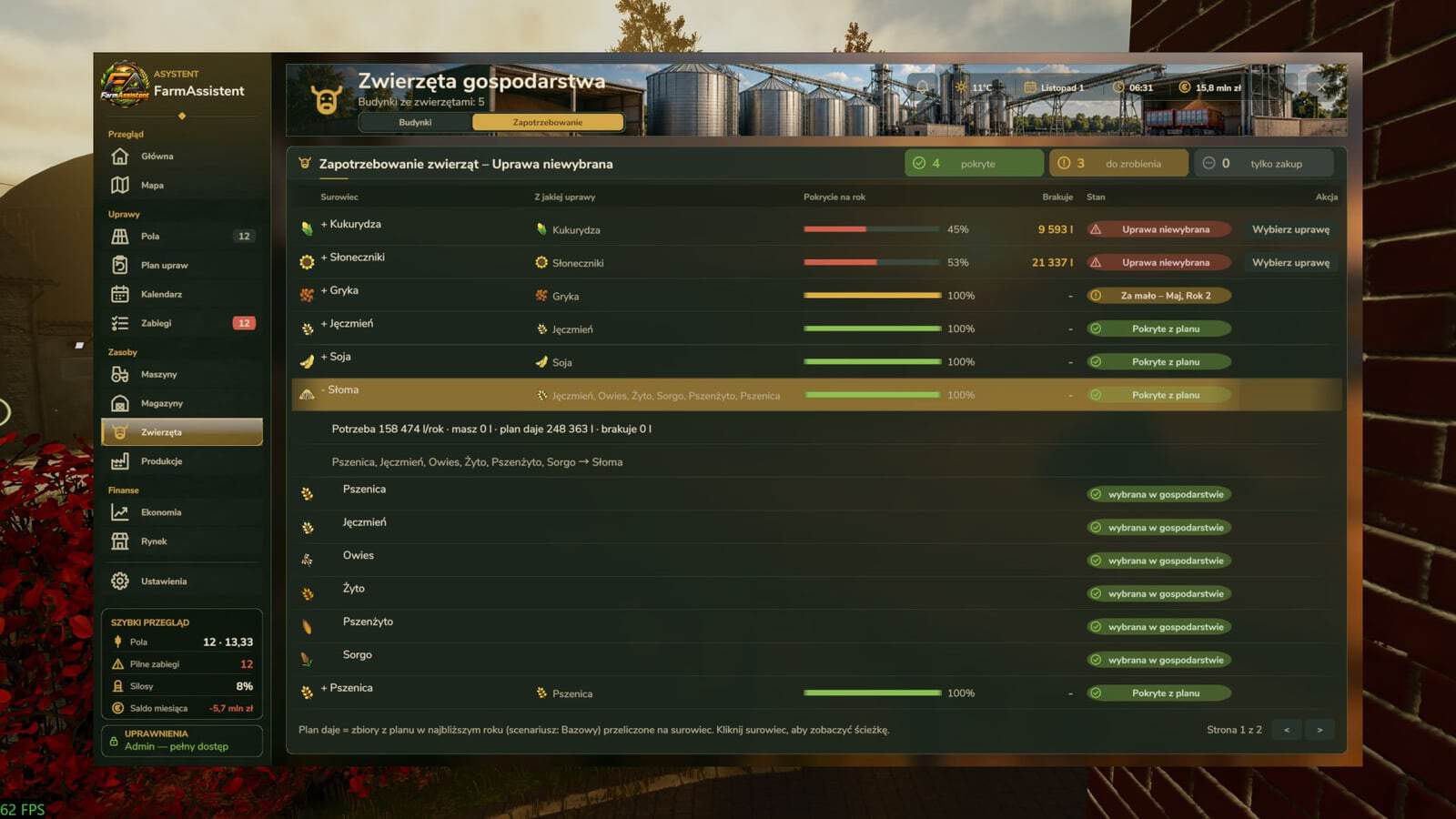
Demand view: in the details of every production, switch “Production lines / Demand”, and in Animals, switch “Buildings / Demand”. Each raw material is shown with its icon, the crops or source that supply it, directly or through a chain: flour from a mill from wheat; silage, grass silage and whole crop silage via a bunker silo or bale wrapper; straw from cereals; hay from grass, alfalfa or clover; cut sugar beet. A yearly coverage bar, the missing amount and a state badge are shown: crop not selected, too little, from month X, no processor, from animals, from production, buy only, or covered. Summary tiles show how many materials are covered, to do and buy only. Rows to do come first. Click a material for need, in stock, plan gives, missing and the path. Feeds the animals do not need now are collapsed at the end.
Yearly need comes from recipes with a 10% reserve. Stock includes storages of your productions. Manure, slurry, milk, eggs and wool from your animals are counted as supply and shared between productions that use them. Materials no crop gives, including fertilizer, seeds and water, are “buy only”. If one of your productions makes them, it becomes the source, and a production on the map or in the shop is shown as a hint.
Administrators get “Select crop” right in the row and “Add priority”, which opens the Generator with a Start-production priority draft. Productions with switched-off lines are counted as if the line were on. Productions with the same name are numbered.
Notification after buying a production, also right after loading and when opening the window, lists the crops it needs and how many are not in the plan. A click opens its demand. Works in multiplayer, also with players using different languages.
Chains are defined indata/lancuchy.xml; per-hectare values come from the game, including fruit types and the forage harvester factor for silage. - V1.0.2.0
New features: Animals have their own tab, Resources, with every building, food groups, water, straw, productivity, health and how many game days supplies last. Alerts appear when something is missing or below 2 days.
Notification centre: a bell in the header with new notification count, full list with filters and pages, clearing, and a click that opens the related tab. Alerts from one game hour come as one message.
Machine costs: the “Costs” view in the Machines tab shows upkeep, operating hours, sell value and service, repair + repaint, per machine, fleet totals, costs from game finances and hardly used machines.
In-game HUD: besides urgent tasks, “To do” tasks, such as manure after harvest, appear with an orange dot. This can be turned off in settings.
Fields and work plan: a crop that withered before harvest is logged as “Withered” and not counted in the season summary. With seasons off, the Calendar shows sowing in every month. New task dates appear right after the month changes, and task names update right after a language change. The seed alert lists the amount for each sowing month, and the legume warning uses the goal from settings.
Multiplayer and data: crop cycles advance correctly on servers without a logged-in admin, with stricter checks of player changes. Data backups are stored in modSettings, per savegame. Sold-field data is kept until a successful save. Switching farms stops the previous farm’s background work. Shift+G is registered once.
Interface: sliders work with the mouse, the window resizes live, confirmation dialogs no longer hide the whole page, buildings with the same name are numbered, and there are icon and translation fixes. - V1.0.0.0
Redesigned the map with new layers, markers and clickable field details. Added a notification center and alerts for supplies, fuel and machine maintenance. Improved the work planner, crop calendar and margin estimates based on your fields. Added a language selector with support for 19 languages. Refreshed the interface, logo and icons, and improved text readability. Added window size and opacity sliders, plus easier HUD positioning. Improved Precision Farming support, data safety and performance.