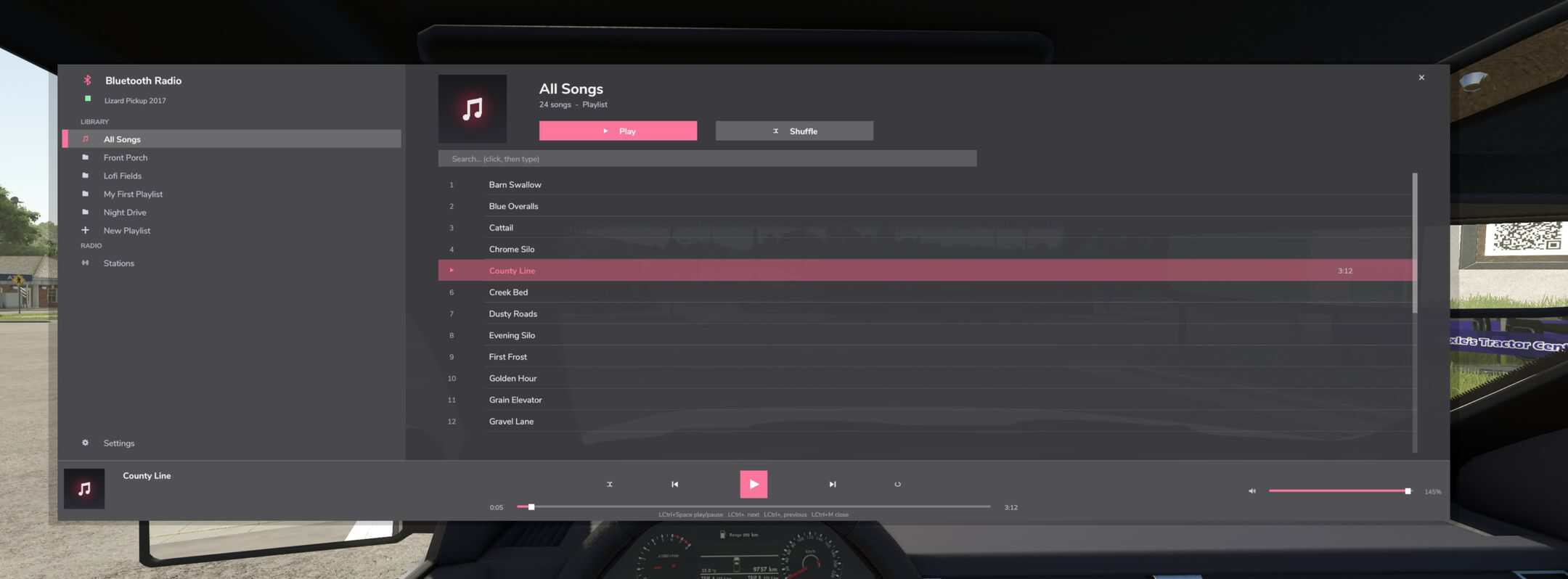
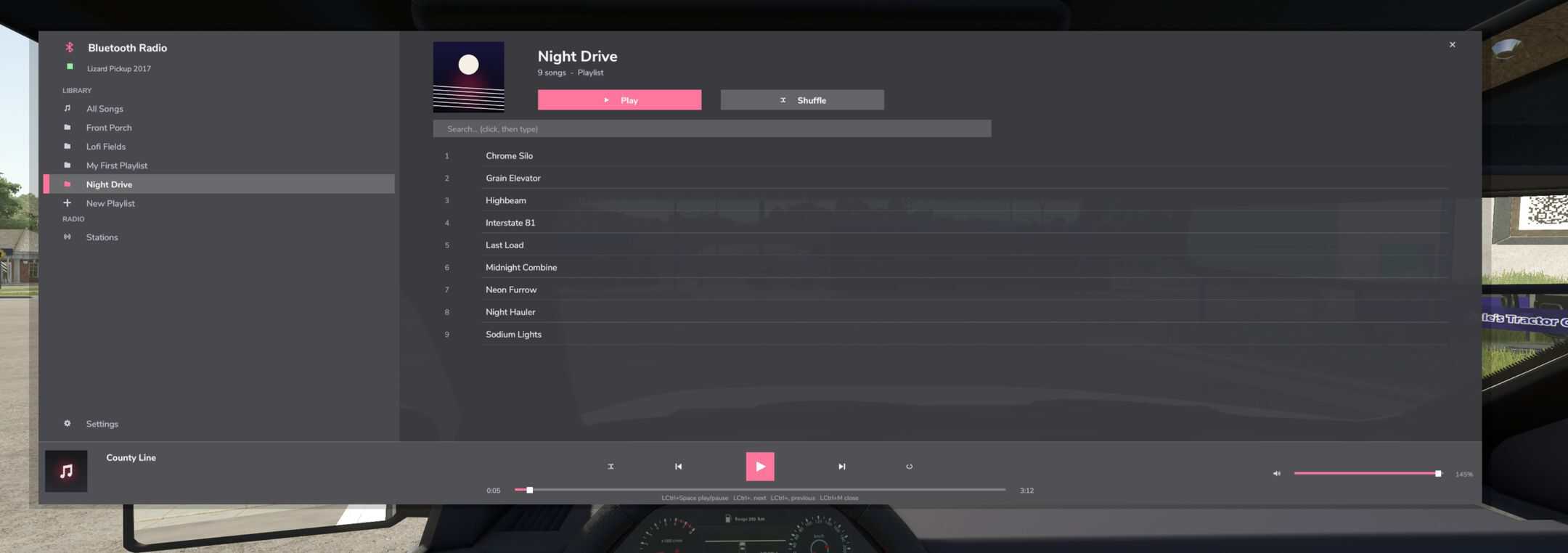
BLUETOOTH RADIO — your vehicles finally get a real music player.
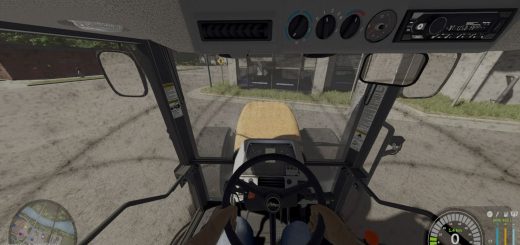
Hop into any tractor and it pairs like real Bluetooth audio: a chime, a “Connected” banner, and your music picks up exactly where you left off — even after restarting the game. Leave the cab and it disconnects, just like your phone.
FEATURES
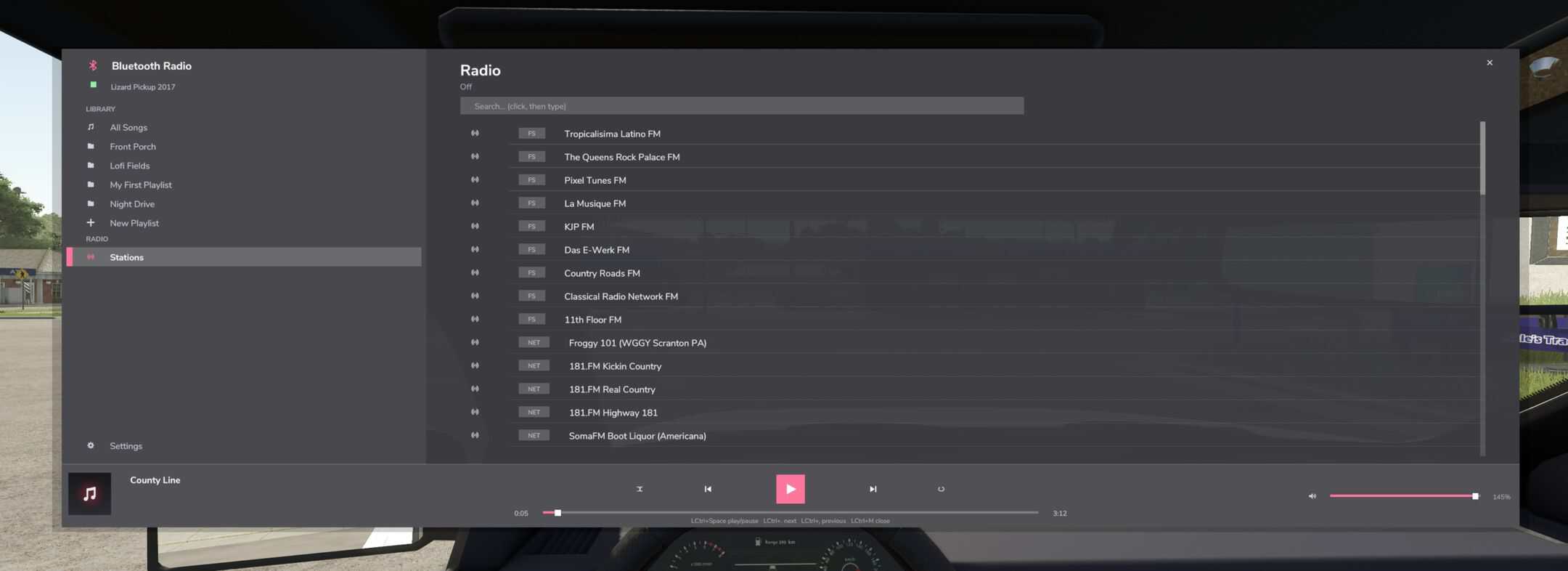
– Apple-Music-style app (Left Ctrl + M): playlists, album art, search, volume up to 150%
– Mini now-playing bar on the HUD while you drive
– Real internet radio: ~64 stations through the game’s own radio (country, rock, pop, chill, jazz, news and more) — all searchable
– Create playlists in game with the + button — they save for ALL your savegames
– Bluetooth pairing animation and sounds when entering/leaving vehicles
HOW TO ADD YOUR OWN MUSIC
– Open this folder on your PC (the mod creates it on first run): Documents/My Games/FarmingSimulator2025/modSettings/FS25_BluetoothRadio/Music
– Every folder you make inside Music becomes a playlist. Example: Music/Road Trip/Johnny Cash – Hurt.ogg Music/Road Trip/cover.png (optional square artwork)
– Songs must be .OGG files. Free converters: Audacity (File > Export > Ogg Vorbis) or any online “mp3 to ogg” converter. Renaming .mp3 does NOT work.
– Name files “Artist – Title.ogg” to show artist and title in the app.
– In game: Left Ctrl + M > Settings > “Rescan music folder”. Done!
Playlists you create IN GAME also get their own folder in Music/ — drop files straight in. Get free full-length songs at pixabay.com/music, freemusicarchive.org or the YouTube Audio Library. Only use music you are allowed to keep.
– ADD RADIO STATIONS Edit Documents/My Games/FarmingSimulator2025/music/streamingInternetRadios.xml: (Direct MP3 stream URLs work best. Stations load at game start.)
– CONTROLS (rebindable) Left Ctrl + M: open/close player | Left Ctrl + Space: play/pause Left Ctrl + . / , : next/previous | Left Ctrl + Up/Down: volume