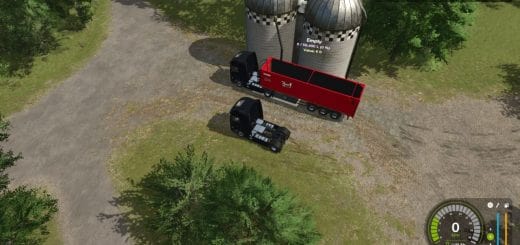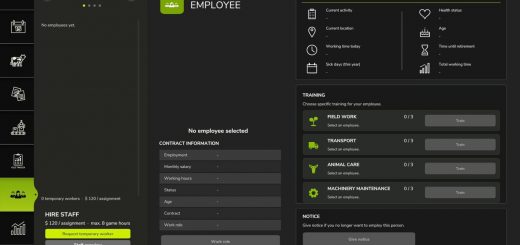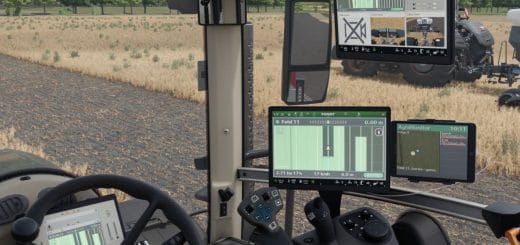
AutoSwitch is a companion mod that automates tire pressure and differential locks and makes traction more realistic. It makes Variable Tire Pressure, Enhanced Vehicle, MoreRealistic, Mud System Physics and Tractor Terrain Dynamics work together without modifying any of them.
Features
- Tire pressure: with AutoDrive and Courseplay, deflate in the field and inflate on the road. Manual driving supports Automatic or Manual mode. VTP’s automatic re-inflation at 30 km/h is disabled.
- Differentials (Enhanced Vehicle): the front and rear differentials lock when wheel slip exceeds an adjustable threshold and unlock at half the threshold. Use 4WD in the field and 2WD on the road, unlock when turning, and reset on game load.
- Grip (MoreRealistic): grip loss on wet ground with 5 levels, a bonus when differentials are locked, and Use Your Tyres wear taken into account.
- Dual wheels: the real width is used by Mud System Physics, with better grip on wet ground and a VTP fix for tires with brand variants.
- Display: recommended speed range and slip percentage next to the speedometer, with a slip warning.
- Sowing: seeding protection, seeder filling with the lid closed, and direct re-sowing on crushed strips.
- Mud: recommended Mud System Physics and TTD settings are offered on first launch.
Rear dual-wheel rack
- Tires: BKT 650/65R42
- Price: €4,500
- Available in the shop and construction menu
- Mounting and unmounting tire by tire, 15 in-game minutes per tire
- The tractor is locked during the job
Front dual-wheel rack
- Tires: BKT 540/65R30
- Price: €3,500
- Available in the shop and construction menu
- Mounting and unmounting tire by tire, 15 in-game minutes per tire
- The tractor is locked during the job
Using the dual-wheel racks
- Place the rear rack, and the front rack for the front axle, side by side.
- Park the tractor in the ground rectangle, red, then green once correctly positioned.
- On foot, stand on the yellow marker, press Right Ctrl + I and confirm.
- For unmounting, use the same procedure with empty racks. The original tires are put back.
Dual wheels must exist in the same tire brand as the tractor’s tires.
Settings: Settings > General > AutoSwitch.
Required mods (all mandatory):
FS25_VariableTirePressureFS25_EnhancedVehicleFS25_AutoDriveFS25_CourseplayMoreRealisticmoreRealisticXmlDatabankFS25_MudSystemPhysicsFS25_TractorTerrainDynamicsFS25_DynamicDriveProFS25_useYourTyresFS25_RealisticHarvestingFS25_CropDestructionOverhaulFS25_MoistureSystem
Known limitations
- Wheel change is single-player only, with a short freeze while the tractor reloads, longer with attached implements.
- A tractor without a dual-wheel configuration in its file cannot receive dual wheels.
Changelog
V1.0.3.6
- VTP pressures: “Front: x.x bar” above the tractor and “Rear: x.x bar” below, live, per axle, if the vehicle has VTP.
- Tire rack decoration in the construction menu: solid, with no more driving through it, and can be removed in construction mode.
- Crop calendar: new setting in the AUTOSWITCH tab, with sowing and harvest dates from the map by default or from Climate Profiles.
- Overdraft: with Advanced Damage System, worker service, workshop and parts purchase take the overdraft into account, on the paying farm.
- Detached implements: parking brake on implements whose wheels have no brake.
- Tires: worn rubber with gloss map, with no more “gloss map added by script” warning.
- Performance: lights read 4 times per second instead of every frame, the AUTOSWITCH tab is prepared at loading, and there is no more “renderOverlay called too soon” warning.
V1.0.3.5
- Loading: the game no longer gets stuck at 55 % (
BaseMission.lua:451 g_onCreateUtilerror) when Real Physics – Tire Wear (Reifenverschleiss) is in the mods folder, enabled or not. Tire Wear stays blocked.
V1.0.3.4
- Shop: Trelleborg TwinRadial tires are no longer taken for dual wheels, so machines no longer arrive without wheels.
- Tractor Terrain Dynamics 3.8: no more repeated
TTDStateManager.lua:159error. - Advanced Damage System: when enabled together with Realistic Mechanical Systems, AutoSwitch blocks RMS. Workshop vehicles left locked by RMS are unlocked on load.
- HUD: an attached implement no longer flickers between its picture and the fallback drawing.
- Performance: differentials, slip warning and tires are checked every 100 ms.
- Required mods: FarmPilot is accepted instead of AutoDrive.
- Tire racks: real size in the shop, forks slide under and lift them, and weight depends on the tires.
- Right Ctrl + I, Up, M, R, C are reserved for AutoSwitch.
V1.0.3
- Tire wear is built into AutoSwitch, so no tire mod is needed anymore, including Use Your Tyres and Reifenverschleiß. Each tire and each track wears with distance, wheel slip, load, ground, pressure, road speed and weather.
- Worn tire: less grip in the field, a bit more on dry road, a slightly smaller radius, and visibly worn rubber. Rubber tracks are smooth at 100 %.
- HUD: one bar and one percentage per wheel, with tires of attached tools and trailers below the tractor, alerts at 75 % and 90 %, a “New tires” button at the workshop, on and off and tire life settings in the AUTOSWITCH tab, and TTD reading this wear.
- Courseplay: vehicles that were driving with Courseplay when saved start again when the savegame loads, according to the tab option.
- Fields: total owned hectares at the top of the window.
- Weather: the mini weather no longer overlaps the clock bar background.
- Forage harvester: new HUD icons, 4×4 and 4×2, with axles and driveline grey and red when locked.
1.0.2.0
- Forage harvesters: with AutoDrive, the spout can fill the trailer from further away, with an additional 5m of reach.
- Textures: HUD icons, the mod icon, and shop icons for tire pallets are now compressed in DXT5 format, eliminating “raw format” warnings in the
log.txtfile and reducing memory usage. - Tire wear: “Use Your Tyres” is the only supported system. “Real Physics – Tire Wear” (Reifenverschleiß) is disabled and blocked if active, and an in-game notification will appear along with a red line in the AUTOSWITCH tab.
1.0.1.8
- Differentials: in AUTO mode, with a plow lowered, the rear differential lock no longer disengages when steering, preventing it from unlocking in the middle of plowing. The front differential lock remains disengaged when the steering angle exceeds 20%.
- The “Straighten wheels” alert no longer appears during plowing and, in AUTO mode, clears as soon as the wheels are straightened.
- Lights: settings are now available for each light type in the AUTOSWITCH tab, including high beams, front work lights, rear work lights, beacons, hazard/signal lights, and others. Range and brightness have been adjusted by a factor of 1.1x to 2.5x, 2x for high beams and work lights, and 1.1x for the rest.
- Blocked: “Real Physics – Tire Wear” (Reifenverschleiß). AutoSwitch will disable it if it is active.
AutoSwitch 1.0.1.1
New features since release 1.0.0.88:
1.0.1.1
- Differentials: in AUTO mode, lowering a plow locks the rear differential with an “in-ground” notification, and it unlocks when the plow is raised. During plowing, the wheel-slip rule and the differential-unlock-on-turn feature no longer affect the rear differential. In MANUAL mode, behavior remains unchanged.
1.0.1.0
- Cooperatives:
[AS_CoopPay]entries have been restored to thelog.txtfile, showing the type of each point of sale, the amount to be received, and end-of-month payouts.
1.0.0.97
- AUTOSWITCH tab: now positioned immediately after “General Settings” instead of at the end of the tab bar.
- The page is titled “AutoSwitch”, replacing the “MISSING vtpas_tabTitle” error.
- The mouse scroll wheel now correctly scrolls the page. The page is now loaded from
gui/AS_SettingsPage.xmlrather than being a copy of the “General Settings” page.
1.0.0.96
- “Use Your Tyres” and “Reifenverschleiß” (Tire Wear) used together: the “two wear mods detected” warning window from Mud System Physics no longer appears, as AutoSwitch now manages the conflict automatically. A note remains in the
log.txtfile.