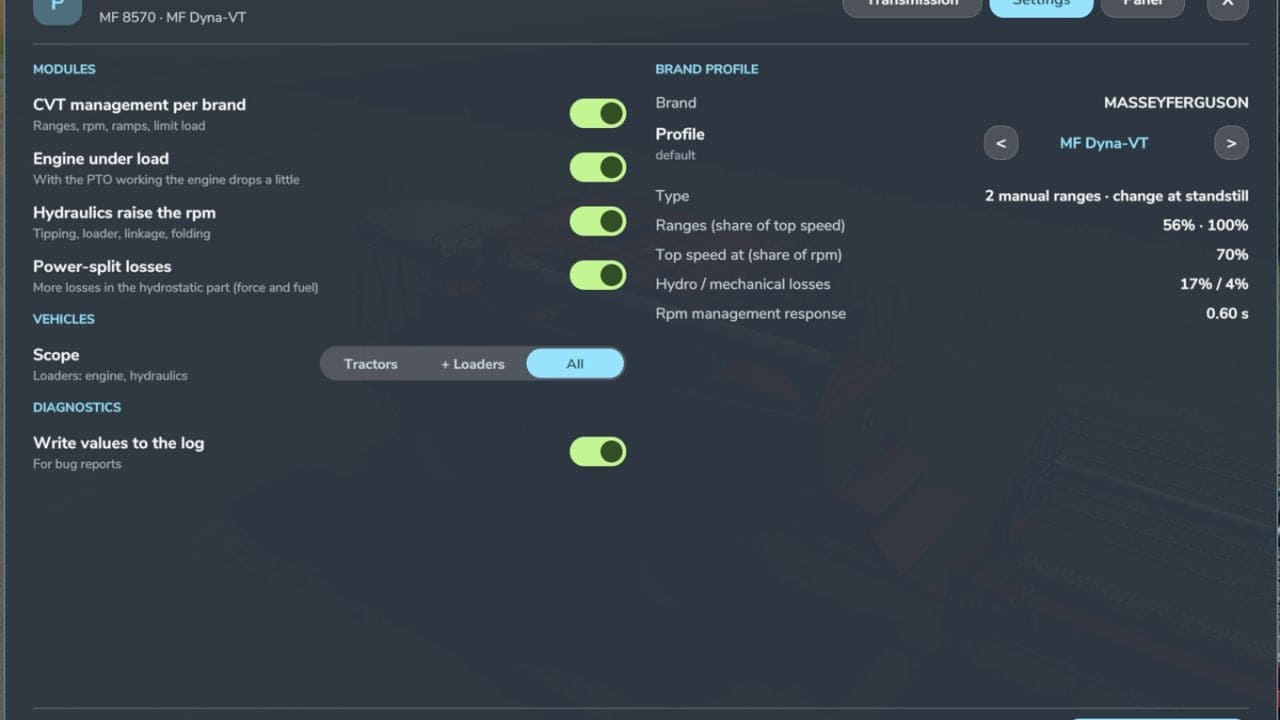
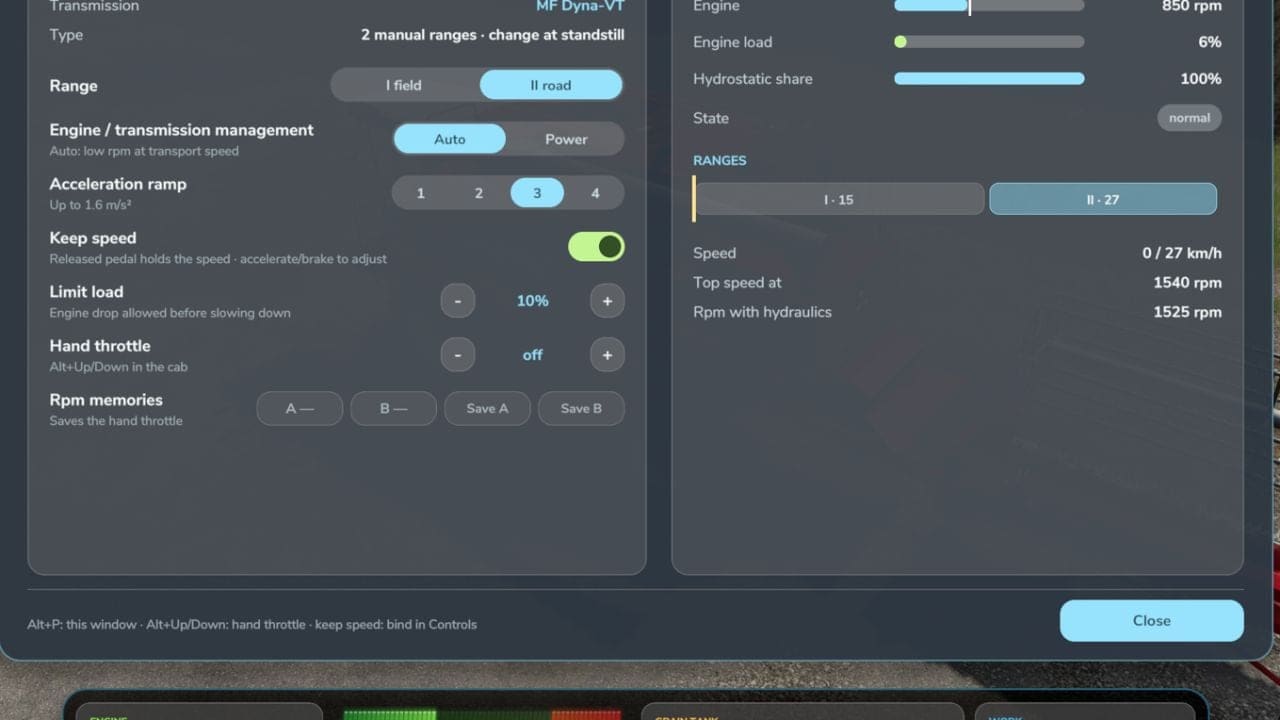
Real Power Train adds realistic CVT behavior, engine and transmission management, hand throttle control, power-split efficiency, and hydraulic load simulation. Multiplayer is supported.
Features
- Realistic CVT per brand: Fendt Vario and MF Dyna-VT with 2 manual ranges, field and road, changed only at standstill; CVXDrive, Case IH, Steyr, New Holland, JD AutoPowr, CLAAS CMATIC, Deutz TTV, Valtra Direct and Kubota KVT with 4 automatic ranges and almost unnoticeable shifts.
- Engine and transmission management: Auto, economy and low rpm at transport speed, or Power, with load limit and acceleration ramps 1 – 4.
- Hand throttle with two rpm memories, A and B, saved with the savegame, like real tractors.
- Power-split efficiency: more losses in the hydrostatic part, which shows in pulling force and fuel use.
- Engine under load: with the PTO working, the engine drops a little instead of being locked at PTO rpm.
- Hydraulics raise the engine rpm, including tipping, loader, linkage and folding, and return to idle afterwards.
- Own window, Left Alt + P: Transmission tab with live rpm and target, engine load, efficiency, hydrostatic share and a range strip; Settings tab with modules, which vehicles, CVT profile per brand and settings applied at once; Panel tab with on / off, text size and mouse movement.
- The CVT module turns itself off if CVT Addon, RealismAddon Gearbox or VCA is active.
- Zasty HUD shows the range and the hand throttle; the panel hides when the HUD is active.
- Multiplayer supported.
Keys
- Left Alt + P: Real Powertrain window
- Left Alt + Up / Down arrow: Hand throttle, hold
These are the default keys. If one of them is already used by the game or by another mod, go to Options > Controls and set the key you prefer to avoid conflicts.
Changelog
- V1.4.0.0
New: PTO by hand throttle. Turning on a PTO implement no longer locks the engine at PTO rpm. The engine stays at idle or at your hand throttle, and you set the rpm yourself with the hand throttle or the A/B memories. Standard PTO, 540/1000, needs about 85 – 95% of the tractor’s max rpm. Eco PTO, 540E/1000E, about 70 – 75%, is used automatically for tedders, rakes and spreaders. Rotors and PTO shafts turn with the engine rpm. Below about 78% of the PTO rpm, the implement works slower and a “Low PTO rpm” warning shows. The panel shows a PTO % chip. On by default in Realistic mode, off in Arcade. It also has its own switch in Settings, Left Alt + P. The AI helper keeps the game’s normal behaviour. Compatibility Real Vehicle Dynamics: keep speed and the game’s cruise control hold the speed again with both mods active. - V1.3.1.0
New: hydrostatic transmission. Combines, forage harvesters, telehandlers and other non-tractor machines with a continuous transmission are now recognised as hydrostatic, with gears 1 – 4 changed at standstill, instead of using a tractor CVT profile.
Fixed: CVT oil temperature no longer drops below about 40 °C with the engine running. The oil cooler thermostat is now simulated, closed up to 42 °C and fully open at 60 °C.
The “cold oil” warning now comes on below 40 °C. - V1.1.2.0
Fixed: rpm and speed needle jumping, especially uphill. Automatic ranges now shift more calmly and stay in a range for at least 2 seconds. Engine rpm follow the load smoothly instead of hunting.
Improved: rpm no longer drop to “choking” values. Under load, the engine keeps enough rpm to pull. On the road, the minimum is about 1150 – 1300 rpm, depending on the tractor. At top speed, ECO stays around 1450 – 1500 rpm.
New: Fendt VarioDrive. The Fendt 600/700/900/1000 now have one continuous, fully automatic range. The Fendt 200/300/500 keep the two manual ranges, I Field / II Road, changed at standstill.
New: deceleration ramps 1 – 4, Transmission tab. They set how hard the engine brakes when you release the pedal, like a real CVT. Ramp 2 = game default.
New: keep speed on tractors with a manual gearbox, requested by the community. It’s off by default. Switch it on in Settings > “Keep speed on manual gearboxes”. On these tractors, only keep speed is added, nothing else changes.
Debug log: now shows more values. If something still jumps, turn on Settings > “Write values to the log”, drive up a hill and send me your log.txt.