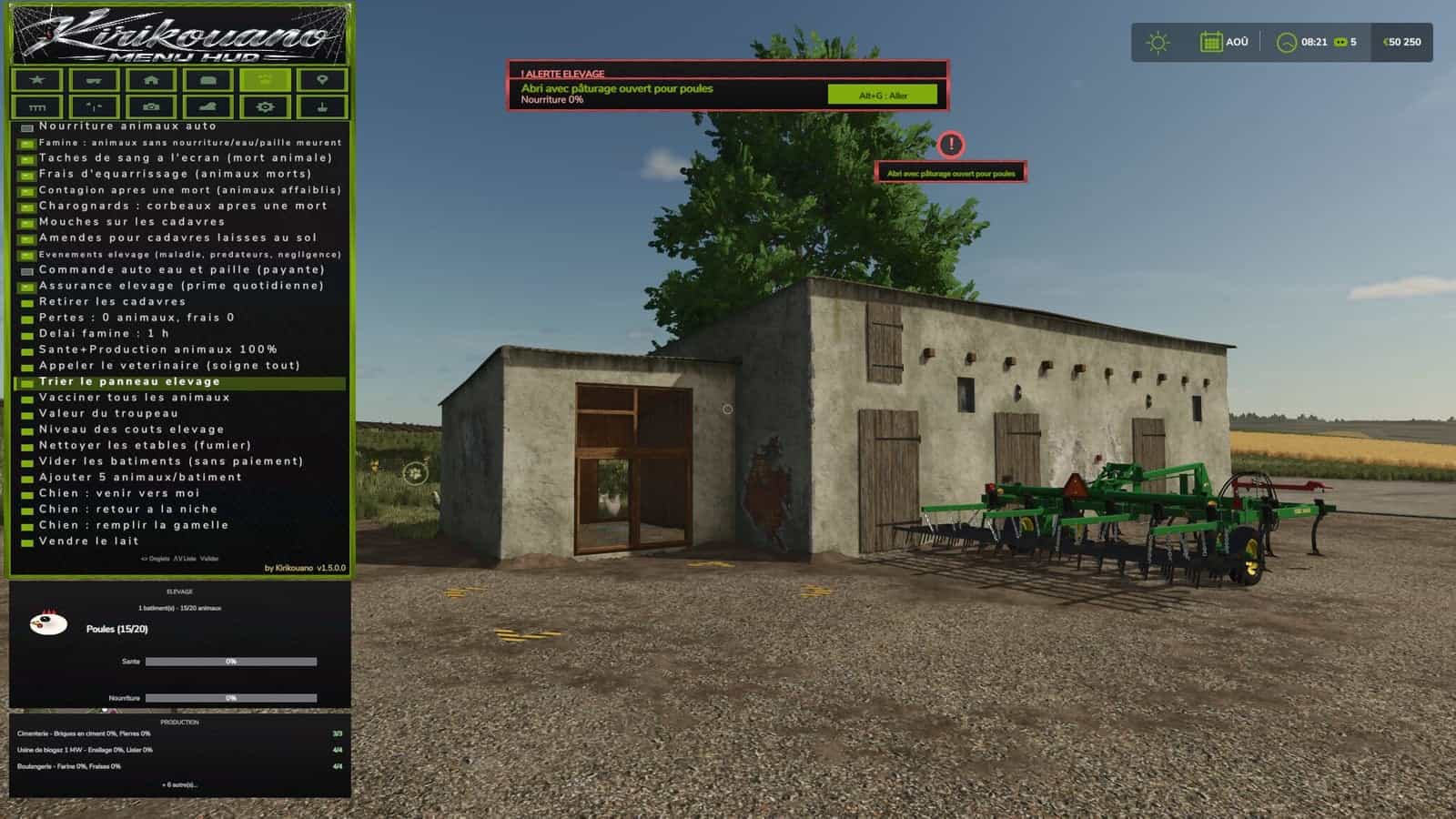
Kirikouano Menu HUD for FS25 opens using Left Alt + M. The menu language automatically matches the game language: FR, EN, DE, PL, IT.
Features
- Cheats: Player flight mode, super speed, super strength, and NoClip, which allows walking through walls. Resources include unlimited money, infinite fill levels, disabling wear and tear, free worker wages, adding or removing specific amounts, and access to the finance screen.
- Vehicle: Maintenance includes cleaning, repairing, repainting, emptying tanks, refueling with fuel type selection, uprighting a vehicle, and filling a harvester’s grain tank. The entire fleet can be repaired, cleaned, and refueled. Driving options include adjusting vehicle speed, grip, and braking, AI autopilot, crab steering, reversing driving direction, and stopping all AI workers. Tools include selecting nearby implements and hitch points, attaching and detaching, folding and unfolding tools, activating all attached machinery, adjusting working width, and controlling auger pipes, trailer covers, tension belts, and winches. Openings and animations include doors, hoods, hatches, lights, beacons, vehicle entry animations, automatic doors, and interactive points. Management includes access to the vehicle shop, selling vehicles, cloning a vehicle, saving and restoring vehicle state, and configuring vehicle options by selecting options, setting values, and applying them. Spawn any vehicle available in the game.
- Farm: Buy or sell any plot of land and view field status in French. Manage active production chains, fill all production inputs, and sell finished products. Manage automatic gates and barriers, fill all silos and beehives, list, complete, or regenerate contracts, and use the farm dashboard, which is also available as a separate window. Automatically remove trees and stumps, plant a tree with a choice of species, and remove nearby wildlife.
- Buildings: Open the building shop and spawn a building. Precise placement allows moving up, down, left, right, forward, and backward, rotating by 45°, adjusting step size, snapping to the ground, and resetting to flat. Free placement of fences and buildings, with mouse-based placement. Fences include gates, automatic connection, a snapping indicator, and a choice of style. Management includes “my buildings” with images, fixing ownership to resolve blocked sales, deleting the currently edited building, repairing damaged buildings, and deleting all buildings except the shop.
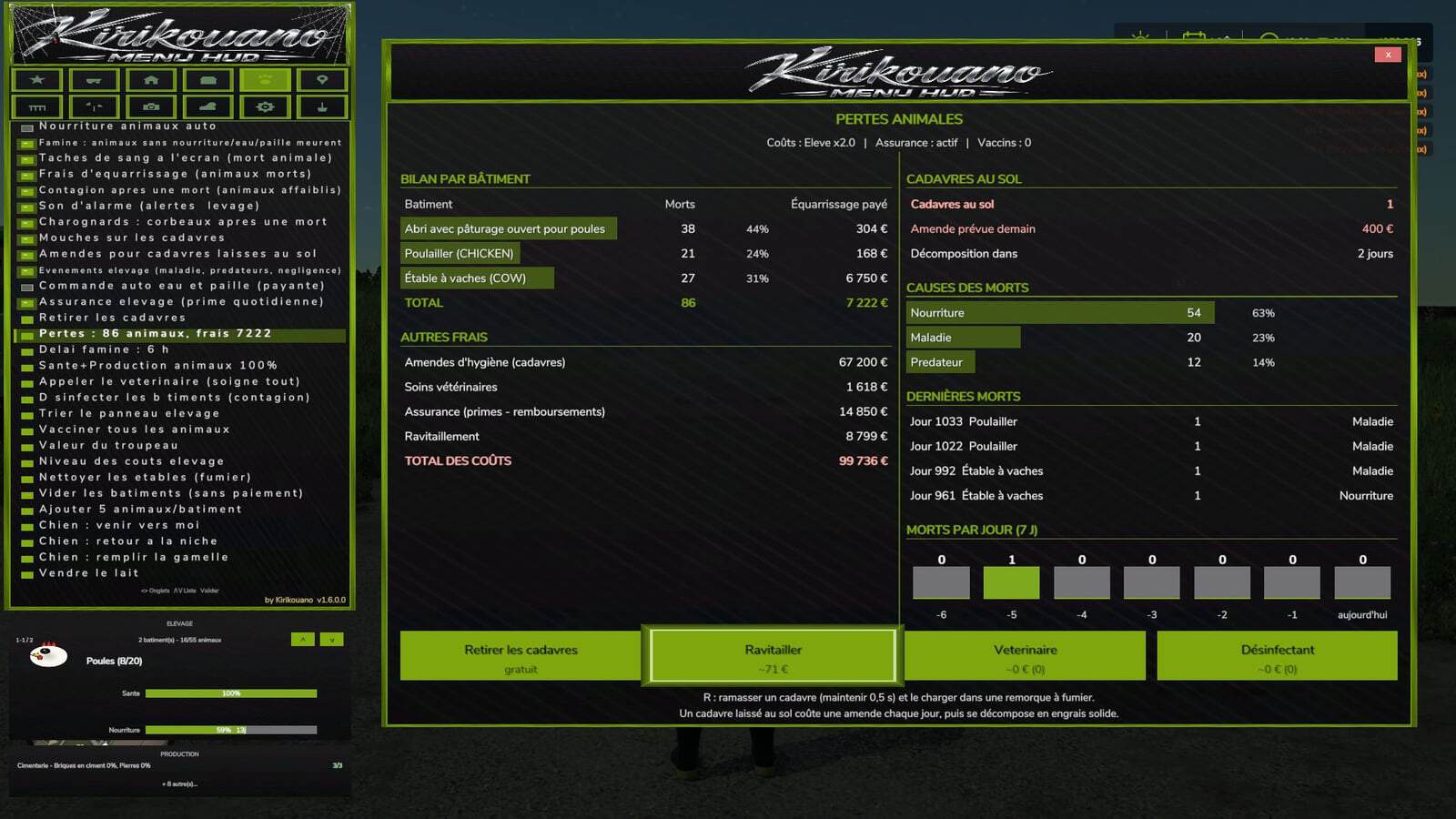
- Livestock: Set health and production to 100%, call the vet, vaccinate, disinfect, clean barns, horses, and manure on the ground, empty manure and slurry storage, and remove animal carcasses. Rules include animal death, starvation with a grace period, flies, carcass disposal fees, contagion, alarm sounds, fines, livestock events, automatic water and straw ordering, livestock insurance, and animal losses. Herd options include automatic feeding, herd value, cost levels, sorting the livestock panel, adding animals with a customizable quantity, and emptying buildings without payment. The animal shop supports mounts and ride animals. Dog commands include come here, return to kennel, and fill food bowl.
- Teleport: Teleport to any field or connected player. Teleport a vehicle to your current location, with the option to select the vehicle’s owner.
- Pallets: Pallet and bale shop, removal of spawned pallets, emergency deletion within a 50m radius, and deletion of all pallets from the map. Loading options include nearby pallets, full pallets, a custom system for any trailer, unloading, and cargo repacking. Cargo can be moved up, down, left, right, forward, and backward, with adjustable step increments. Map markers are available for pallets and bales.
- Fields: Field status includes crop type, growth stage, weeds, stones, soil condition, soil angle, spraying, liming, plowing, rolling, and cultivating, followed by “Apply to field.” Define new fields by drawing field boundaries using an aerial camera view.
- Camera: Depth of field, camera shake, field of view (FOV), and mouse sensitivity.
- Time and Weather: Time scale up to 120x, time of day, weather, and time freezing. Skip forward by one day, week, month, season, or year. Snow depth. Certain actions, including time, weather, and noclip or passing through walls, require the
-cheatslaunch option. - System: Interface options include menu sounds, UI scale, menu positioning, showing or hiding the HUD, the “Kirikouano” mini-HUD, blocking game controls while the menu is open, and action search. Game options include quick save, repeating the last command, the player list, the farm dashboard, and cycling to the next outfit.
- Terraforming: XXL terraforming brush with a multiplier. The workshop includes terraforming tools, trees, and plants that can be placed individually anywhere with in-game audio. It supports round or square shapes with adjustable sizing. The aerial camera supports in-game navigation using both mouse and controller. The in-game workshop is the game’s construction screen, fully functional with a controller.
Help and file verification: https://www.fs25modhub.com/kirikouano-menu-hud-v1-6-0-0/
Changelog
- V1.7.0.0
Aerial camera navigation is identical to the game’s construction screen. Mouse: move by pushing the cursor towards the edges of the screen, scroll wheel to zoom. Controller: left stick to move forward, other controls as in the game. Usable with terraforming, trees, plants, free fields, and building placement. The character no longer moves when the menu is open. Escape or B exits the current tool.Plants: place one plant at a time, in the centre of a tile, without erasing the neighbouring one. Placement is possible everywhere, including on concrete, using the game’s brush. Unlimited placement, round or square, with adjustable size as in the game. Game sounds play when placing and erasing.
Game workshop: new button to open the game’s construction screen, identical to the original, with the controller.
Fences: gates, automatic connection of segments, snap indicator, and model selection with the real store name instead of “? ?”.
Free fields: field lines can be drawn with the aerial camera.
Terraforming and trees: brush and adjustable sizes as in the game.
- V1.6.0.0
Controller and menu: full controller navigation in shops, signs, and the death panel. D-pad to move, A to confirm, B to go back. Legend in the window. Green halo matching the menu color. The menu no longer blocks doors, jumping, or crouching.Vehicle tab: split into sub-tabs, Maintenance, Fleet, Tools, Driving, Shop, and IC. One button for the beacon. Complete translations in fr, en, de, pl, it. Automatic translation of notifications and signs. The language follows the game.
Halloween: spider webs, swinging spider, and scary sound when opening the menu. Hail and blood rain, with red sky, red filter, and drops on the screen. Weather sounds include haunted rain, demonic thunder with red lightning, and wolves at night. Terror Pack: random events, from jumpscares to whispers. Scream when teleporting.
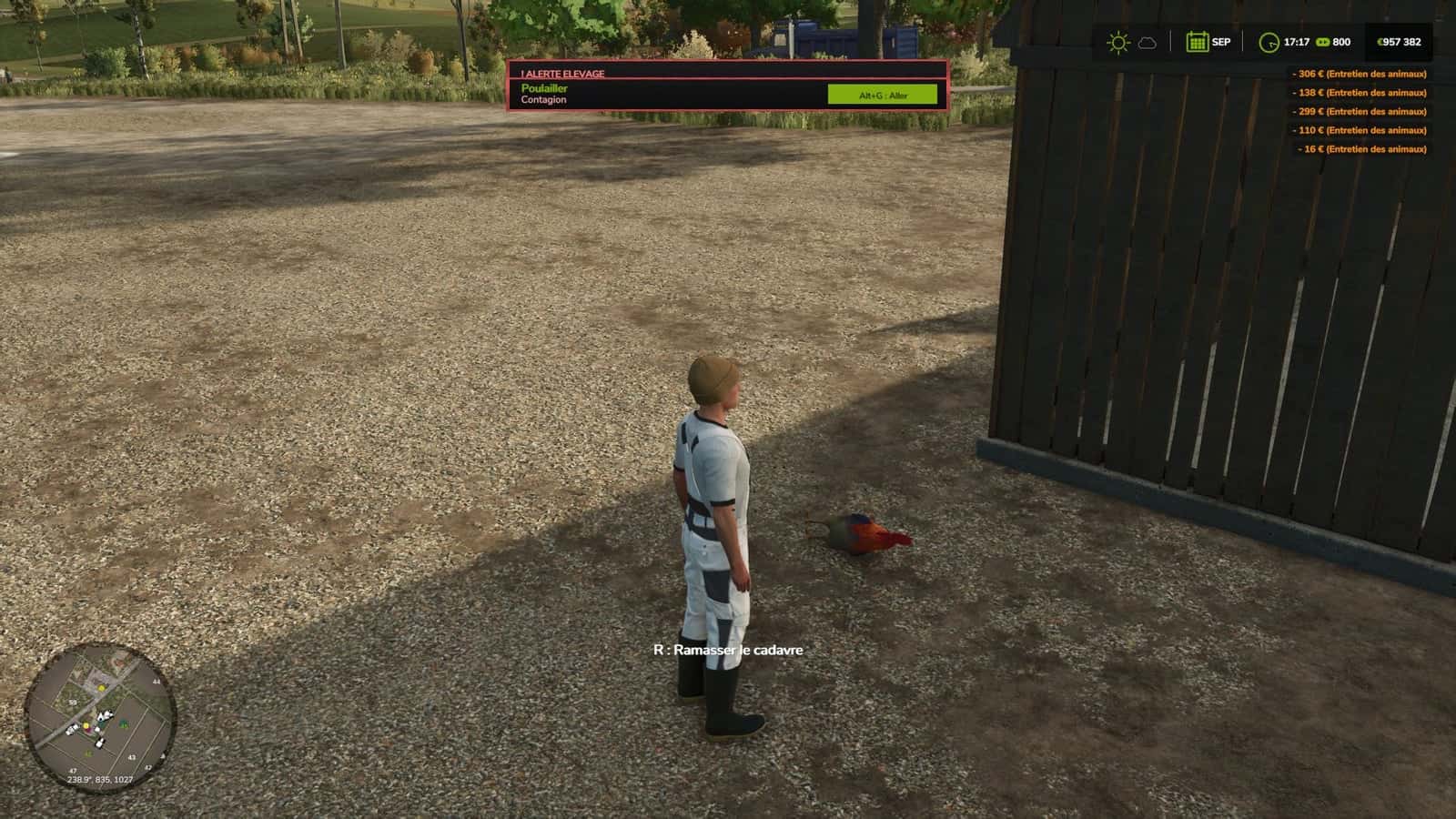
Animal deaths: starvation without food, water, or straw causes the animal to die. Prior warning and adjustable delay. Rendering fees, livestock insurance, blood stains on the screen, death sound, 3D carcasses on the ground according to their actual age, adult, young, baby, flies on the carcasses, and carrion crows. Daily hygiene fine. Contagion weakens the remaining animals. Pickup with R, held for 0.5 s, grouped, and loading into a manure trailer. Once picked up, it produces manure. If not picked up, it decomposes into solid fertilizer placed on the ground, without filling trailers. Loss report by building and a button to clean up the manure.
Health and alerts: two-stage disease with a countdown before death. Overpopulation alert and contagion alert. Veterinarian heals everything and clears the contagion. Estimated cost displayed. Disinfectant is cheaper and removes contagion only. Bell on every new alert, which can be disabled. Alt+G teleports to the building under alert, even with the menu open.
Performance and reliability: list caches and protection against deleted objects. No duplicate code or translations. Copyright in the scripts’ header.
- V1.5.0.0
New: tree planting, with a “Plant a tree” button and tree type selection in the FARM tab. New: hail added to the weather. VEHICLE tab divided into sub-tabs, Maintenance, Fleet, Tools, Driving, Shop, and IC. Beacon light: a single ON/OFF button. Complete automatic translation in FR, EN, DE, PL, IT for the menu, notifications, and panels. Language selector removed, the menu follows the game language. Descriptions and key texts translated into Polish and Italian.