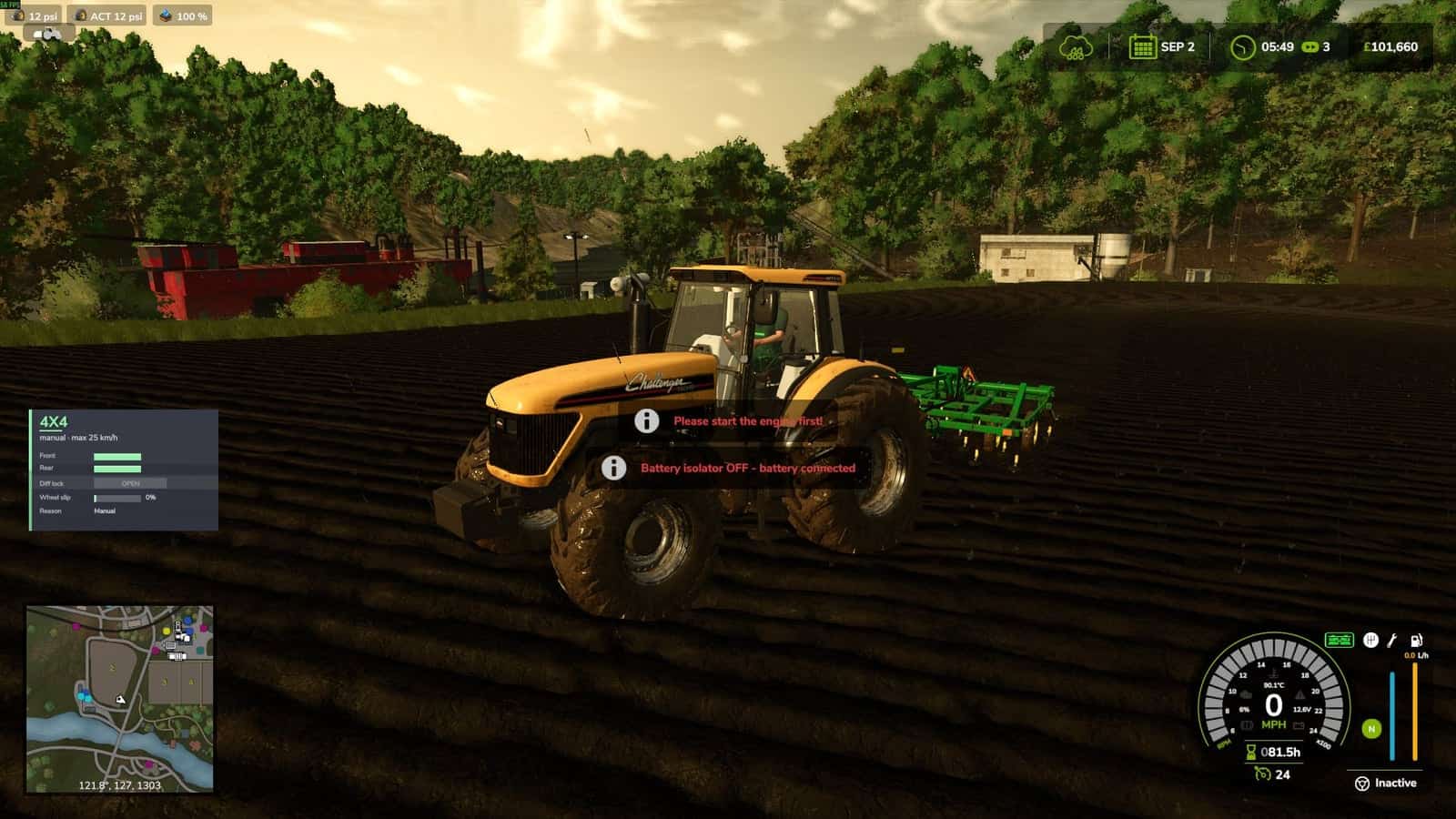
ADS Battery Isolator is a standalone addon for Advanced Damage System that adds a functional battery isolator to motorized machines. It helps prevent unnecessary battery drain while machines are parked or stored.
When a machine is parked and no longer being used, you can manually disconnect the battery or allow the mod to automatically isolate it after a configurable period of inactivity. Once the battery is isolated, the engine cannot be started until the battery is connected again.
Features
- Functional battery isolator for motorized machines
- Manually disconnect or reconnect the battery
- Optional automatic battery isolation
- Helps prevent Advanced Damage System standby battery drain
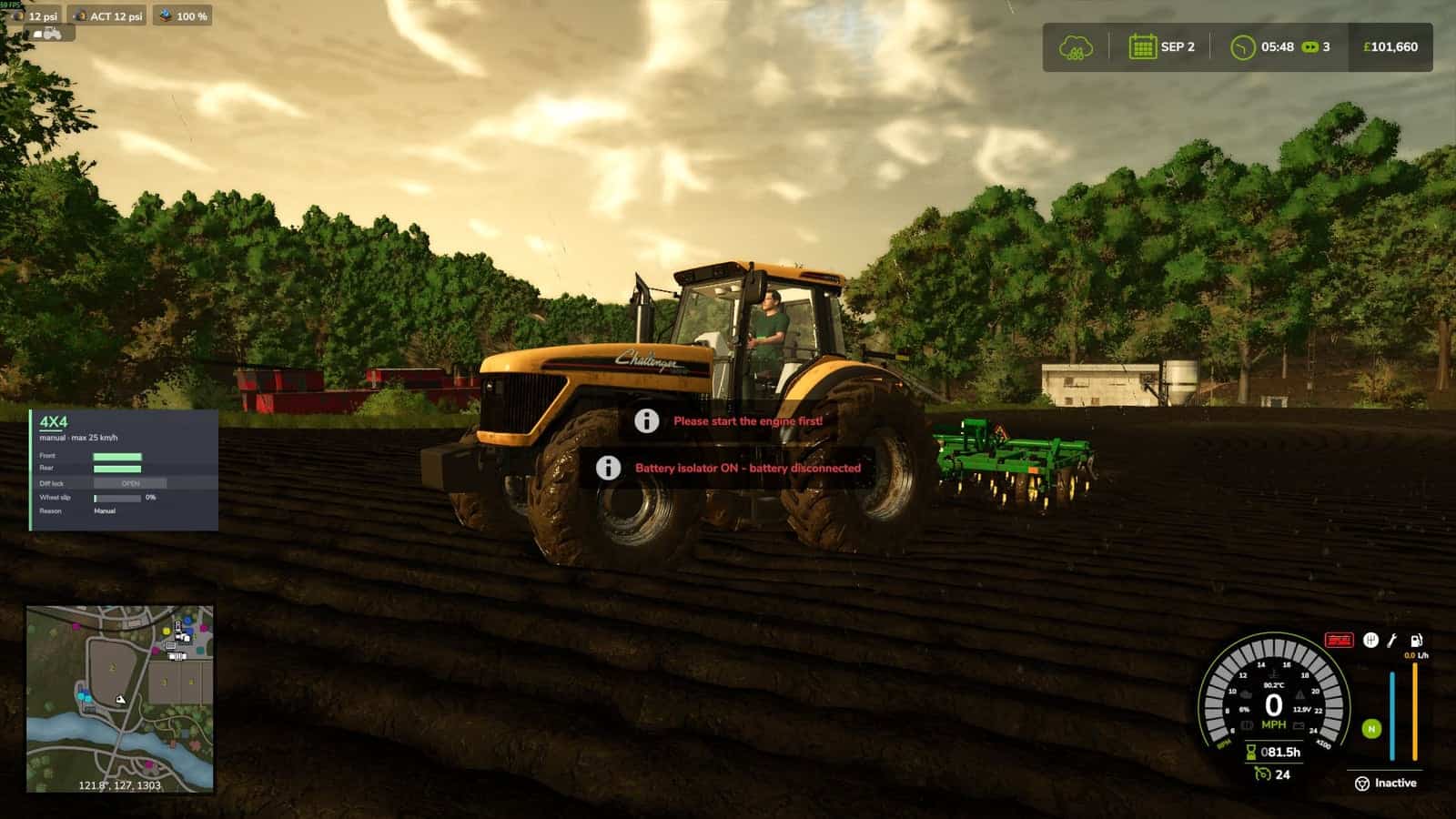
- Engine start is blocked while the battery is isolated
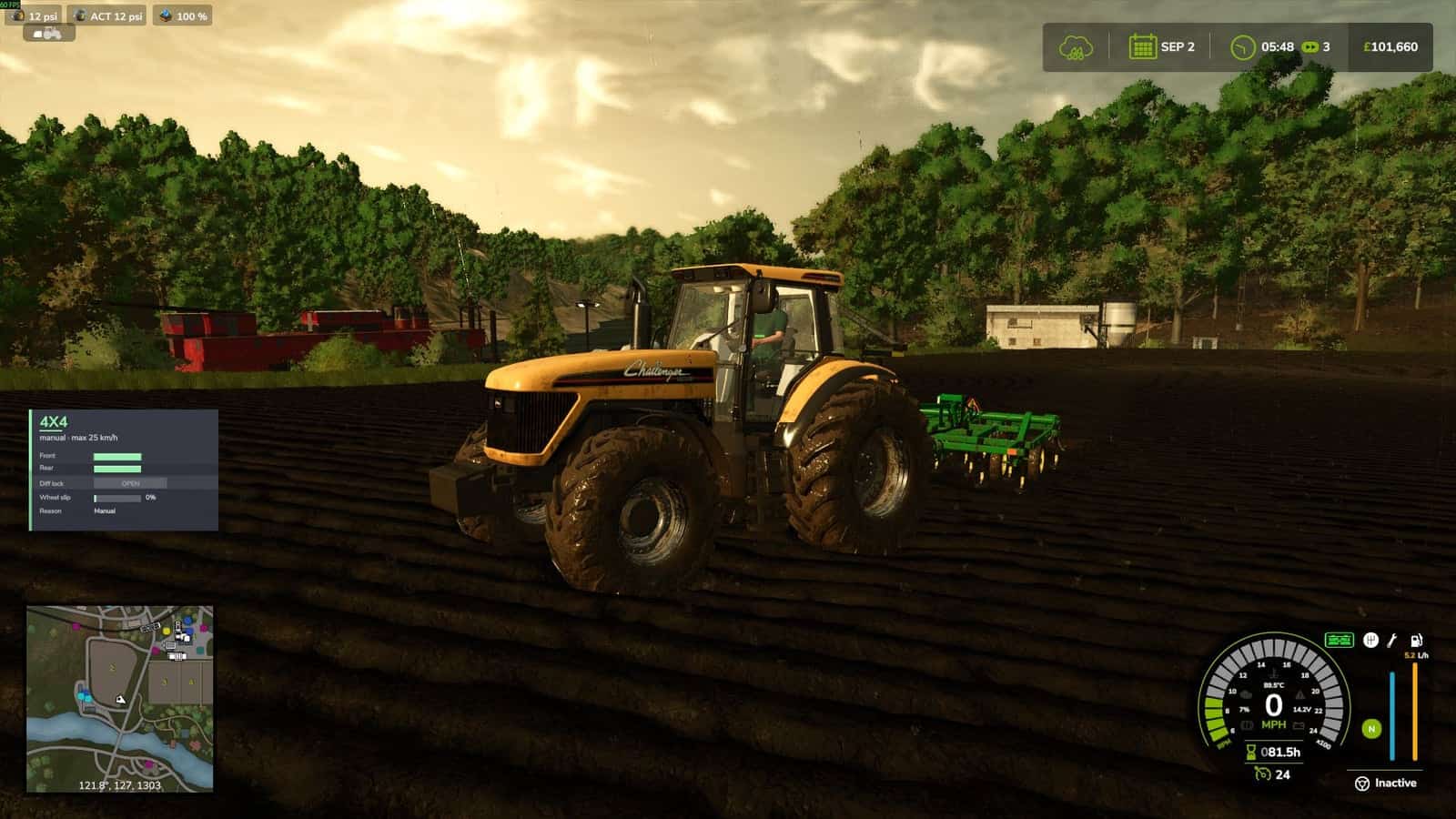
- Dedicated battery status icon on the vehicle speedometer
- Green battery icon = battery connected
- Red battery icon = battery isolated
- Configurable automatic isolation timer
- Isolator state is saved with the vehicle
- Multiplayer compatible
- Does not modify or replace Advanced Damage System files
- Designed to work alongside Advanced Damage System
Controls
B – Disconnect or reconnect battery
The engine must be switched off before the battery isolator can be operated.
The key binding can be changed through:
ESC → Settings → Controls
The control is listed as:
Battery Isolator
Automatic Battery Isolation
The automatic isolation system can be enabled or disabled through:
ESC → Settings → Battery Isolator
Available settings:
- Automatic Battery Isolation – On / Off
- Automatic Disconnect After
- Off
- 6 Hours
- 12 Hours
- 24 Hours
- 48 Hours
- 3 Days
- 7 Days
When automatic isolation is enabled, the battery will be disconnected after the machine has remained unused for the selected amount of time.
Important: Automatic isolation does not automatically reconnect the battery when you enter the machine.
Press B to reconnect the battery before starting the engine.
Battery Status
The speedometer displays the current battery isolator state:
- Green – Battery connected and the machine can be started.
- Red – Battery isolated and the engine start is disabled.
Requirements
- Farming Simulator 25
- Advanced Damage System
Compatibility
ADS Battery Isolator is designed as a separate addon and does not replace or modify the original Advanced Damage System files.
It can be installed alongside Advanced Damage System without replacing its files.
Multiplayer
Multiplayer supported.
The battery isolator state is synchronised so the feature can be used on multiplayer servers.
YOU NEED: Advanced Damage System
Changelog
- V2.0.0.0
Added a battery isolator for motorised vehicles. Use the assigned key to disconnect or reconnect the battery while the engine is switched off.
Customisable keybinds: You can change the battery isolator key in the game controls to suit your preferences.
Disconnecting the battery cuts electrical power to the vehicle, including headlights, work lights, beacons, indicators, brake lights, reverse lights and the horn. Electrical power is also cut to attached equipment where supported.
The engine cannot be started while the battery is disconnected.
Added a battery status icon to the speedometer. Green indicates the battery is connected, while red indicates it is disconnected.
Added a dedicated Battery Isolator tab under ESC → Settings.
Added an option to enable or disable Automatic Battery Isolation.
Added configurable automatic disconnection times: Off, 6 hours, 12 hours, 24 hours, 48 hours, 3 days or 7 days.
Battery isolator state is saved individually for each vehicle.
Multiplayer support included.
Requires Advanced Damage System (ADS).
Works as an add-on and does not modify any Advanced Damage System files.