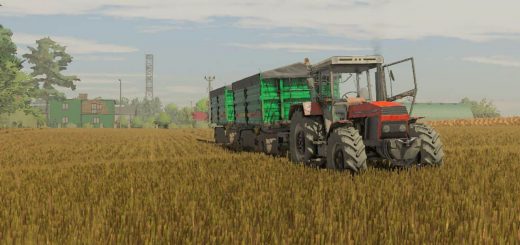
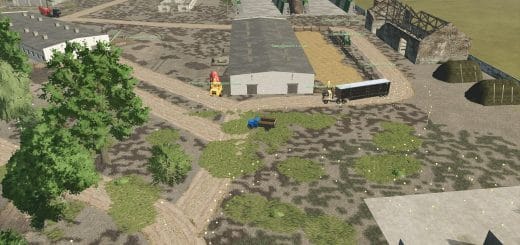
Improved Wheat XML is a Farming Simulator 25 replacement mod for wheat crop destruction. Version 1.0.0.2 updates the replacement and restore system so it works on mod maps as well as base-game maps.
Features
- Adds the wheat tire-track and stubble destruction state needed for wheel destruction.
- Uses maps_fruitTypes.xml rules so wheat stages 4 through 10 can be converted into the destruction state.
- Keeps the base-game wheat fruitType registration, growth calendar, harvest settings, and crop categories intact.
- Keeps base-game wheat yield, prices, equipment, and economy behavior intact.
- Installs an updated wheat.xml and a matching maps_fruitTypes.xml rule while the mod is enabled.
- Updates wheat XML behavior for destruction states while keeping the regular wheat calendar and harvest setup intact.
- Backs up the original files first.
- Restores the base-game wheat XML after the mission or game closes.
- Supports base-game maps and mod maps.
Specifications
- Game: Farming Simulator 25
- Category: Field & Crop
- Public file name: FS25_ImprovedWheatXML.zip
- Multiplayer status: Supported
- Active gameplay logic: Lua
- Mod script loading file: modDesc.xml
Compatibility
This field and crop script should be tested with crop growth, tramline, field destruction, precision, and ground-interaction mods before it becomes part of a serious farm. Compatibility testing should include the map, any mods that touch the same gameplay area, and a save-and-reload check before the setup is trusted on a long-running farm.
The active gameplay logic is written in Lua, the scripting language Farming Simulator 25 uses for script mods. Lua is loaded directly through modDesc.xml, keeping the mod lighter, easier to update, and safer beside other scripts.
Testing Notes
Test the relevant field state or crop stage, then drive, harvest, or reload to confirm the normal Farming Simulator 25 workflow still behaves as expected. During testing, change only one thing at a time and record the map name, game version, mod version, and other active scripts that affect field and crop gameplay.
If the first test looks good, save the game, exit to the menu, reload the save, and repeat the same action once more. This second pass helps catch restore problems, missing XML paths, delayed script errors, and visual changes that only appear after reload.
If crop visuals or field states do not match expectations, remove other crop, tramline, texture, precision, or destruction mods and check the same field again. Keep one active version and test the mod on a backup save before using it on a long-running farm.
Changelog
v1.0.0.2
- Now works on mod maps as well as base-game maps.
- The replacement and restore system has been updated for mod maps.