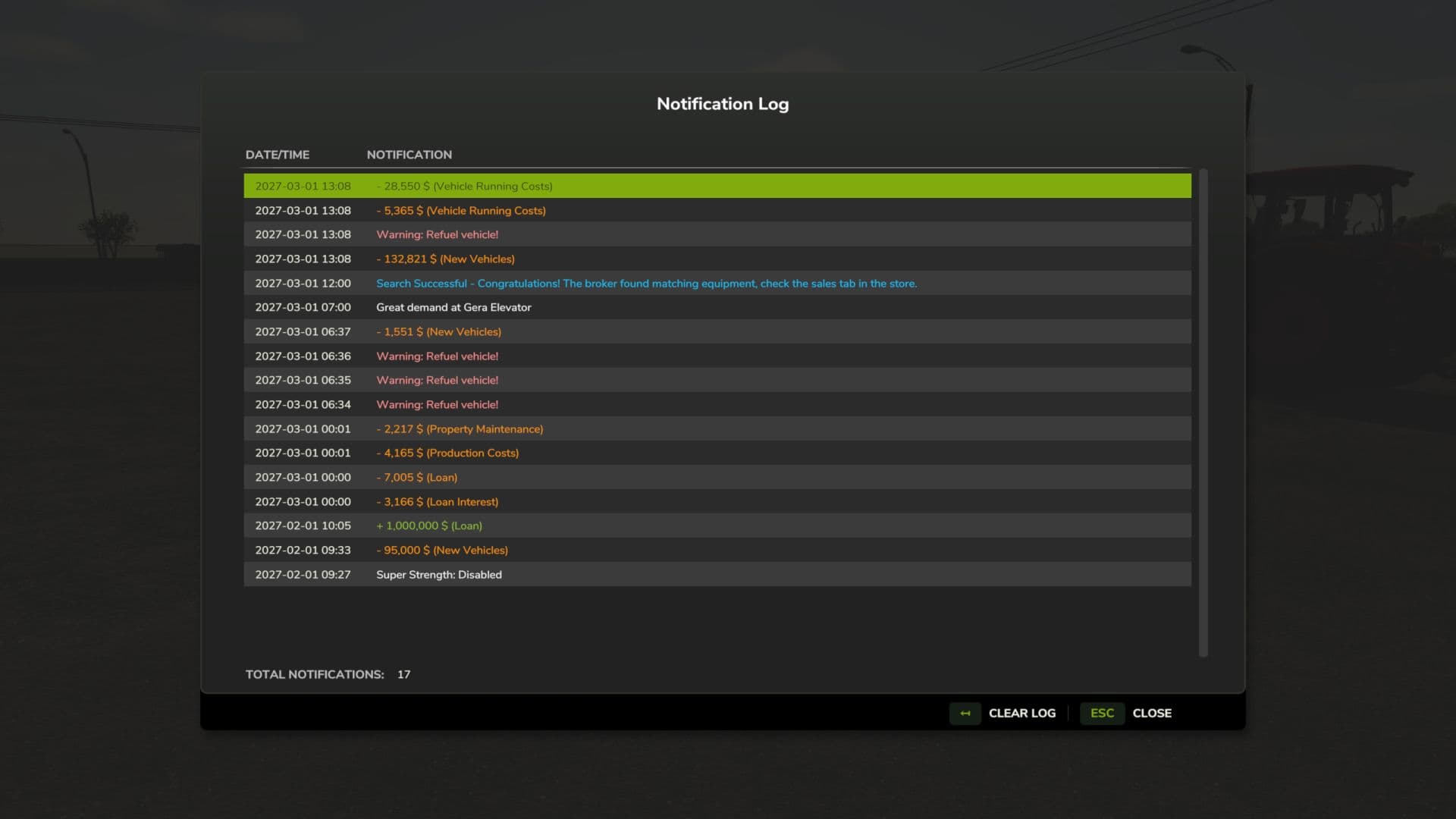
Did the notifications fly by too fast? Use the Notification log to see all notifications in the current session. Multiplayer compatible: each player keeps a personal session log of the notifications shown on their own screen. Default key binding is Right Shift + M to open the notification log interface. You can change this in the game settings under “Controls”.
* Notification Logging: Automatically captures top notifications, side notifications, and blinking warnings
* GUI Interface: View session notification history in a dialog (accessible via Right Shift + M)
* Notification Details: Displays the in-game date/time, and notification content
* Color Preservation: Maintains original notification colors for easy categorization
* Warning Filtering: Blinking warnings are logged once per source and in-game minute to prevent spam
* Clear Log: Remove all notifications with a single button
V1.1.0.0
– Added multiplayer support: each player keeps a personal session log of the notifications shown on their own screen