The Lizard Airport Service Pack includes three airport service vehicles in a single ZIP file for Farming Simulator 25. Each vehicle can be purchased separately from the in-game store for aircraft towing, diesel refuelling, airport catering operations and cargo transportation.
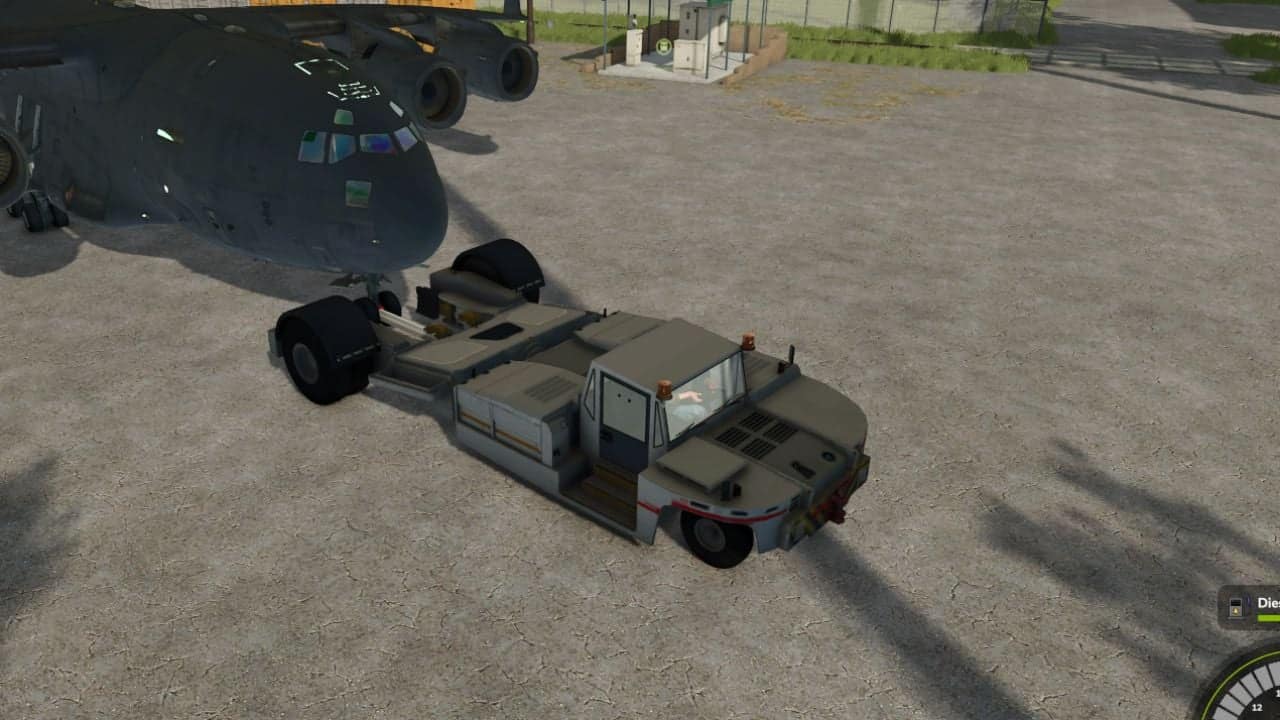
1. Lizard Airport Pushback
A powerful airport towing vehicle designed for ground handling operations and manoeuvring compatible aircraft and airport equipment.
Features
- Detailed airport pushback vehicle.
- Diesel-powered engine.
- 250 HP engine power.
- Front and rear towing connections.
- Functional vehicle lighting.
- Interior and exterior cameras.
- Custom steering system.
- Diesel consumption and refuelling.
- Custom engine sounds.
Specifications
- Price: €85,000
- Power: 250 HP
- Store-listed maximum speed: 25 km/h
- Diesel capacity: 220 L
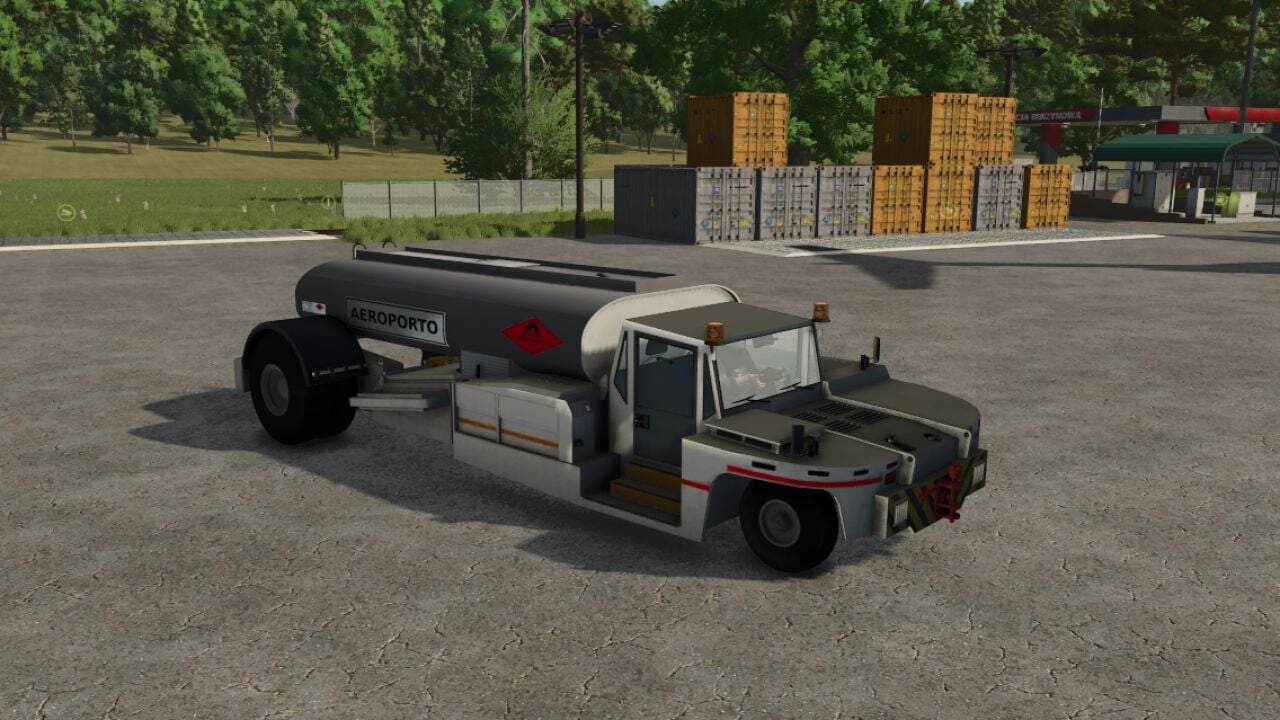
2. Lizard Airport Fuel Truck
A specialized airport fuel service vehicle designed to transport diesel and refuel compatible aircraft and ground vehicles.
Features
- 2,000 L diesel transport tank.
- Separate 220 L diesel engine tank.
- Diesel transportation.
- Vehicle refuelling system.
- Automatic detection of nearby compatible vehicles.
- Diesel discharge function.
- Front and rear towing connections.
- Functional vehicle lighting.
- Interior and exterior cameras.
- Custom diesel engine sounds.
Specifications
- Price: €85,000
- Power: 250 HP
- Maximum speed: 40 km/h
- Diesel transport capacity: 2,000 L
- Engine fuel capacity: 220 L
Refuelling Controls:
I: Start or stop diesel discharge and vehicle refuelling, depending on the operating context.
The vehicle can detect compatible vehicles within approximately 20 metres horizontally and 10 metres vertically.
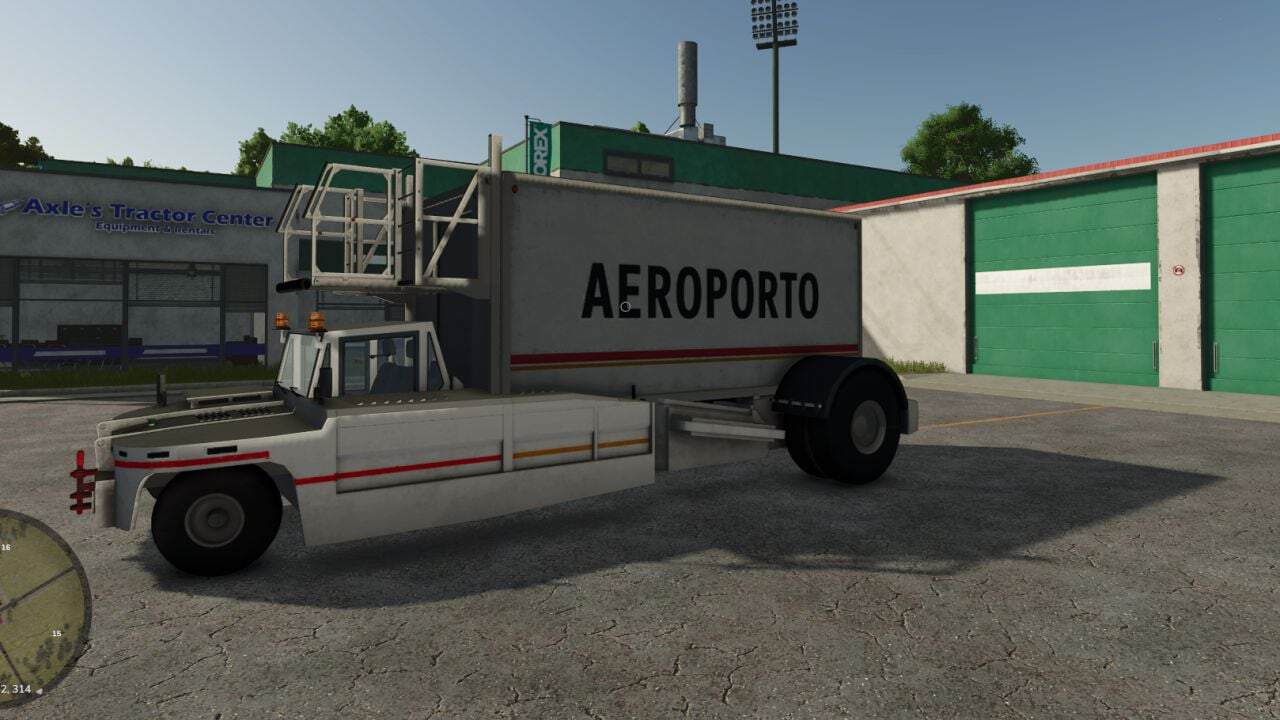
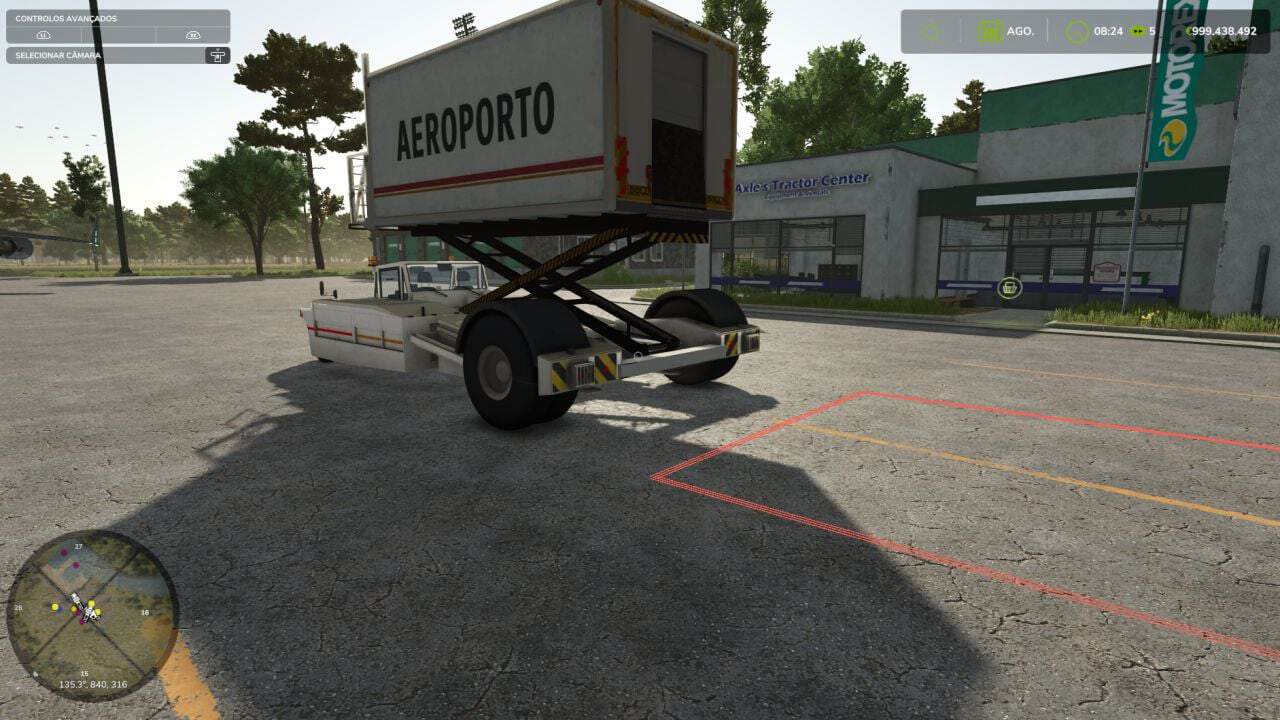
3. Lizard Airport Catering Vehicle
A self-propelled airport catering vehicle equipped with a hydraulic scissor lift, cargo compartment and aircraft service gangway. It is designed for transporting catering supplies, pallets and compatible cargo to airport service areas.
Features
- Hydraulic scissor lifting system.
- Elevating cargo compartment.
- Animated rear flap.
- Aircraft service gangway.
- Automatic pallet loading and unloading.
- Four internal pallet loading positions.
- Maximum combined cargo payload of 1,000 kg.
- Marked rear cargo loading area.
- Front cargo delivery system.
- Automatic cargo delivery and payment.
- Functional vehicle lighting.
- Interior and exterior cameras.
- Diesel-powered engine.
- Custom controls.
Specifications
- Price: €71,000
- Power: 250 HP
- Maximum speed: 25 km/h
- Engine fuel capacity: 220 L
- Pallet capacity: 4
- Maximum combined cargo payload: 1,000 kg
Controls:
Left Ctrl + 8: Raise or lower the catering compartment.Left Ctrl + 9: Open or close the rear flap.- On-foot interaction menu: Cargo loading, unloading and delivery operations.
Catering Autoload System
The Airport Catering Vehicle includes a custom automatic loading system. Up to four compatible pallets can be transported inside the elevated cargo compartment. The maximum combined cargo weight is 1,000 kg.
To load cargo:
- Park the catering vehicle with the compartment lowered.
- Position compatible pallets within the marked rear loading area.
- Use the interaction menu to activate automatic loading.
- The pallets are transferred into the cargo compartment.
Front Delivery and Payment System
The catering vehicle includes a cargo delivery system for compatible pallets.
- Raise the catering compartment completely.
- Wait until the lifting animation has finished.
- Select the front delivery option from the interaction menu.
- The pallets move towards the front service gangway.
Once delivered, the contents of eligible pallets are sold according to the in-game economy prices. Payment is credited to the owning farm.
Empty pallets and cargo without a valid sale price do not generate payment.
The vehicle also supports conventional rear unloading without selling the cargo.
Airport Ground Operations
- The three vehicles can be used together for airport service operations.
- Use the Pushback for towing compatible aircraft.
- Use the Fuel Truck for diesel transportation and refuelling.
- Use the Catering Vehicle for loading, transporting and delivering airport supplies.
Multiplayer
The pack includes multiplayer synchronization systems for fuel transfer and catering operations.
Multiplayer compatibility is configured in the mod.
Tiinguives81 Collection
This pack supports the Tiinguives81 Collection custom store category.
When the collection is installed and activated, the three vehicles can also appear in the dedicated Tiinguives81 category.
The collection is optional.
All three vehicles remain available through their standard store categories.
Installation
- Place the ZIP file directly in your Farming Simulator 25 mods folder.
- Activate the Lizard Airport Service Pack in the game’s mod selection menu.
- All three vehicles will be available for individual purchase.
Mod Information
- Name: Lizard Airport Service Pack
- Version: 1.0.0.2
- Game: Farming Simulator 25
- Brand: Lizard
- Vehicles included: 3
- Multiplayer: Supported in mod configuration
Required Mods: None
The original Airport Pushback model by Loïc ALIX is licensed under Creative Commons Attribution-NonCommercial 4.0 (CC BY-NC 4.0).
The original Airport Catering Truck model by spot1studios is licensed under Creative Commons Attribution 4.0 (CC BY 4.0).