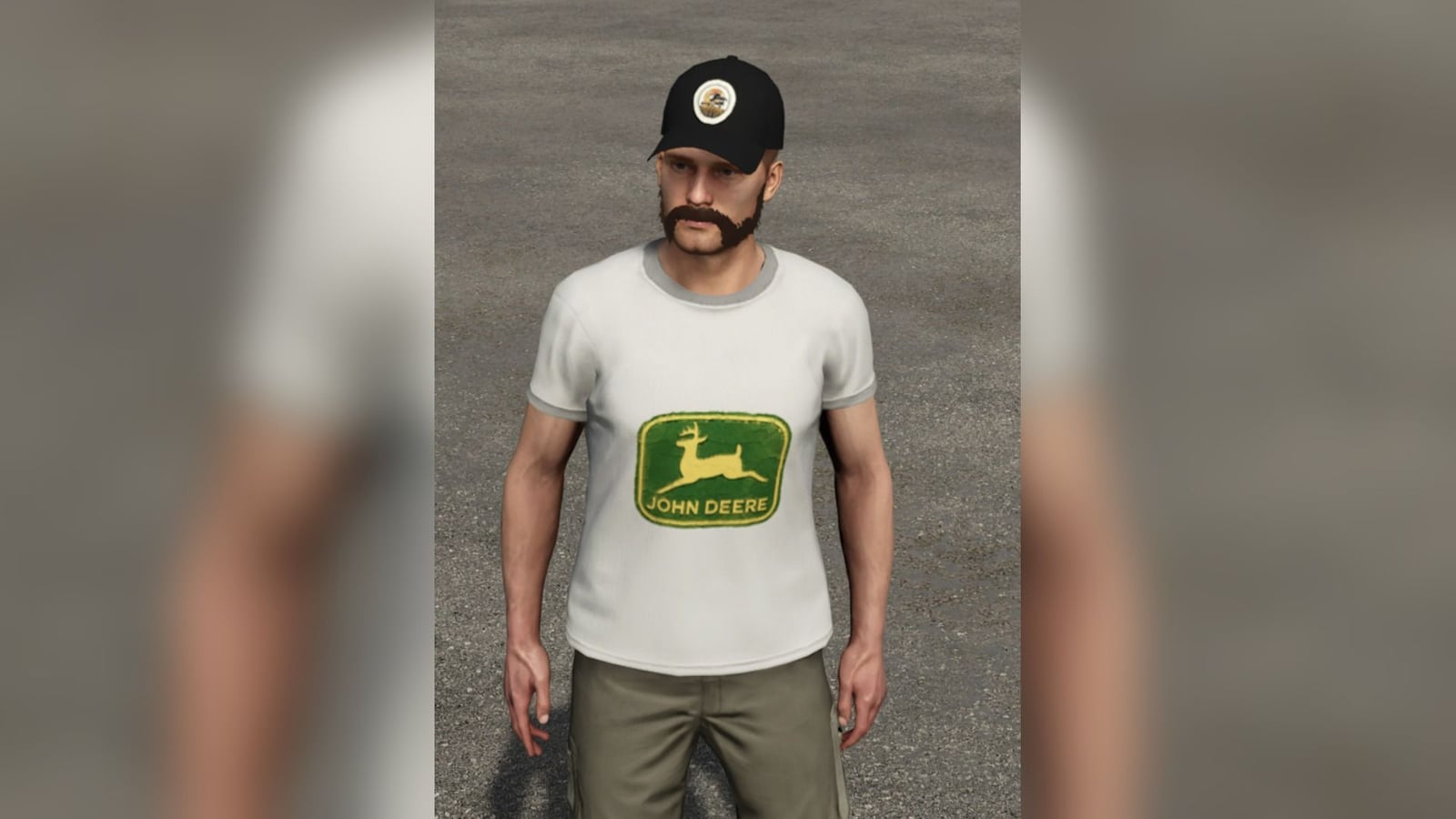
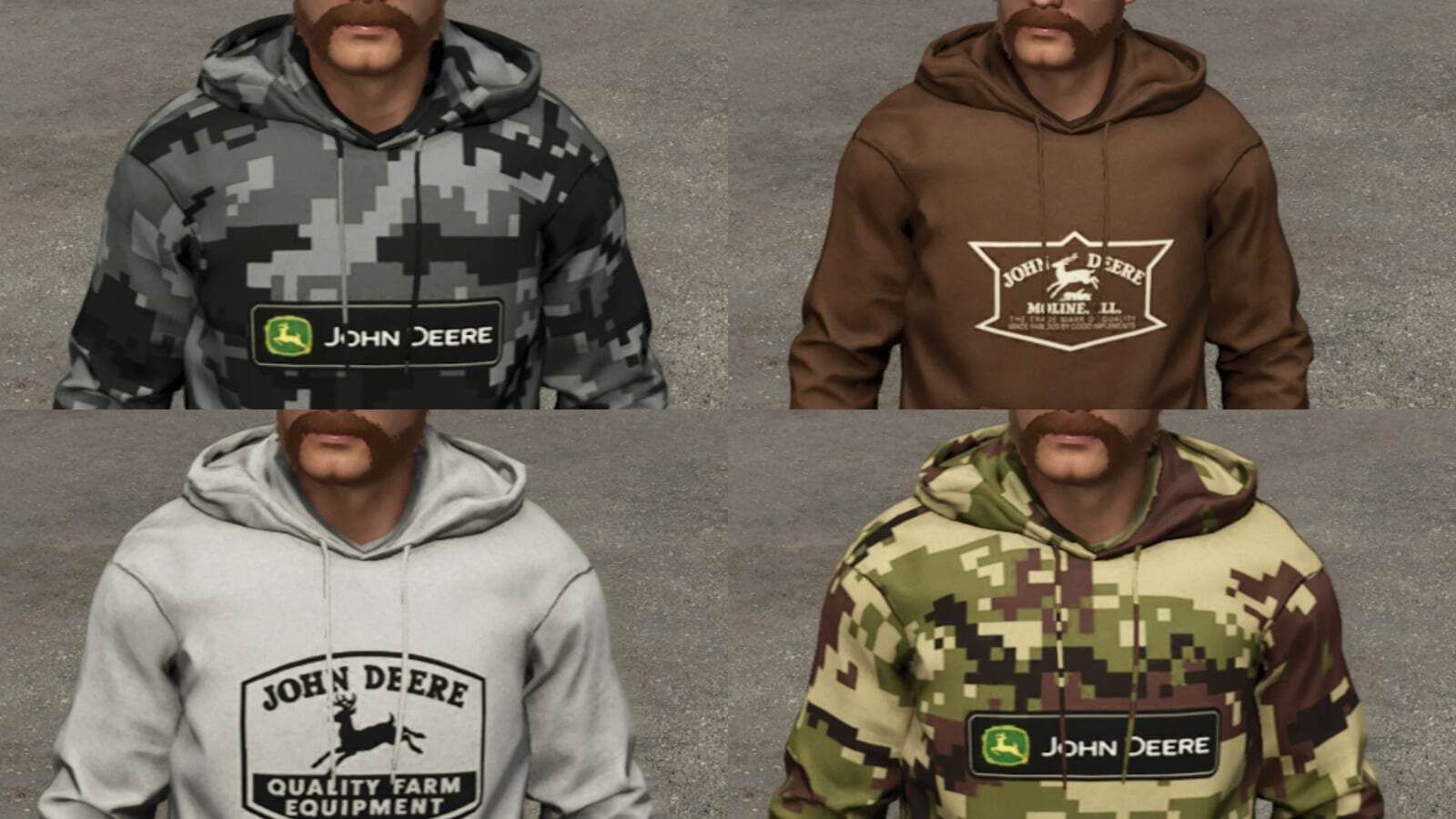

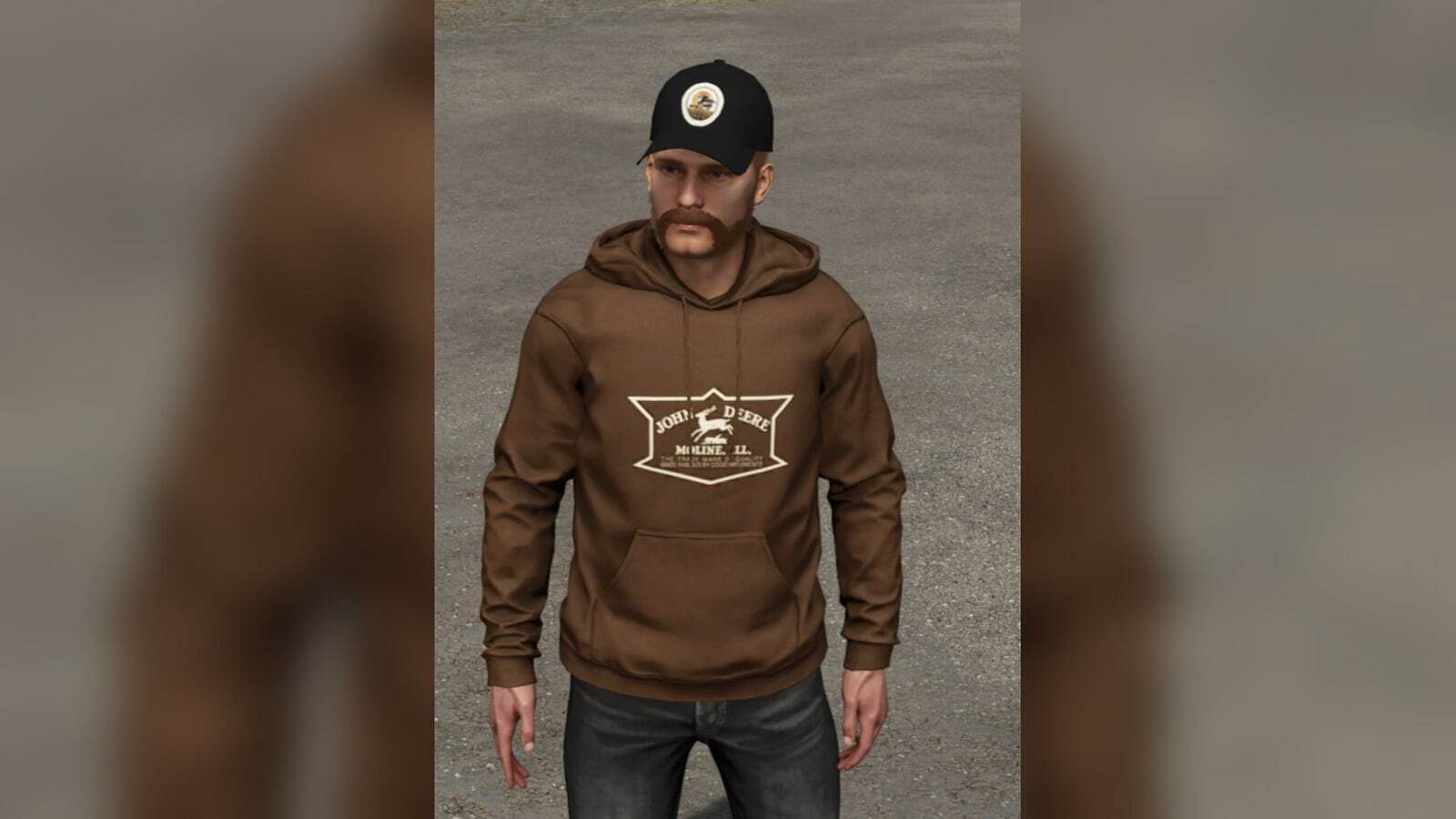


John Deere T-shirts, hoodies and caps for the Farming Simulator 25 wardrobe, for male and female characters.
Features
- Vintage prints on light grey: the 1936 Trade Mark of Quality, 1937 Moline, 1950 Quality Farm Equipment and 1956 logos.
- The current John Deere logo with the deer on light grey, and two painted classic green logos, mottled and weathered.
- Black T-shirts and hoodies with the deer shield and the current logo.
- Brown and tan T-shirts and hoodies with light vintage prints.
- Six camo patterns on T-shirts and hoodies, urban grey, woodland digital, woodland pixel, blue, duck hunter and classic olive, each with a John Deere label on the chest.
- 13 curved-bill caps, green, black, brown and tan, with the current, 1950 or 1956 logo, and a black cap with the KariHatake Modding emblem.
- 38 tops and 13 caps for each of male and female.
How to use
Open the wardrobe, go to Tops, shirts and hoodies, or Headgear, caps, and scroll to the end of the list. The T-shirt with the 1950 print offers several colours with the Select Colour key.
Requires: The Wardrobe Clothing Addon by U_BMP, FS25_WardrobeClothingAddon_BMP, a separate download.
Required mods: Wardrobe Clothing Pack BMP
Known issues
The camo label on the T-shirts follows the chest, so its edge looks slightly wavy from some angles. The tile pictures in the wardrobe list are flat drawings, not 3D renders.
Note: Fan-made for personal use. John Deere and the leaping deer logos are trademarks of Deere & Company; this mod is not made or endorsed by Deere & Company.