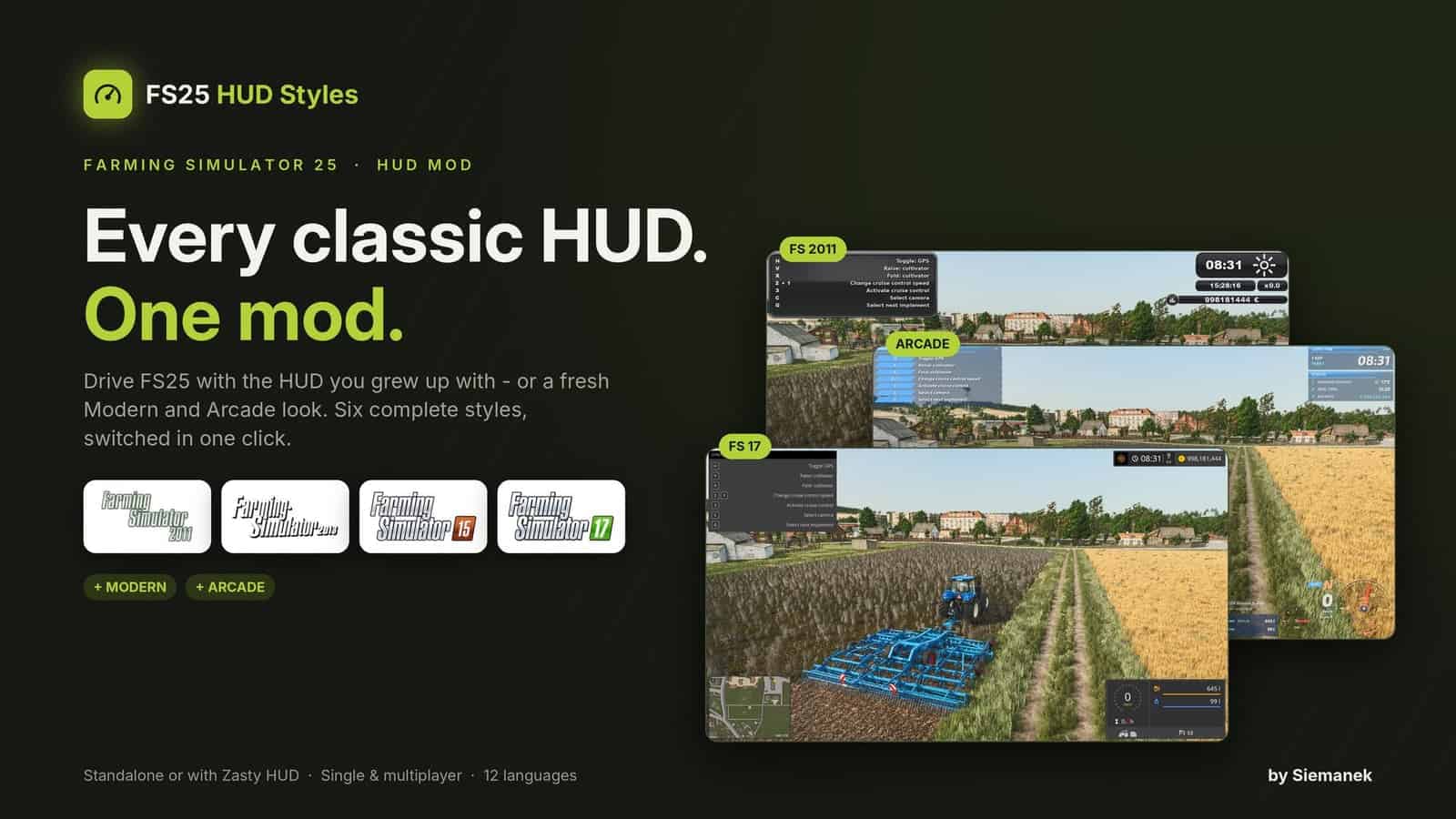
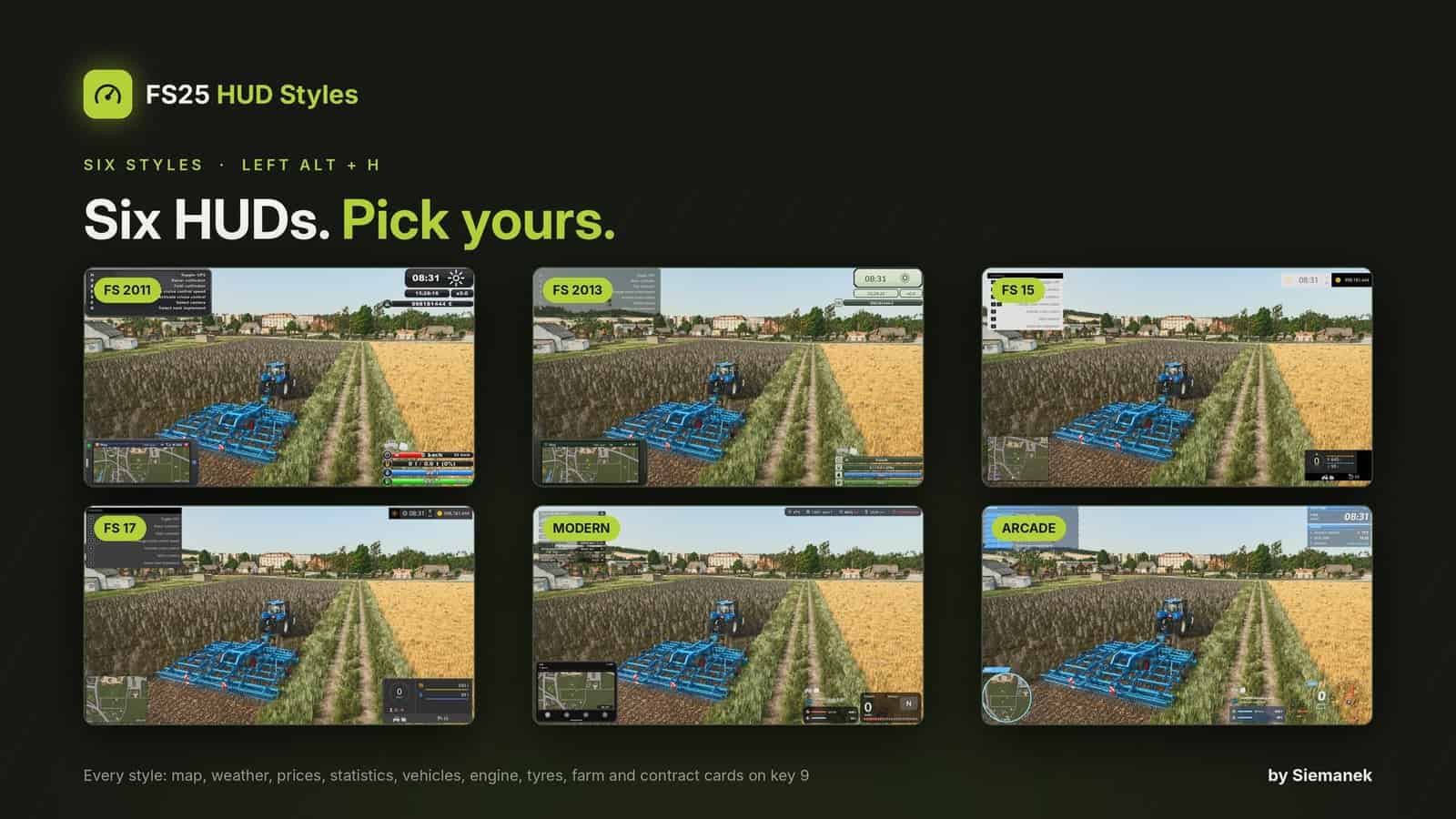
FS 2011 / 2013 / 15 / 17, Modern & Arcade HUD works with Zasty HUD or standalone. This mod includes six HUD styles for FS25.
IMPORTANT – NEW FILE NAME: From version 3.0.0.0, the mod is called FS25_HudStyles.zip. Delete the old FS25_ZastyHUD_FS2011.zip from your mods folder before you start the game. With both files in the folder, the new version stays off and a pop-up window in the game tells you to delete the old one. Your settings are kept.
Features
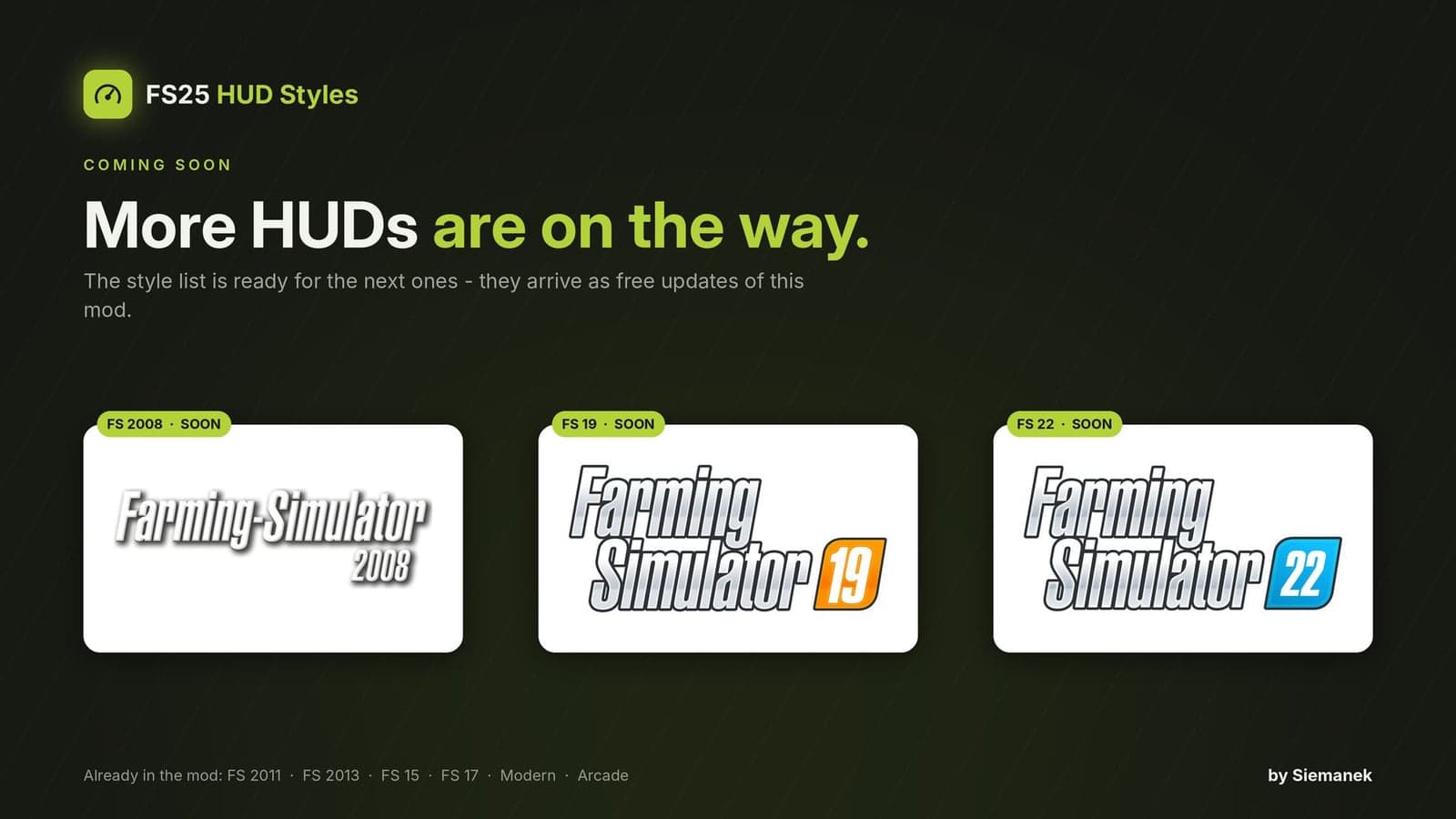
- Six HUD styles for FS25: FS 2011, FS 2013, FS 15, FS 17, Modern and Arcade.
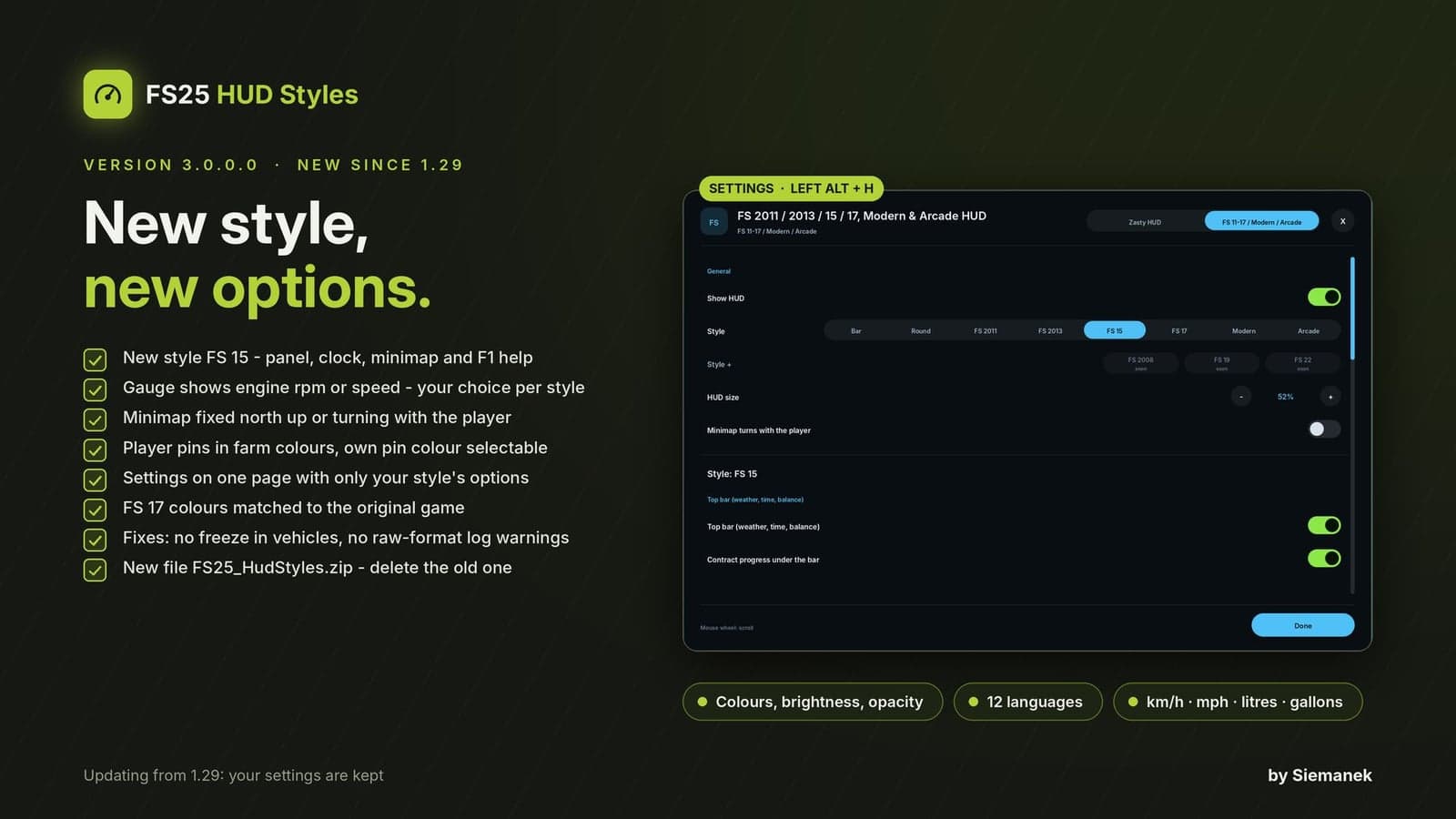
- The mod runs on its own. Press Left Alt + H to open its settings window. It also works together with Zasty HUD, where all styles appear next to Bar and Round.
FS 2011
- The classic glossy bar stack: speed with rpm fill, gear and cruise control, fill level in litres and tonnes, AdBlue and fuel with consumption
- Vehicle schema above the bars: switched on (B) = green, selected (G) = brighter, lowered = tilted
- Clock with weather symbol, real time and time scale, balance and contract bars under it
- PDA phone bottom left with every tablet card and the PDA beep
- F1 help in one glossy FS 2011 box
- Backgrounds glossy or flat, background and PDA frame brightness / opacity
FS 2013
- Olive bars with pale icon tiles: speed with gear, fill level, AdBlue, fuel with consumption
- Operating hours (tenth in red) and cruise control as two small bars at the bottom
- Pale clock box with weather symbol, real time and time scale, balance and contract bars under it
- Dark green phone PDA with every tablet card, F1 help in an olive box
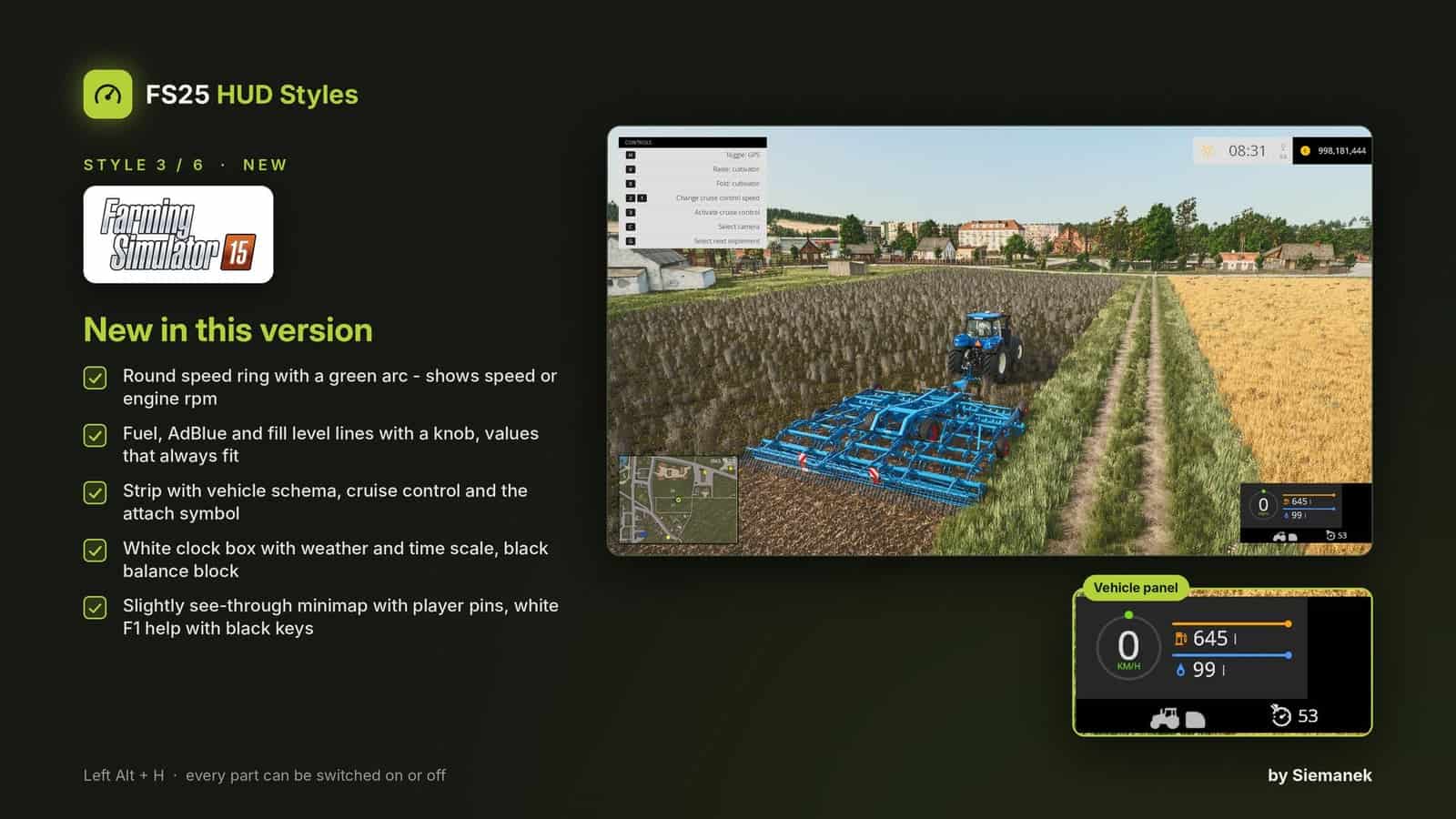
FS 15
- Dark vehicle panel with a black side block: round speed ring with a green arc that fills with the speed, speed and unit in the middle
- Thin lines with a knob for fuel, AdBlue and fill level (with %), extra fill levels of the selected implement and the bale counter
- Translucent strip under it: vehicle schema, cruise control (green when on) and the attach symbol when an implement is in reach
- White clock box top right with weather symbol, time and time scale, black balance block with a gold coin; contract progress under it
- Slightly see-through minimap in a thin black frame with coordinates and player pins; other tablet cards in opaque FS 15 panels
- White F1 help with a black header and every key in a black box, clean sharp font
FS 17
- Flat dark vehicle panel: dotted speed ring, operating hours, light symbols (beacon, low / high beam), rows for fuel, AdBlue, fill levels and bale counter, strip with the vehicle schema and cruise control
- One bar top right with weather, clock, time scale and balance; contract progress under it
- FS 17 minimap: thin frame, page key box, coordinates, player pins and field numbers
- F1 help with every key in its own box, own clean font, own colours
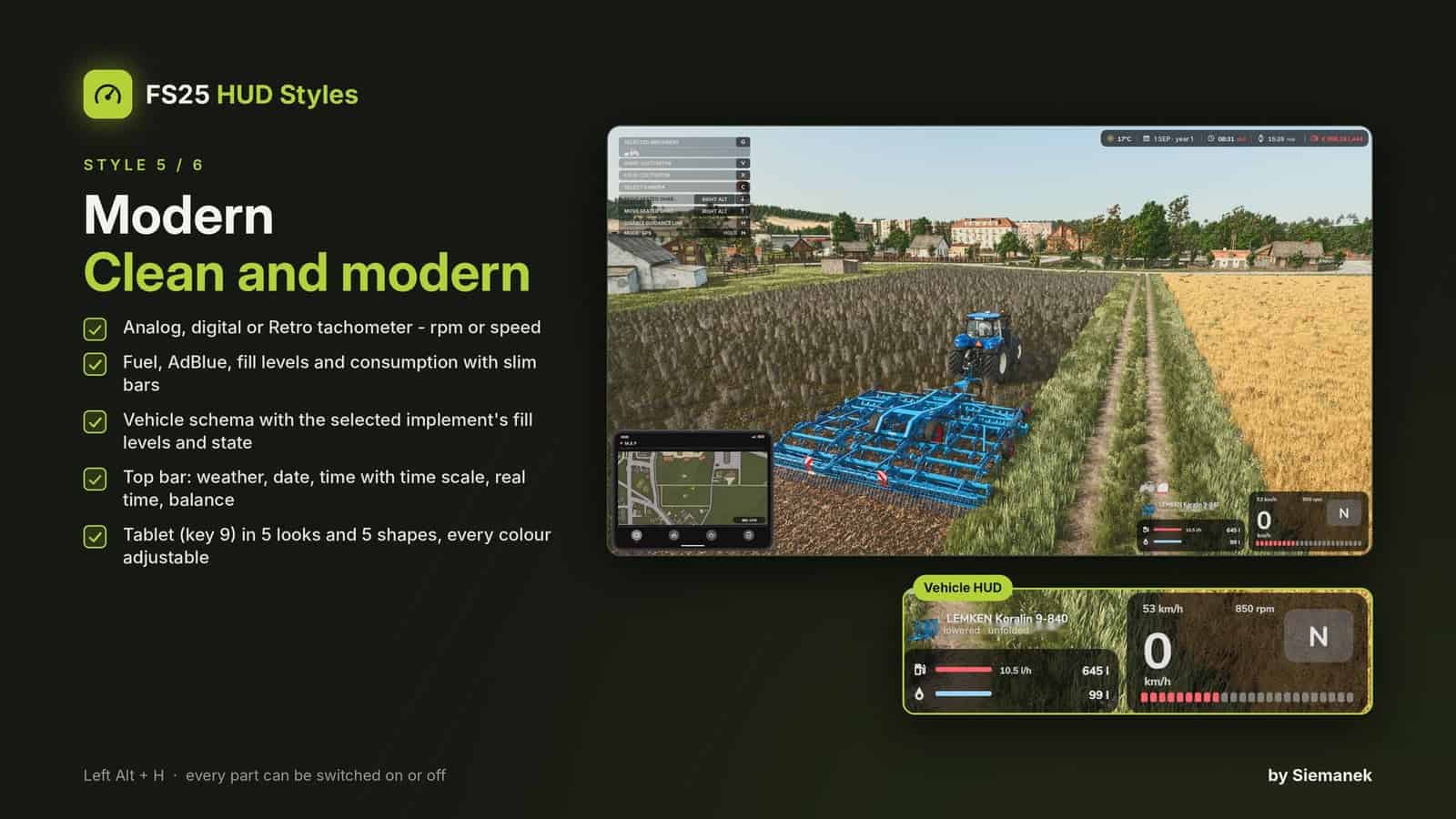
Modern
- Tachometer: analog (dots or needle, rpm scale), digital or Retro (round dial with silver bezel, LCD speed and big gear, LCD fuel / AdBlue bars)
- Fuel, AdBlue and fill level with slim bars, consumption next to the fuel
- Vehicle schema (G) above the bars like the base game one, with the selected implement’s fill levels (e.g. net / twine rolls as segments), folding and lowering state, shop picture
- Top bar (left or right): weather, date, time with time scale, real time, balance, contract progress
- Tablet (key 9) in 5 looks – Basic, Tonal, Rounded, Retro-futurism, Modern glass – in 5 shapes (1:1, 4:3, 2:3, 5:2, 16:9); the look colours the whole Modern HUD and can be recoloured
Arcade
- Twin dials (tachometer and fuel) in 5 looks with night colours when the lights are on
- Big gear digit, gear group badge, speed and cruise control speed
- Game time, status (weather, real time, balance) and contract panels, round minimap
- F1 help in the Arcade look, own italic font, own colours
Every style
- Every tablet card: map, weather forecast, prices, statistics, players (multiplayer), vehicles, engine, tyres (Variable Tire Pressure), farm, contract – chosen per style; the weather cards take the look of the style
- Map: fixed north up or turning with the player, heading marker, coordinates, field numbers (yours in green), the game’s building icons, other players in their farm colour with their name; map views Crop types, Growth, Soil and Farmlands with [ and ], map size and zoom
- Bale counter (this session / total), bars of the selected implement (net, twine, seed, fertilizer …)
- Gauge of FS 2011, FS 15, FS 17, Modern and Arcade shows engine rpm or speed – your choice per style
- Settings window (Left Alt + H) on one page: the general settings, then only the settings of the style you use; every part on / off, colours with separate brightness and opacity
- Speed, volume and money follow your game settings (km/h / mph, litres / gallons, currency)
- Languages: EN, DE, PL, FR, ES, IT, PT/BR, CZ, RU, NL, HU, TR
How to use
- Put
FS25_HudStyles.zipinto your mods folder, with Zasty HUD next toFS25_ZastyHUD.zip, and delete the oldFS25_ZastyHUD_FS2011.zipif you have it - Activate it in your savegame
- Press Left Alt + H and choose the style; its settings appear right under the general ones
- Key 9 switches the tablet / PDA cards, one more press hides it, [ and ] switch the map views
REQUIREMENTS: None. Zasty HUD is optional; without it this mod runs standalone
Notes
- Zasty HUD’s own files are not changed; remove this mod and Zasty HUD works as before
- Client side only, single player and multiplayer
- Other mods that change the game HUD may overlap. Please report problems with your log.txt
- Fonts: Exo 2 and Open Sans (SIL Open Font License 1.1, licence files included)