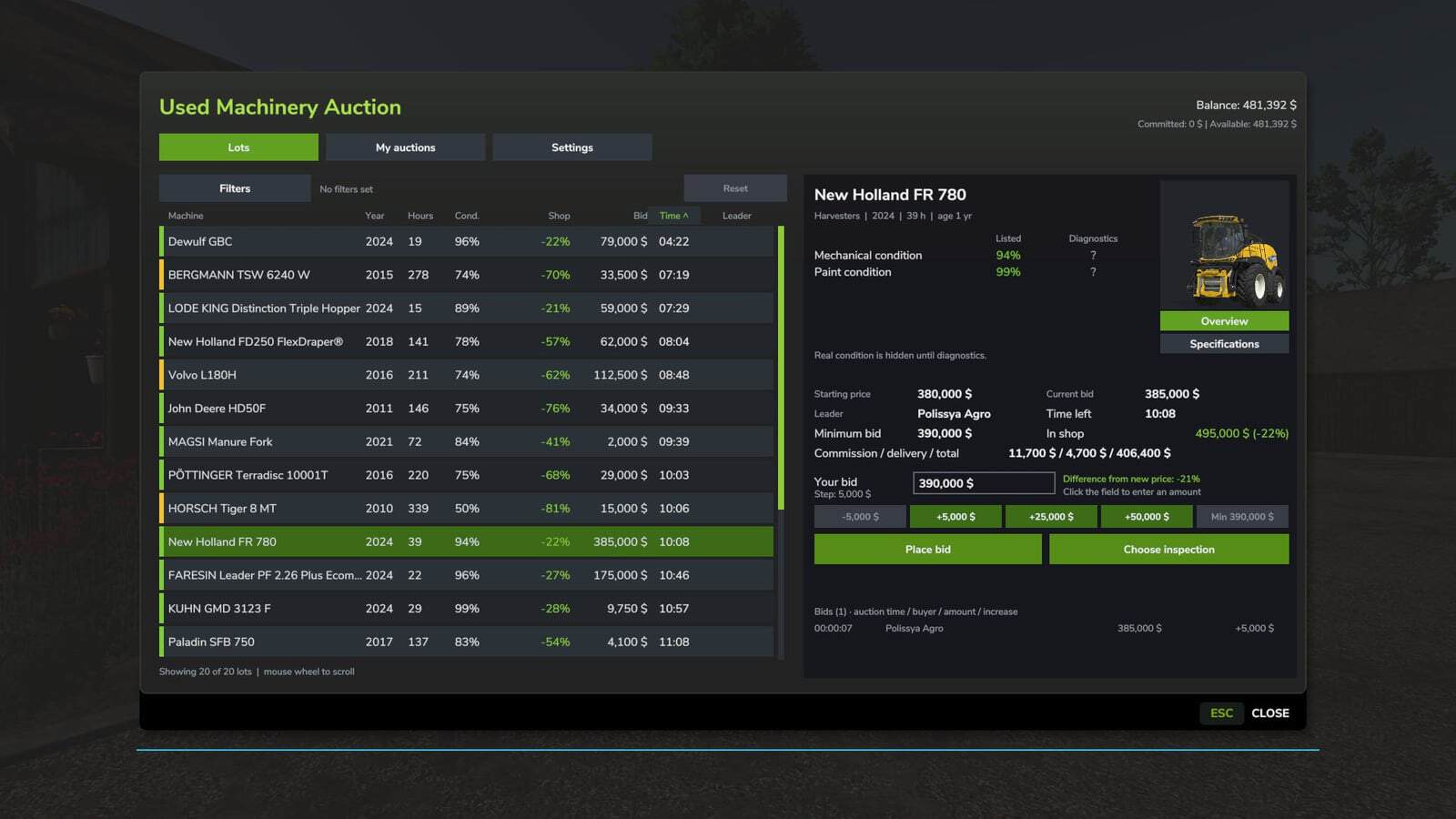
The “Used Machinery Auction” mod for Farming Simulator 25 allows you to bid on used equipment. Compete against AI buyers and other players for tractors, combine harvesters, headers, trailers, and implements with varying age, usage (engine hours), and technical condition.
YOU NEED:
- The “Advanced Damage System” (FS25_AdvancedDamageSystem) add-on
- Its dependency, “Vehicle Years”
Both must be installed and activated. The ADS mod itself is not included.
You can open the auction menu by pressing Left Alt + U. Key bindings can be changed in the control settings. You must be a member of a farm to participate.
Features
- Equipment available in the in-game shop, including content from DLCs and other mods, can appear in auctions. Pallets, big bags, and consumables are not included. Occasionally, you may come across rare equipment with very low usage hours.
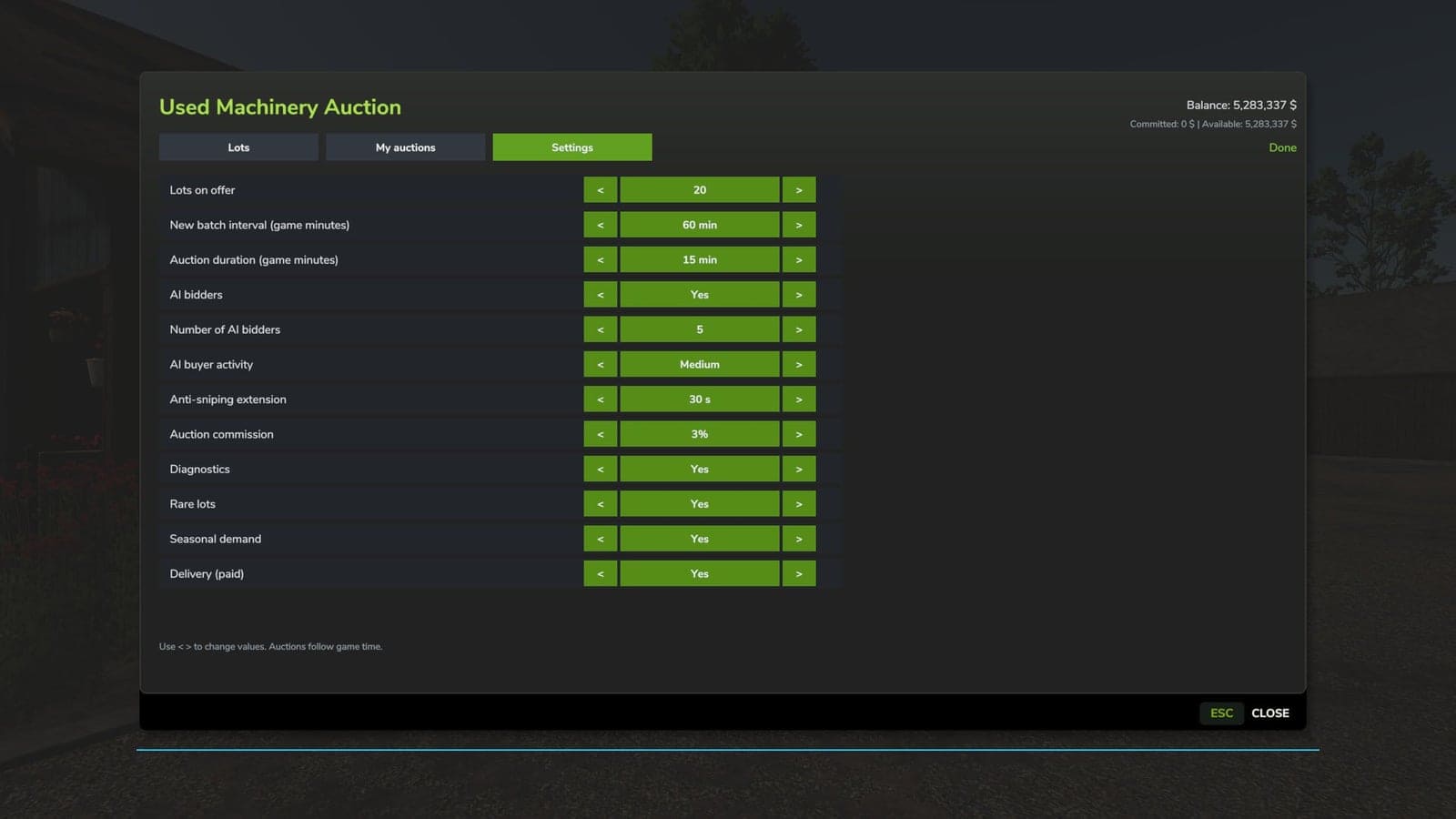
- Multiple auctions can take place simultaneously. AI buyers evaluate the listings based on their own budgets and needs, respond to bids, and may continue competing for an item right up to the final seconds. The activity level of the AI can be adjusted.
- Options include quick-bid buttons, the ability to enter a custom bid amount, an auction history log, and an automatic extension of the auction timer if a bid is placed in the final moments. Commission fees and delivery costs depend on your settings.
- Auctions are tied to in-game time, accounting for pauses, time acceleration, and character sleep. There is no separate setting for auction speed.
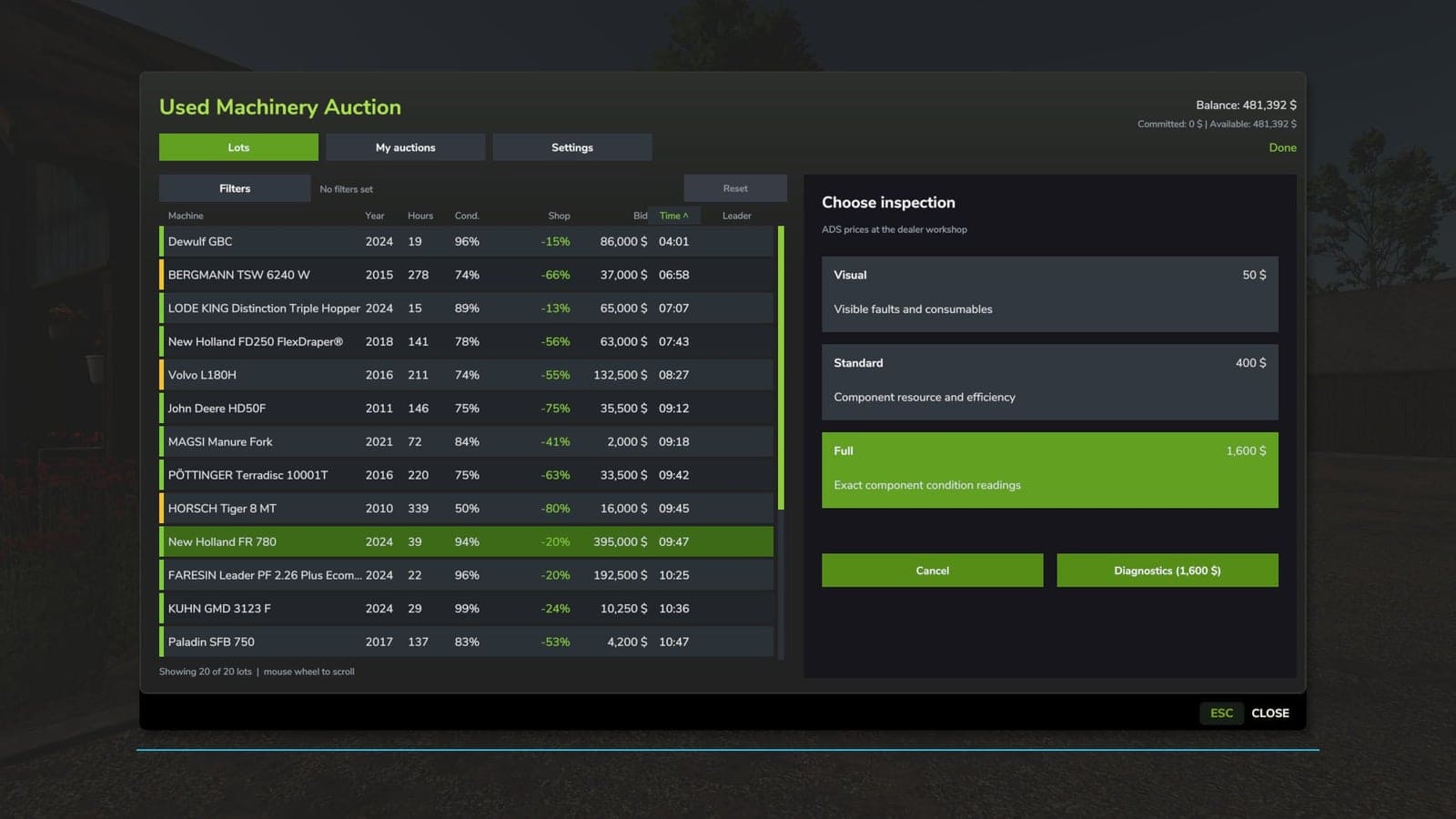
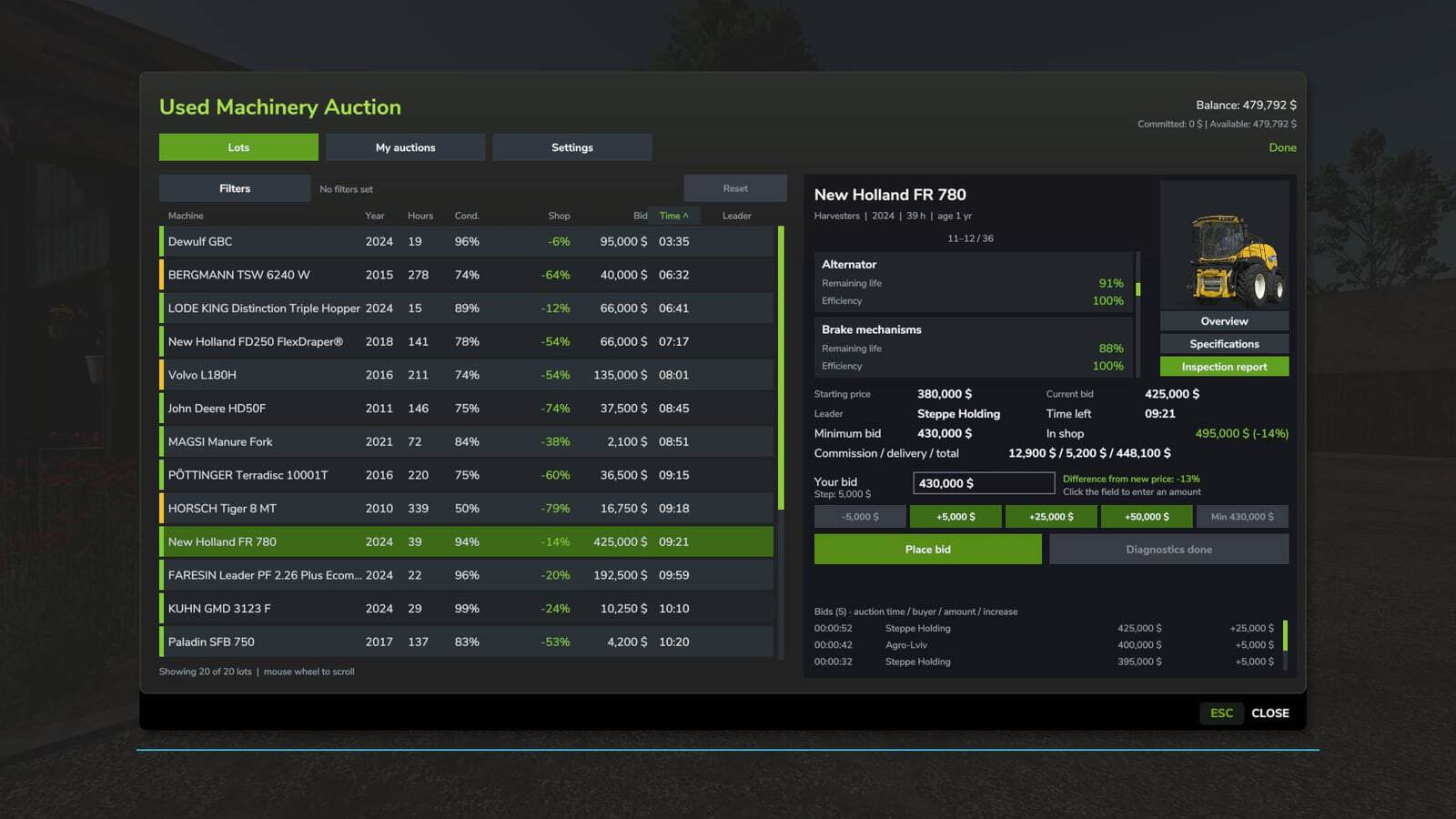
- Before an inspection is conducted, only general information regarding the condition of the machinery and its paintwork is displayed. For self-propelled equipment, three types of inspections are available via the ADS system: visual, standard, and full. The level of detail and accuracy of the report depend on the type of inspection selected.
- The cost of an inspection is calculated by the ADS system based on dealership workshop rates. More detailed inspections are charged as separate services. For towed or attached equipment, a general diagnostic of its condition and paintwork is performed, excluding an assessment of engine components.
- Inspection results are saved and transferred to the ADS system for any purchased equipment. In these reports, the condition of components is color-coded. The interface supports scrolling via the mouse wheel and dragging the scroll bars.
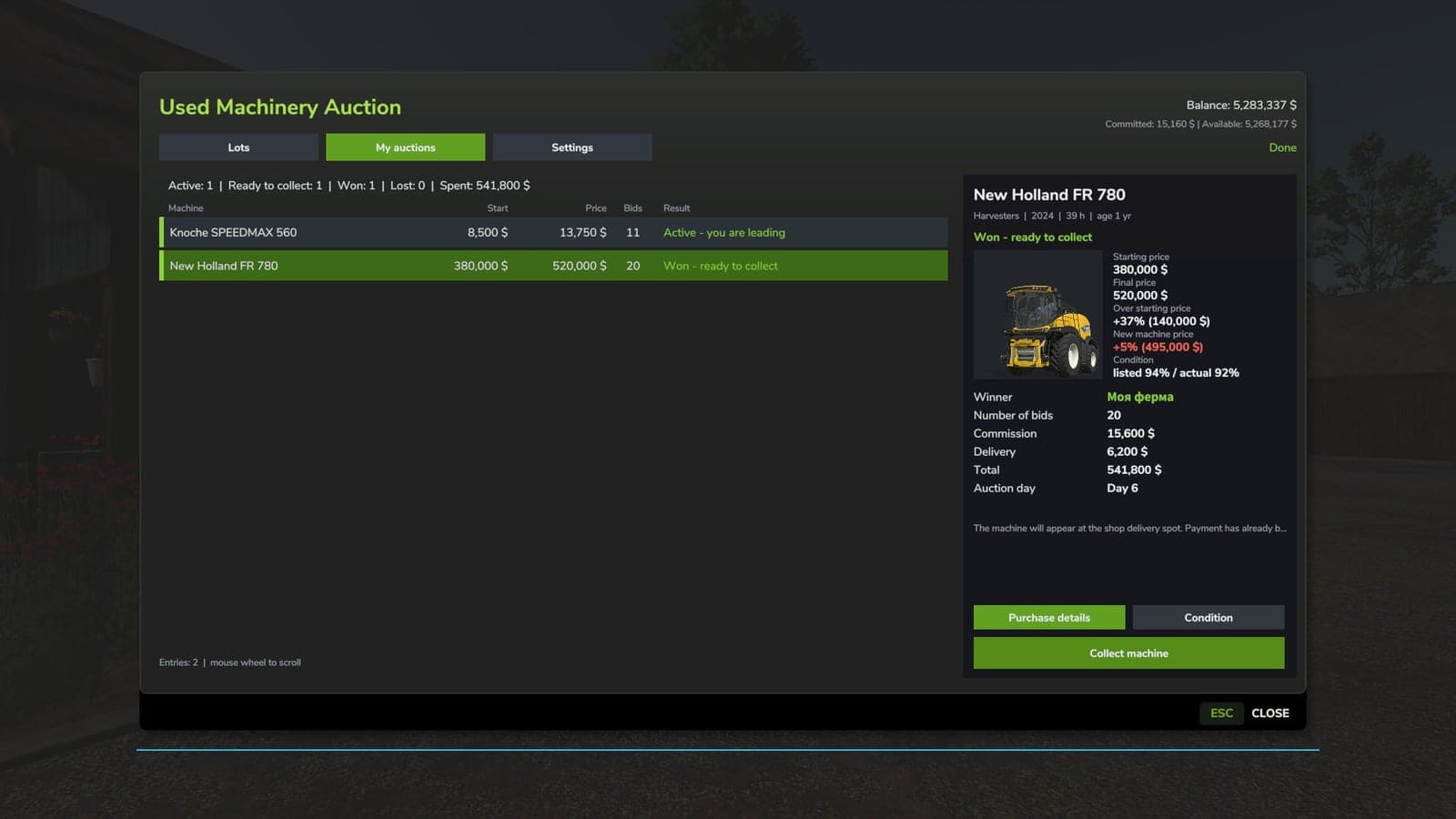
- The “My Auctions” section stores bidding results, expenditure details, the condition of the equipment at the time of purchase, and any paid inspection reports. Purchased equipment remains in your history. The condition-viewing window allows for the simultaneous display of up to three reports.
- Equipment won at auction is delivered to the dealership, retaining its accumulated engine hours, age, technical condition, and paintwork state.
- Users have access to photographs and technical specifications for the equipment, as well as price comparisons with new models, sorting options, and filters. The game supports save files and a multiplayer mode, with server settings managed by an administrator.
BETA 3
- Added compatibility with the “Advanced Damage System (ADS)”.
- Fixed some bugs.
BETA 2
- The AI’s behaviour when making purchases has become more realistic. It can also be customised to suit your needs.
- Paid-for equipment that has not been collected is no longer removed due to history limitations.
- New prices take into account other leading prices, commission and delivery costs. A display of available funds has been added.
- The server checks the player’s eligibility to purchase equipment.