Realistic braking for trucks and tractors. It works as a companion to Realistic Diesel Start (GN Realism), but also works on its own.
Features
- Real parking brake: its holding force depends on the vehicle’s weight, trailers included, and the slope. A loaded truck left on a steep downhill with more weight than the brake can hold rolls away. With the parking brake released, the vehicle rolls on a slope even with you inside.
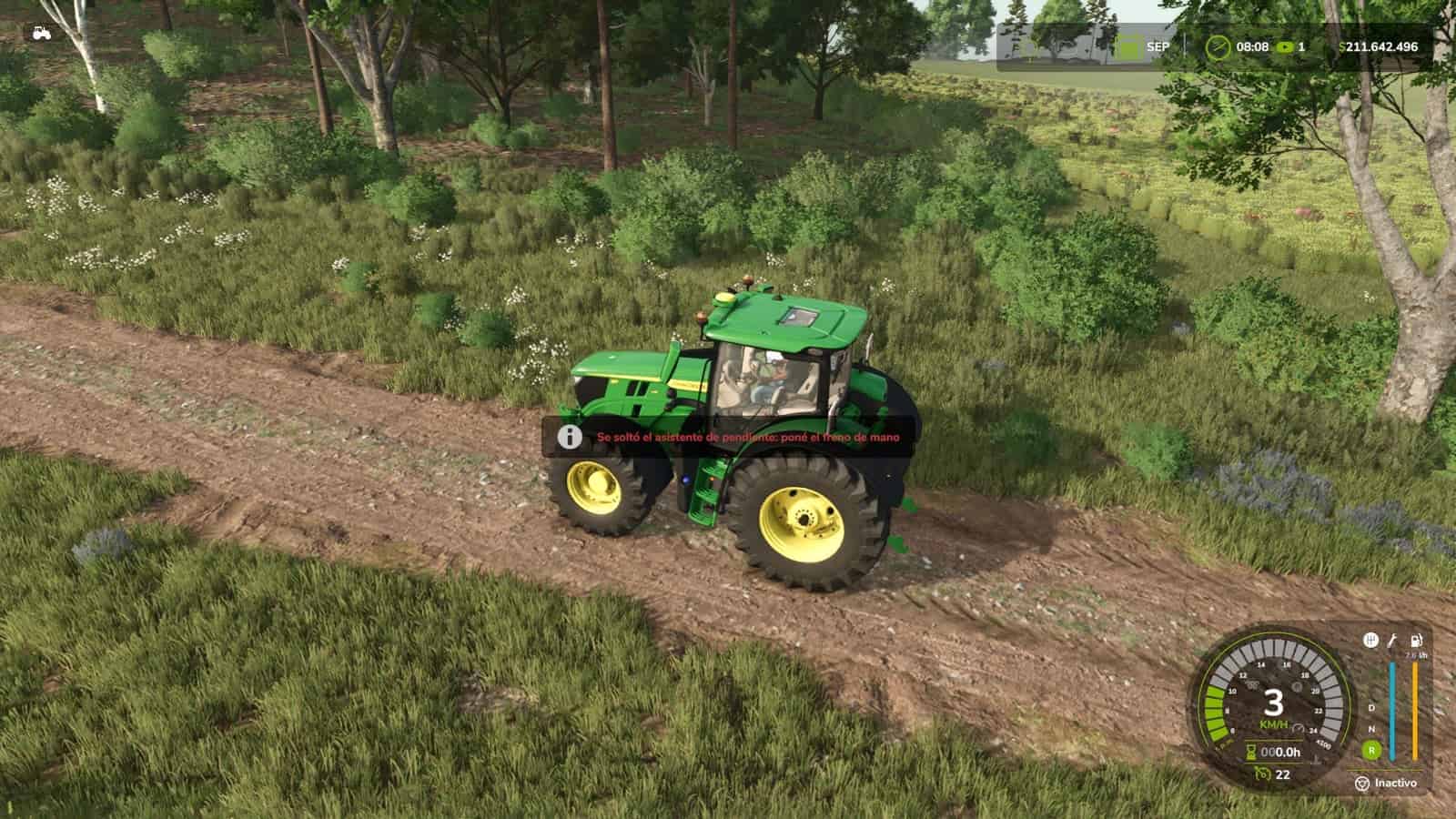
- Hill start aid: when you stop on an uphill with the parking brake released, the brakes stay applied for up to 3 seconds or until you accelerate.
- Dynamic engine brake: engine braking depends on the gear. In a high gear the vehicle keeps rolling when you lift off, while shifting down makes the engine hold it back.
- Exhaust brake, also known as Jake Brake: automatic when you release the throttle, or manual with the B key. It only works with the engine running, no throttle and enough rpm. Its light turns green only while it is actually braking.
- Brake fade: brakes heat up at their own rate for each vehicle type. A car cools quickly, a tractor with oil-immersed brakes is hard to overheat, and a loaded truck on a long descent can fade in a few minutes. If kept too hot for too long, the linings are damaged until you visit the workshop. If they start to heat up, a message tells you to use the engine brake or shift down.
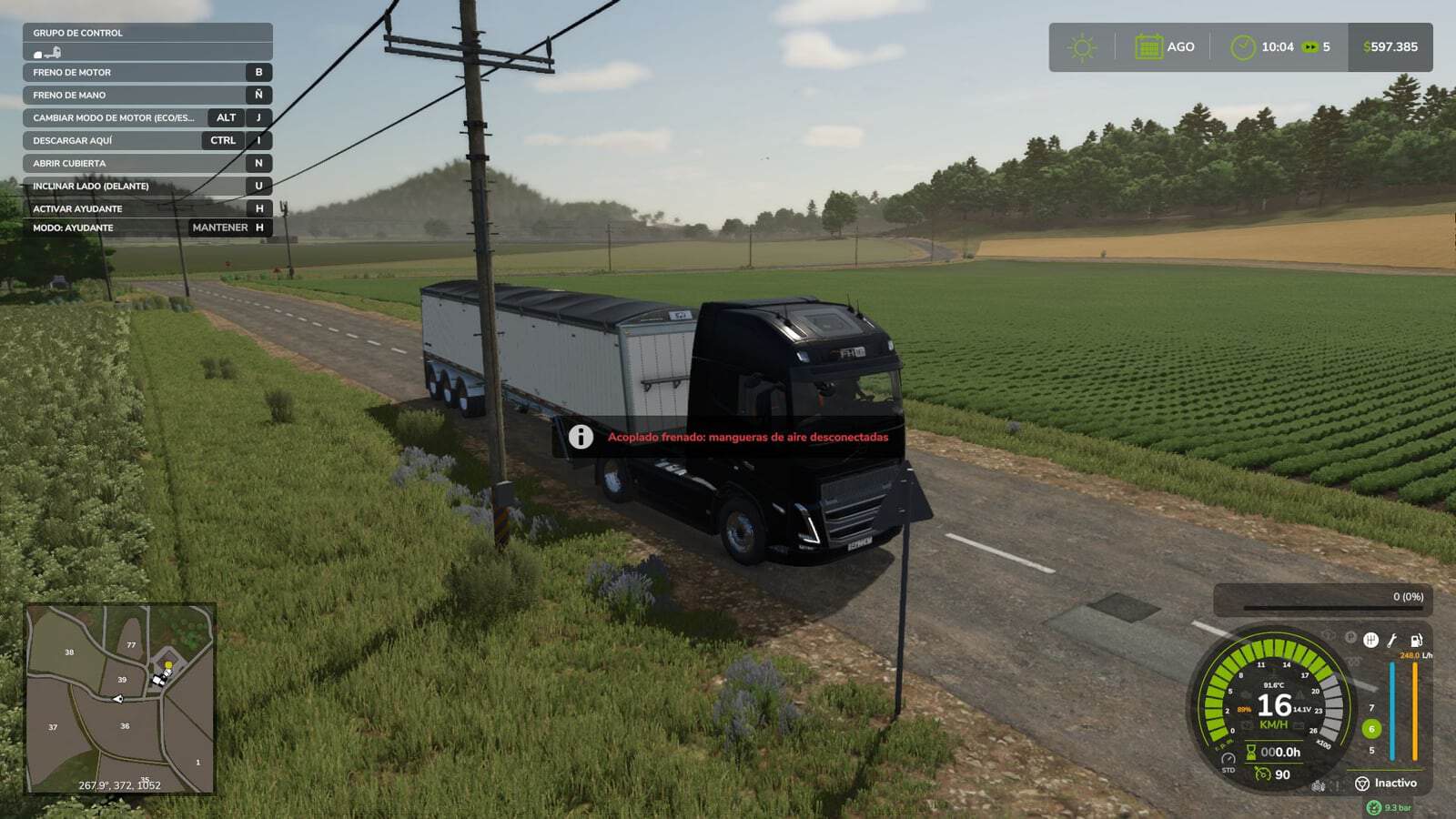
- Trailer air hoses: a trailer with air brakes stays braked while its hoses are disconnected, like a real truck. With
FS25_manualAttachor Interactive Control, connect the trailer first, then connect the air hoses. With automatic attaching, they connect by themselves. - Sounds: exhaust brake, brake squeal when the brakes are too hot, the truck’s air parking valve or the tractor’s lever ratchet, and the air exhaust when releasing the brake pedal.
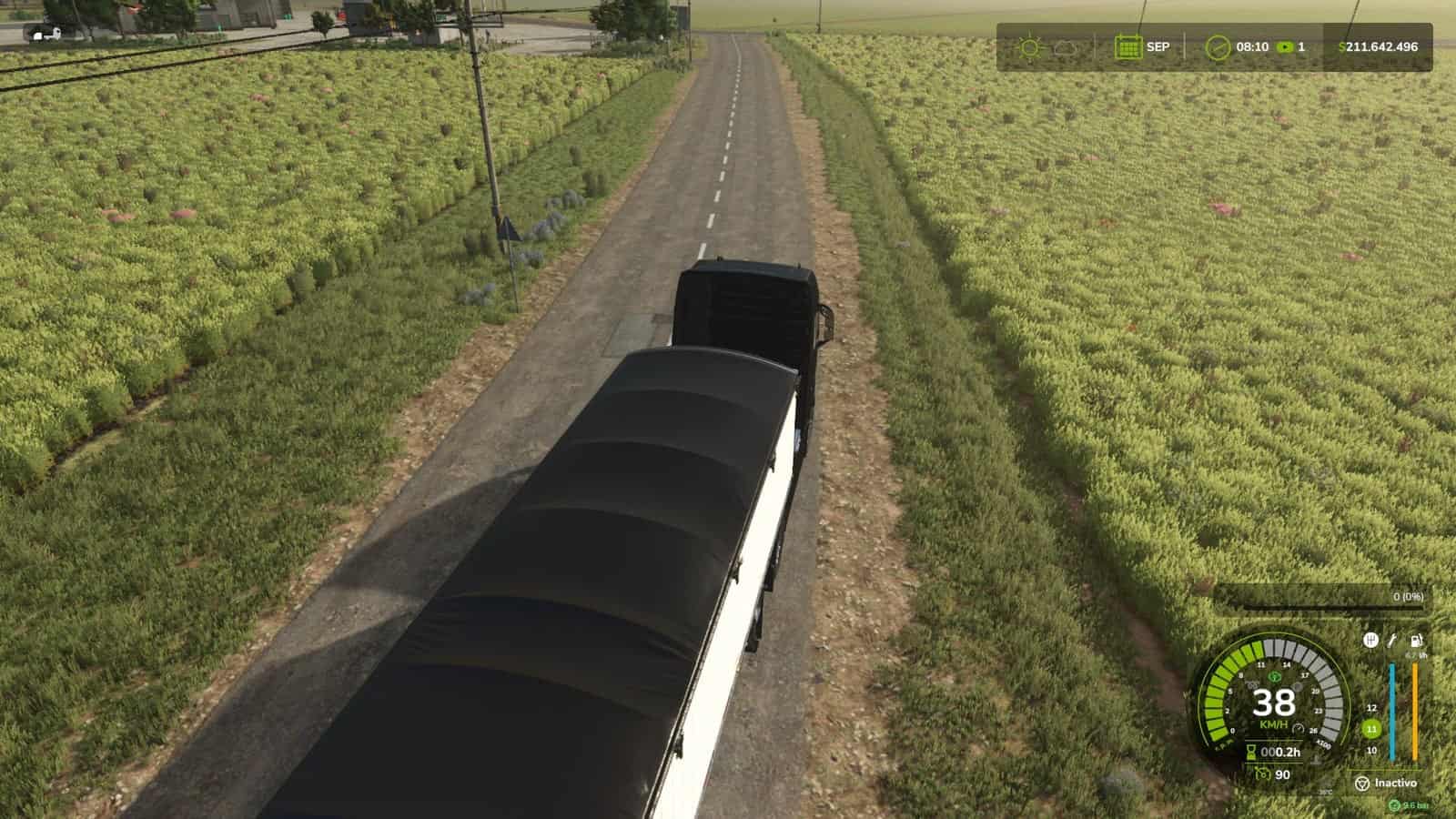
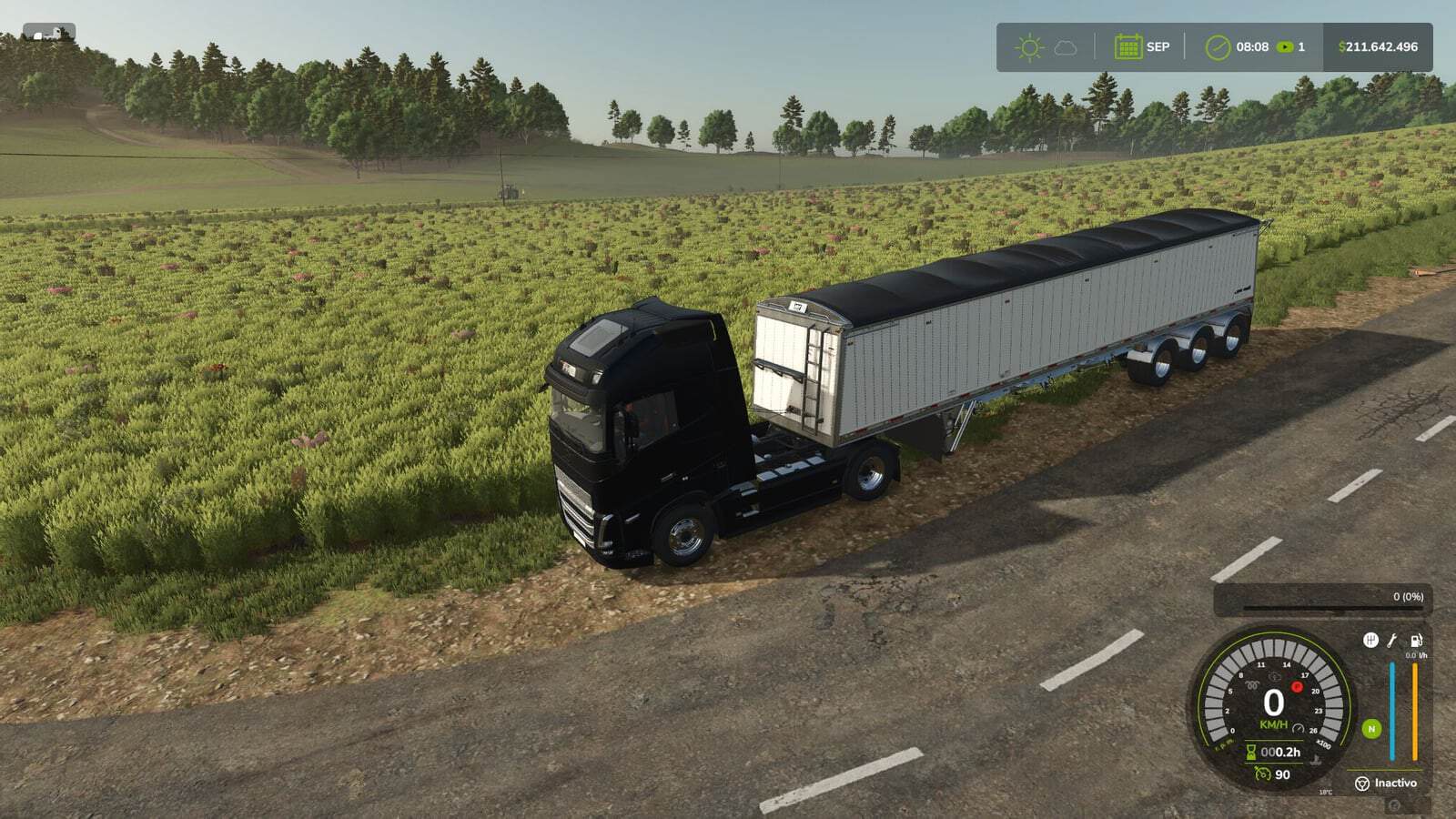
- Discreet HUD: small lights next to the speedometer, the same size as Advanced Damage System’s, for the parking brake, engine brake, brake temperature and brake failure. Trucks show a small number for brake temperature. The brake failure light only appears when there is damage. There is one layout with ADS and another without it. The indicators are never drawn over menus.
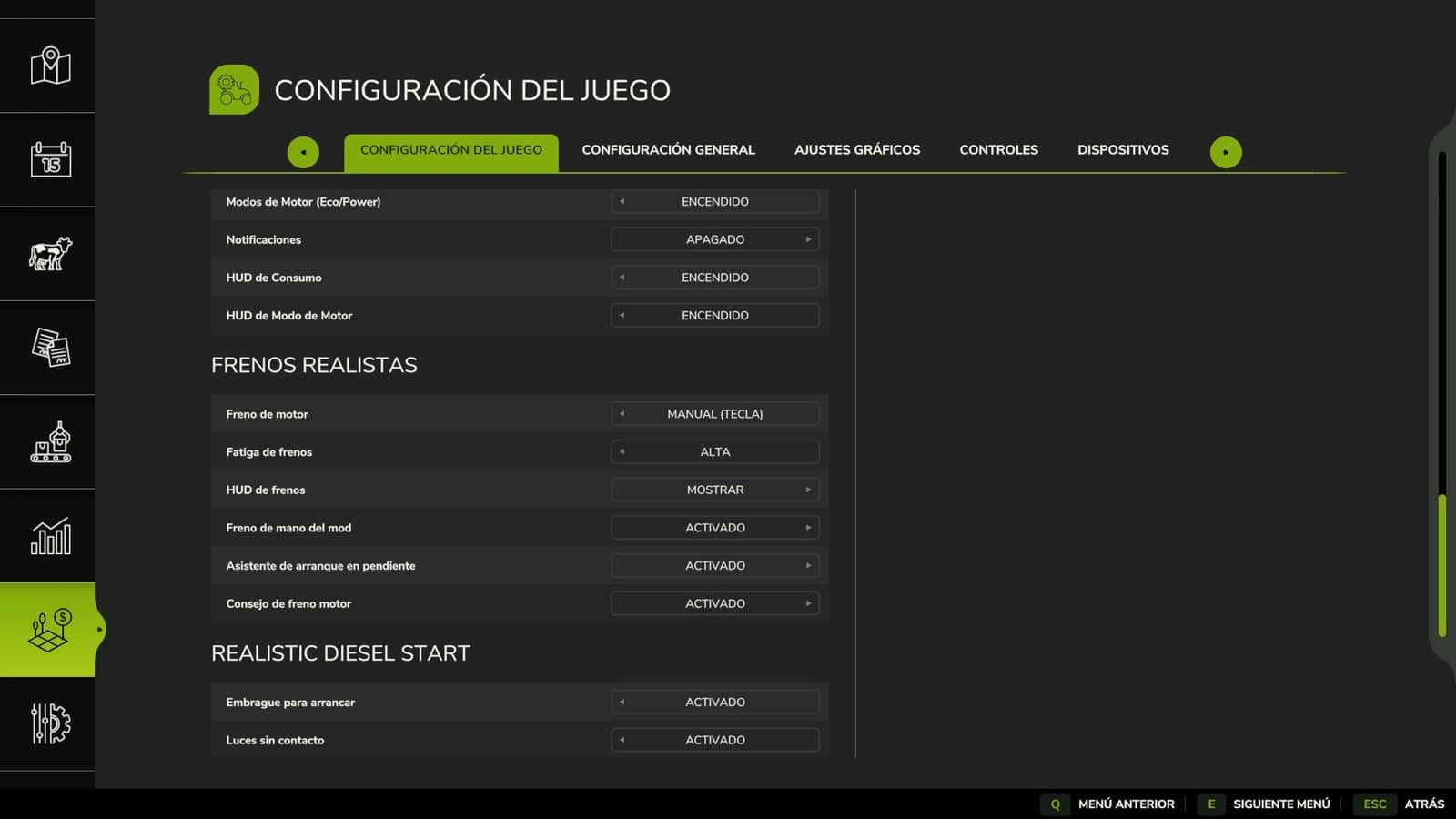
- Settings are available under ESC > Game Settings: engine brake mode, brake fade, the mod’s parking brake, hill start aid, engine brake advice and showing or hiding the HUD.
- Compatibility: Advanced Damage System handles brake condition, while this mod adds the heat; Realistic Diesel Start provides air brakes; Enhanced Vehicle, Continue Driving After Exit, CVT Addon, AutoDrive,
FS25_manualAttachand Interactive Control are supported. The AI helper is not affected. - Multiplayer and Dedicated Server supported.
- Translated into Spanish, English, German and French.
Changelog
- V1.4.0.0
Update over the published 1.3.0.0. Includes 1.3.0.1 and 1.3.1.0, which were never uploaded.New: Hill start aid keeps the brakes applied for up to 3 seconds or until you accelerate when you stop on an uphill with the parking brake released. After that it rolls, so use the parking brake to keep it still. An engine brake does not hold a stopped vehicle.
With the parking brake released, the vehicle now rolls on a slope even with you inside, and a parked truck without its parking brake rolls away.
Engine brake advice: if the brakes heat up on a descent, a message tells you to use the engine brake or shift down before they start to fade.
On trucks, the brake temperature is shown as a small number under its warning light, so you can watch it rise.
The new, smaller brake failure light only appears once the linings start to get damaged, in amber, next to the temperature light.
Fixed: on a Dedicated Server, the parking brake and the engine brake did nothing because the server did not see who was driving.
With Advanced Damage System, burnt brake linings could never be repaired at the workshop. Brake condition is now handled by ADS, and this mod only simulates the heat.
The AI helper no longer jerks on slopes when you leave the parking brake released.
Warning lights no longer draw over menus and dialogs, such as Real Fuel Consumption’s report.
Compatibility: with Continue Driving After Exit, the vehicle no longer brakes by itself while that mod keeps driving it. With CVT Addon, on tractors with its transmission, the wheels no longer lock when you release the accelerator. With AutoDrive, if you are seated while AutoDrive drives, the mod no longer releases its brake at stops.
Settings: the mod’s parking brake, the hill start aid and the engine brake advice can be turned off. Fewer options are available: “Engine brake level” stays at 2, and “Trailer air hoses” is always on and is gone as an option. Warning lights are the same size as Advanced Damage System’s, with one position when ADS is installed and another when it is not.
Sounds for trucks: air exhaust when releasing the brake pedal, louder the harder you braked. Releasing the parking brake has its own sound, and applying it is louder. The engine brake is quieter, especially inside the cab.
Compatible with savegames from 1.3.0.0: no new game is required. Multiplayer and Dedicated Server supported.
- V1.3.0.0
Trailer air brake hoses: a trailer equipped with air brakes remains braked while its air hoses are disconnected, just like a real truck. Without a supply of air, its spring brakes automatically apply.Works with
FS25_manualAttachand Interactive Control: first connect the trailer, then connect the air hoses, and only then will the trailer be able to move. Disconnecting the hose produces an air-release sound.With the game’s automatic coupling system, the hoses connect automatically, so nothing changes.
With Realistic Engine Start, the trailer has its own air tank and fills from the truck’s air supply. The truck’s air pressure drops, an empty trailer uses almost half of the available air, and the compressor takes longer because it has to fill both tanks. The trailer disconnects at 4.1 bar.
When the trailer’s brakes are applied, the wheels lock up, just like a real truck with the spring brakes engaged. The truck can barely pull it, slowly and under heavy load.
The truck never loses its own brakes because of this. Trailers without air brakes, trailers pulled by tractors without air connections, and trailers operated by a Worker behave as usual.
If you try to drive with the trailer’s brakes locked, a message explains why. This feature can be disabled in the settings.
Parking brake sound: trucks play the sound of the air parking-brake valve; tractors and other vehicles play the mechanical ratchet sound of the lever.
Engine brake indicator: the indicator remains dim or off while the engine brake is not actually braking, including when automatic mode is armed. It only turns green when the engine brake is actively retarding the vehicle. Previously, it remained illuminated all the time.
HUD indicators: with a HUD scale other than 1, the indicators could become misaligned from the speedometer. They now remain correctly positioned alongside the gauge at any HUD scale. A vehicle excluded from Advanced Damage System now uses the correct indicator layout without ADS.
Compatible with savegames from 1.2.0.0: no new game is required. Multiplayer and Dedicated Server supported.
- V1.2.0.0
Fixed an issue where the engine brake did not work on any truck in some cases.
Fixed an issue where the handbrake did not work on certain occasions.
New dashboard warning lights: brighter and faintly visible when switched off.
The brake temperature and malfunction warning only appear on trucks.
Compatibility with Advanced Damage System: the icons are repositioned when the mod is active to prevent them from overlapping.