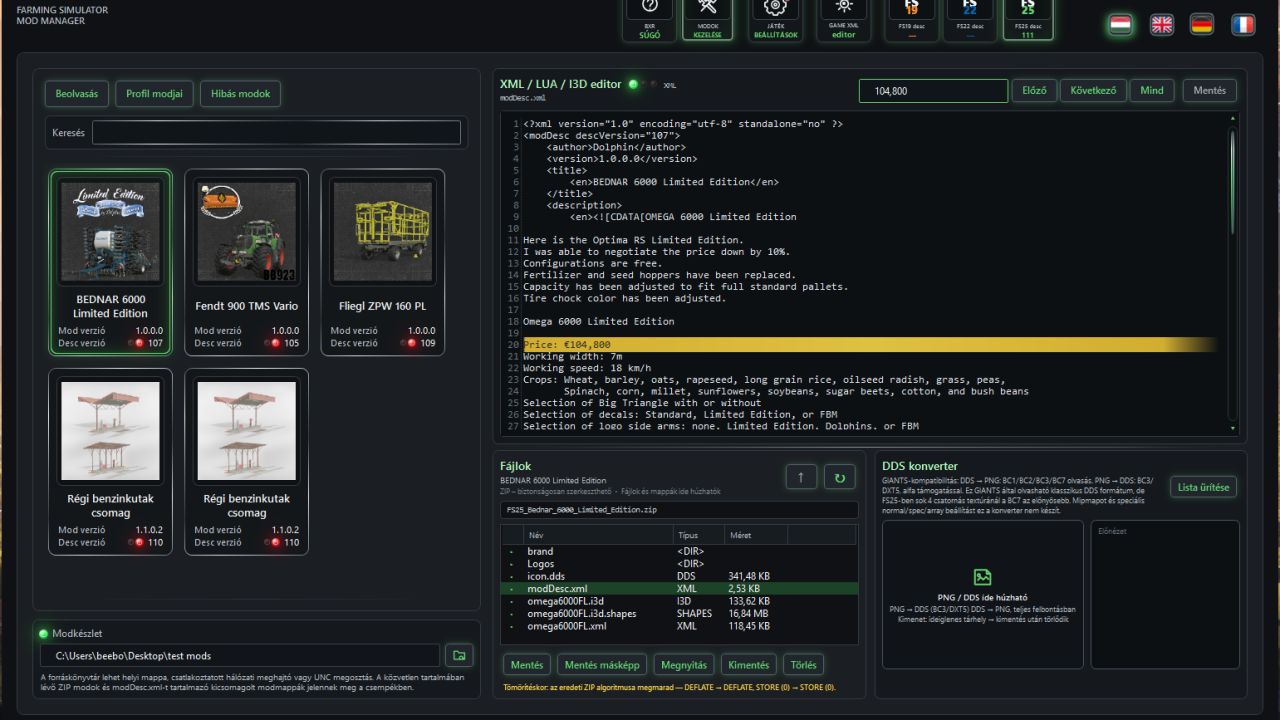
BXR Mod Manager – one click, and everything falls into place Hundreds of mods. Multiple maps. Multiple careers. Different dependencies, versions and savegames. Eventually, you are no longer choosing what to play—you are simply hoping the game will start. That is where BXR Mod Manager takes control. It does not merely organize mods. It connects everything that should always have belonged together: the game, the map, the mods, their dependencies, the profile and the savegame.
Your entire collection on standby. Only the required mods in the game. Your permanent collection remains safely stored in the Mod Set. At launch, BXR selects the content required by the chosen profile, builds the Active mods environment, configures the correct paths and starts the game directly with its assigned savegame. No constant folder swapping. No more wondering which mod belonged to which map. No more forcing four hundred ZIP files into a single active directory. FS19, FS22 and FS25 are managed from the same application, while each retains its own completely separated environment. A profile that remembers everything for you A BXR profile is not just a mod list.
It is the complete identity of your career:
– the Farming Simulator generation;
– the map being played;
– the required mods and dependencies;
– the assigned savegame;
– and the environment from which it must launch.
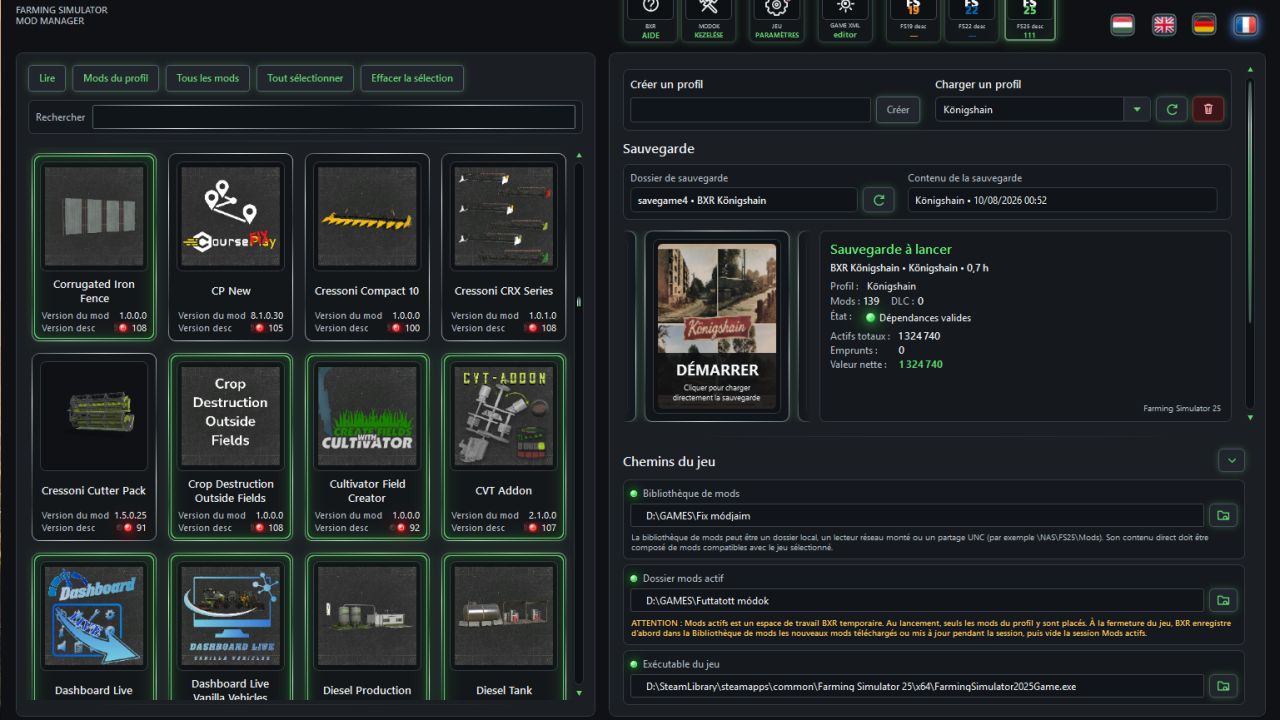
For a new profile, select the map and mods, enter a name, and you are ready. The profile becomes active immediately, receives a new save slot and is permanently associated with the career after its first direct save. For an existing profile, select its name. BXR already knows the rest.
Savegame and profile mod lists no longer drift apart
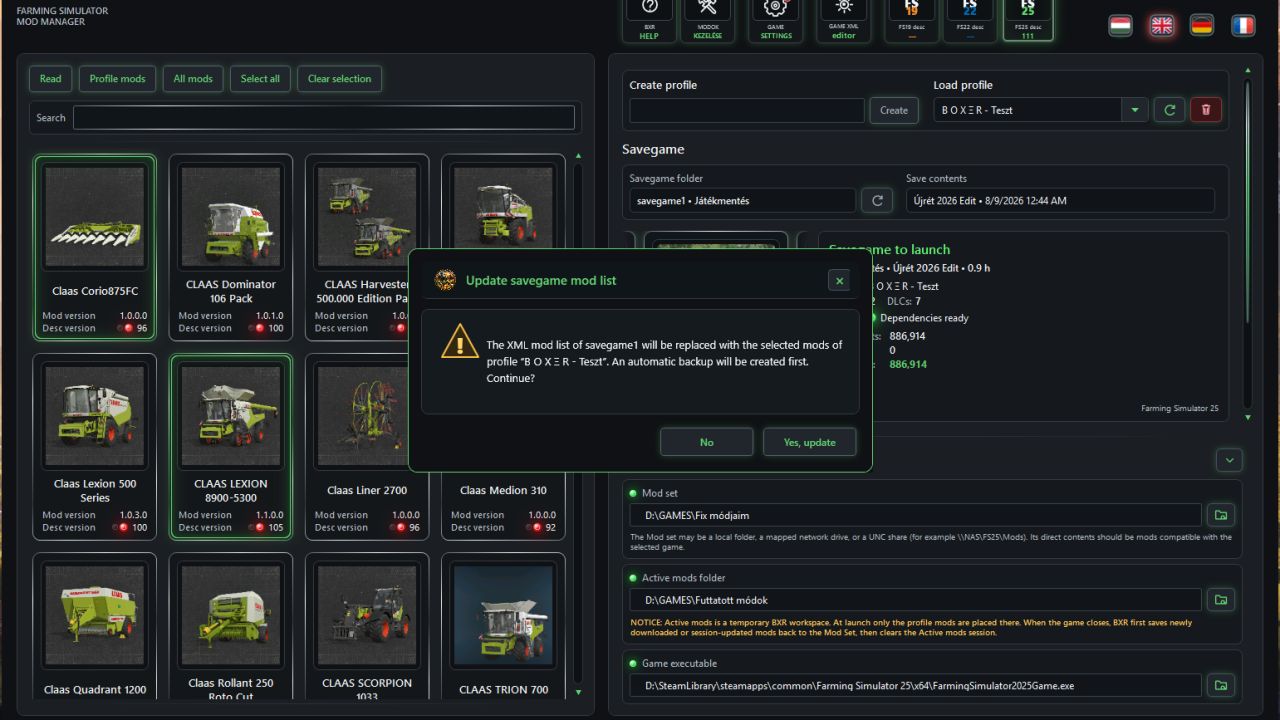
When you change a profile’s mods, BXR compares the new selection with the mod list stored inside the savegame.
– Do they differ? It tells you.
– Want to synchronize them? BXR creates a backup and actually rewrites the mod list inside `careerSavegame.xml`.
– It does not merely assume that everything is fine. It checks, reports, protects and synchronizes.
A complete pre-launch inspection
Before the game even moves, BXR validates the entire profile.
Missing dependency? Faulty mod? Lost map component? Instead of sending you away with a vague error message, BXR identifies the affected items and displays their mod icons wherever possible.
If a required mod exists neither locally nor in your collection, BXR can request permission to download it automatically from the official ModHub during the game session. Permission applies only to missing content—it does not authorize updates to mods already installed.
You decide. BXR handles the rest.
Behind the Start tile is an entire launch chain
– Pressing Start does far more than open an executable.
BXR:
1. validates the profile and savegame;
2. resolves the required dependency chain;
3. prepares the Active mods environment;
4. configures the game’s mod path;
5. builds discoverable map data for a new career when required;
6. launches the correct game;
7. follows the Steam hand-off and the real game process;
8. monitors lengthy initialization;
9. locks dangerous changes while the game is running;
10. saves back newly downloaded or updated mods after shutdown;
11. and safely cleans the temporary environment.
All while showing you exactly what is happening.
If a map needs several minutes to construct its first savegame, BXR does not leave you staring at the screen and guessing. It shows that the process is still working, so a long initialization is never mistaken for a crash.
Your career comes alive before the game even starts
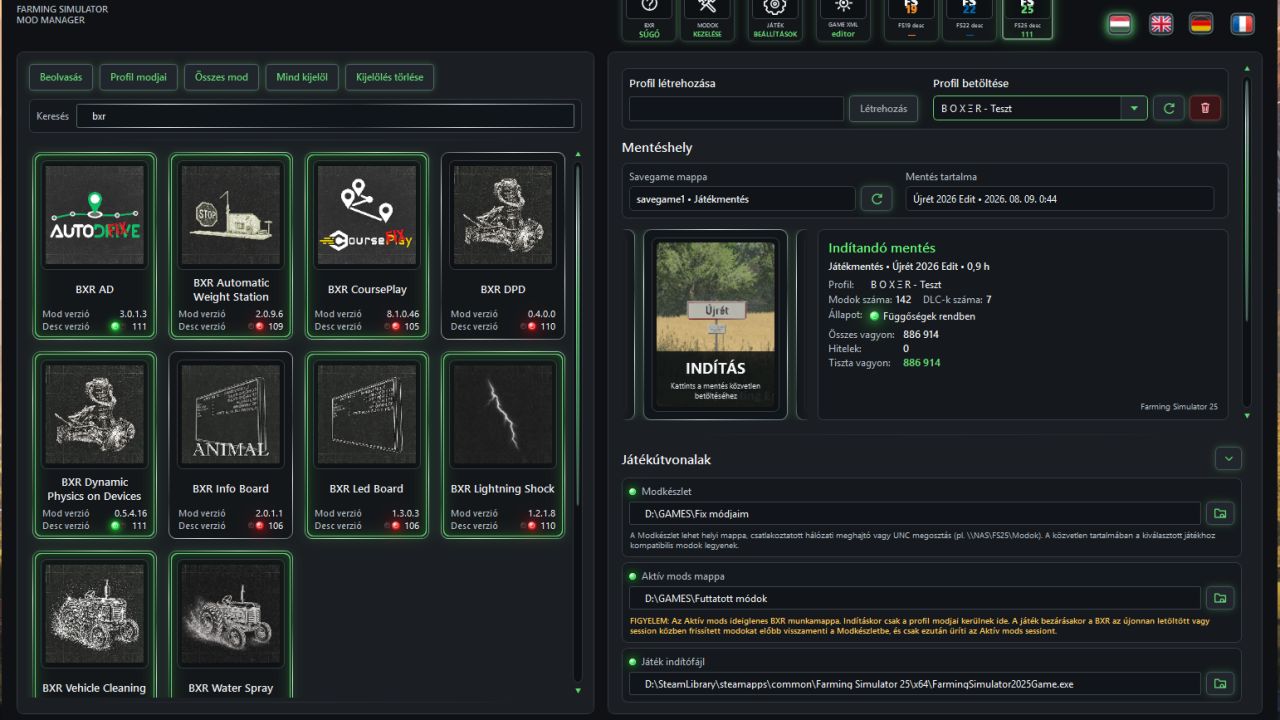
Profiles move through a continuous, uninterrupted tile carousel. No jumping, no image replacement halfway through, no animation falling apart between profiles.
As the selected tile overshoots and rolls back into its resting position, the information panel comes alive with it:
– profile and map;
– assigned savegame;
– mod and DLC counts;
– assets, loans and net worth;
– current work;
– upcoming tasks.
By the time the tile stops, you know not only what you are about to launch—you know exactly where you left off.
Game configuration, the BXR way
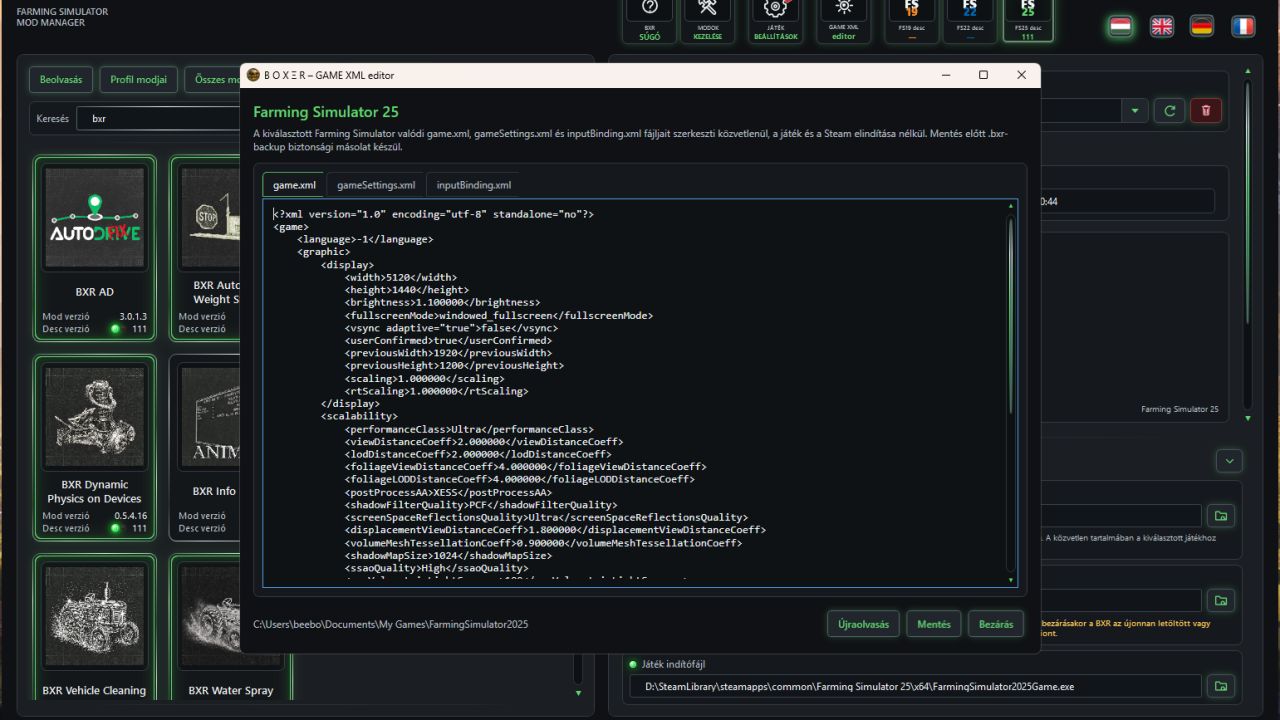
– The built-in GAME XML editor provides direct access to the game’s configuration files.
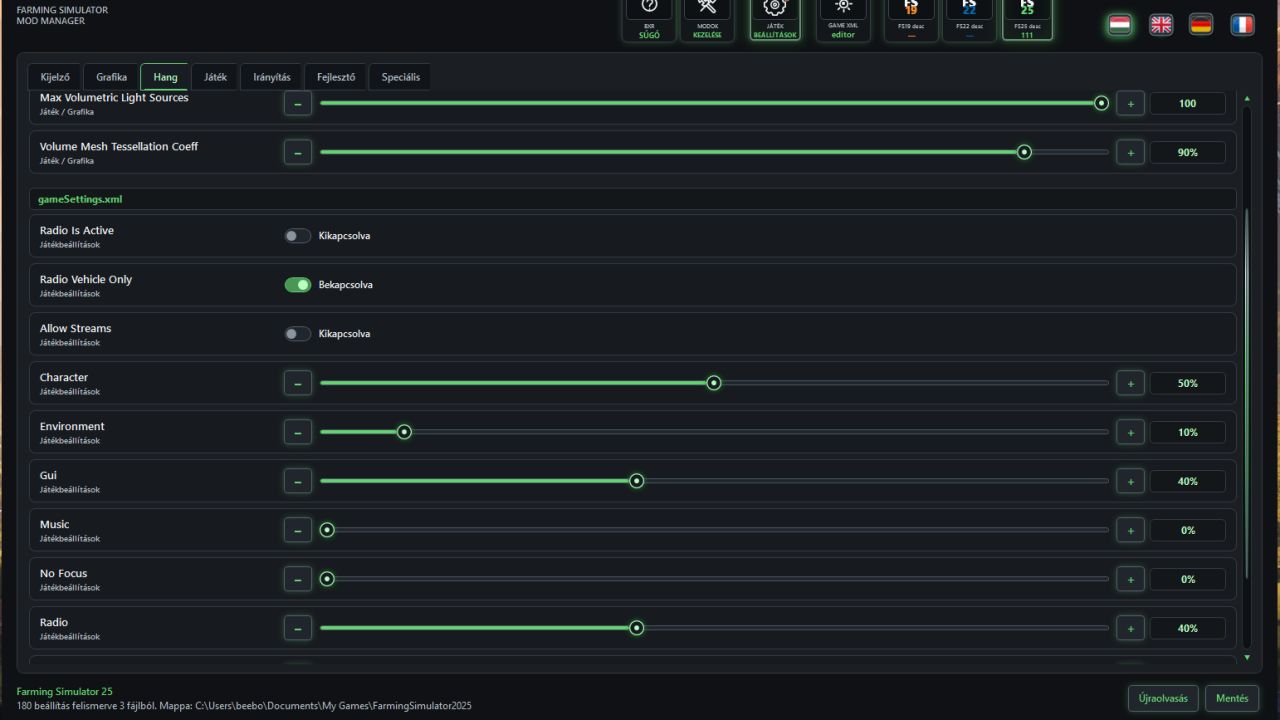
– The graphical BETA Game settings workspace transforms raw XML values into understandable switches, sliders and visual choices. Its dark BXR interface, four-language explanations and detailed tooltips help explain what each option actually changes.
– Validation before saving. Automatic backup before modification. Protection while the game is running.
– One system. Three games. Four languages. Any number of mods.
BXR Mod Manager supports:
– Farming Simulator 19, 22 and 25;
– Hungarian, English, German and French interfaces;
– local drives;
– network folders;
– NAS and UNC paths;
– large, separated mod collections;
– and clean profile-based game launches.
BXR was not created to make you own fewer mods. It was created so you can own as many as you want—without turning your game into chaos.
And those who insist that a few manually copied `mods` folders can do all of this? They are absolutely right.
Right up until they have to locate one missing dependency among four hundred ZIP files, recover a broken savegame mod list, separate three generations of content and remember which map depended on `final_FINAL_v3`. This file contains only user-visible functional and appearance changes.
Profiles and savegames
– Selecting a profile makes it active immediately; separate Load and Exit buttons are no longer needed.
– A new profile receives a new slot, while an existing profile shows only its assigned savegame.
– Profile mod changes are compared with the savegame, and the save refresh command rewrites `careerSavegame.xml` after creating a backup.
– Dependency details list missing or faulty items with mod icons where available.
– A dynamically sized box below Start inventories current work and upcoming tasks.
Launch and dependencies
– Long map initialization remains visibly reported above the game until gameplay is actually available.
– Missing map dependencies can be authorized for automatic official ModHub download without authorizing updates to installed mods.
– Profile, savegame, mod-selection and path operations that could damage an active session are locked while the game runs.
Launch carousel and information
– Start and its narrow neighbor slivers use the same thin chrome frame as mod tiles, with clear spacing.
– The carousel starts more slowly, overshoots, then settles back immediately without a long pause.
– Selecting a distant profile scrolls every intermediate profile tile in order until the selected tile reaches Start.
– The complete tile route moves without interruption while images, styling and relative positions remain fixed; neighbor tiles use the full Start-tile style.
– The adjacent information panel switches only when the target tile begins returning from its overshoot.
– Start presses in until the session becomes available again; it does not lift on hover.
Interface and Game settings
– Savegame mod-list warnings and XML replacement confirmations use custom dark BXR dialogs with fully localized controls.
– The dependency-details button has a smaller reserved position and never rearranges adjacent information rows.
– Disabled buttons retain their surface; only their text or graphic is muted.
– Language icons lift on hover and drop on click while their light briefly spreads and contracts.
– Game paths opens and closes with a sliding fade animation.
– BETA Game settings has a diagonal red badge, dark inputs, high-contrast chrome tooltips and game-accent hover feedback.
– Hungarian, English, German and French Help, README and CHANGELOG files reflect the current profile, savegame, launch and settings workflow.