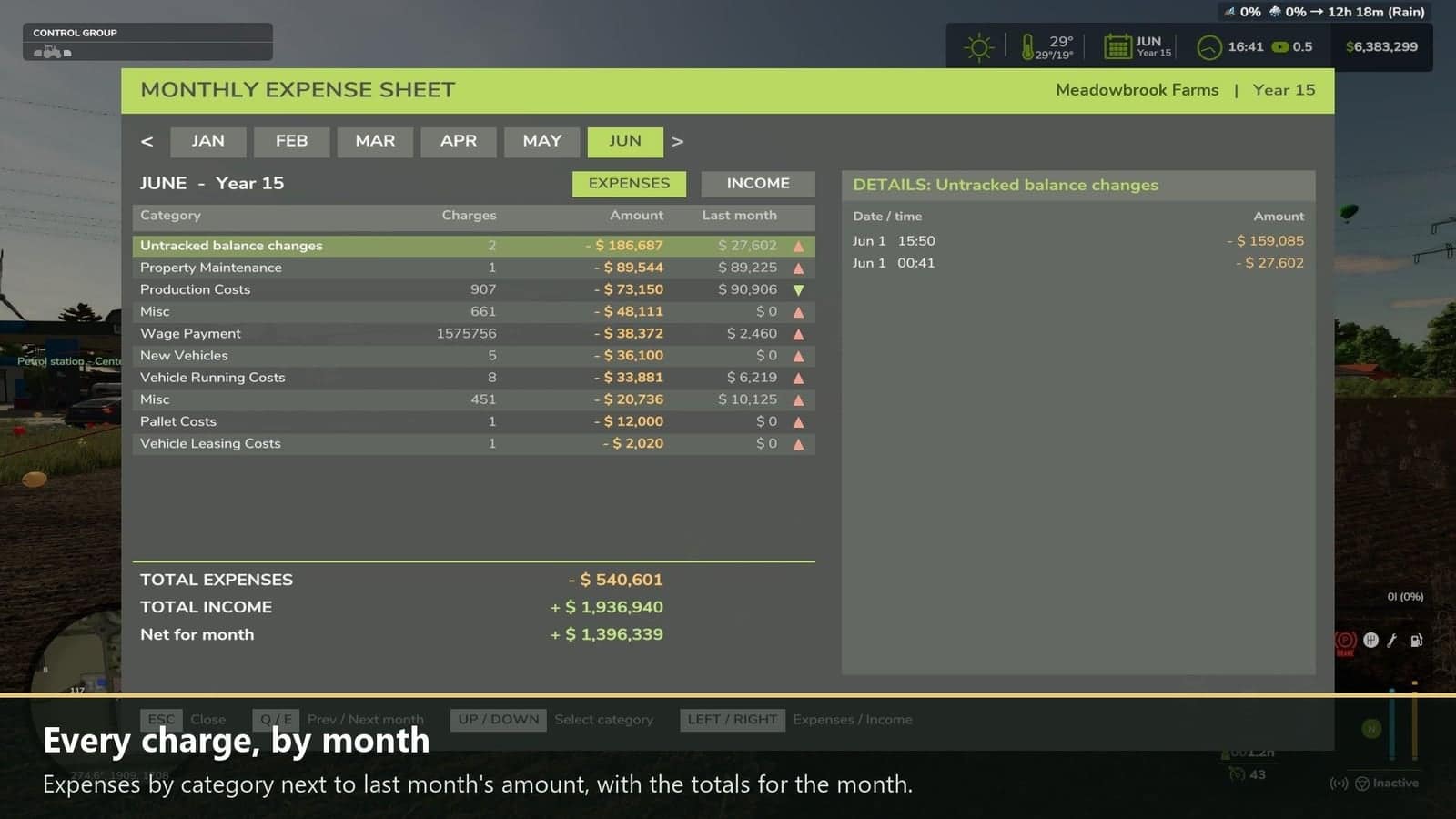
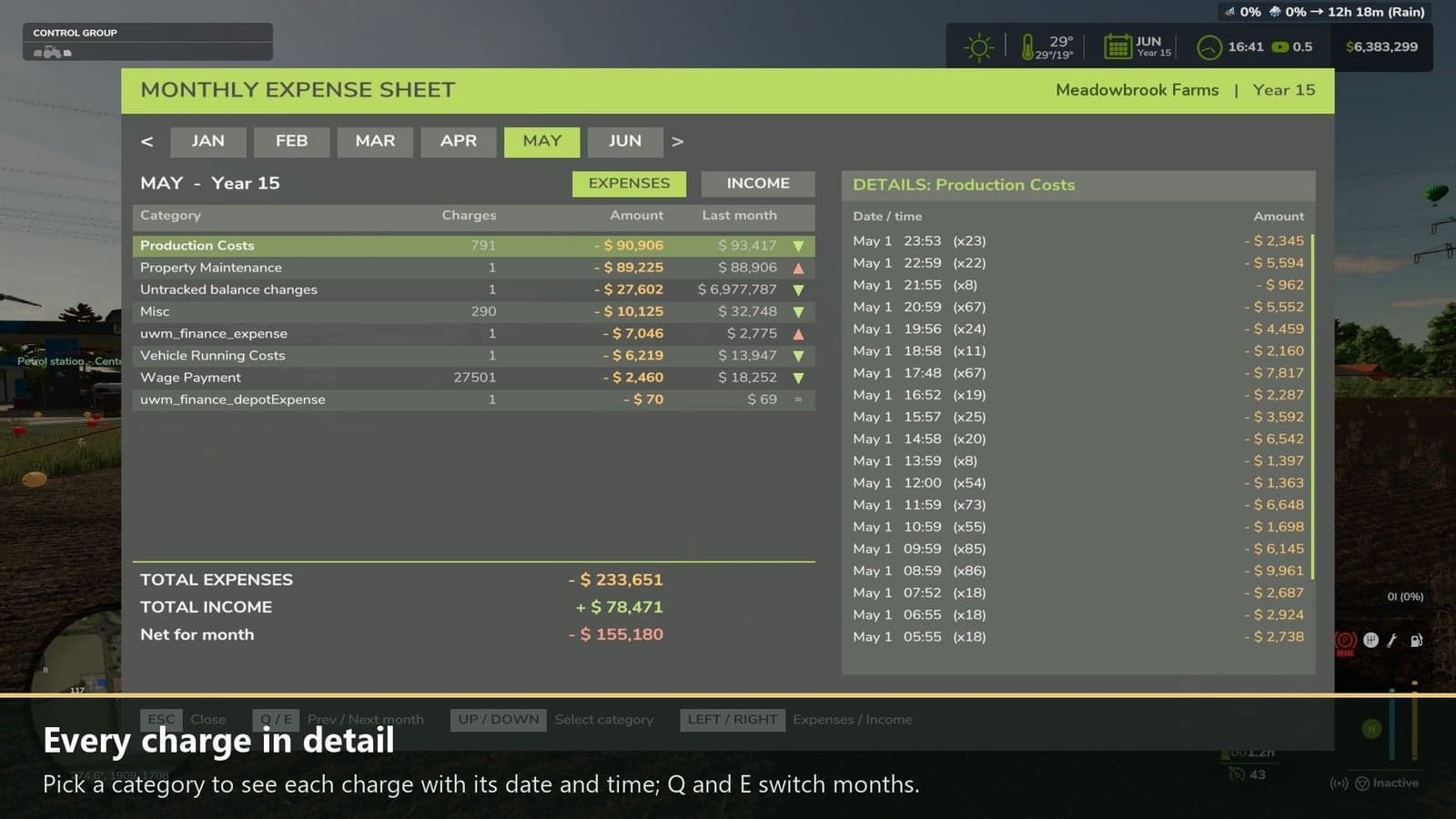
Monthly Expense Sheet records every money popup and sorts expenses and income by in-game month. It also catches money changes without a popup, so the sheet adds up to the balance.
Features
- Every expense and income category of the month with the number of charges, the month’s total and last month’s total, with a red or green arrow for up or down.
- Every single charge in the selected category with its date and time.
- Total expenses, total income and the net for the month.
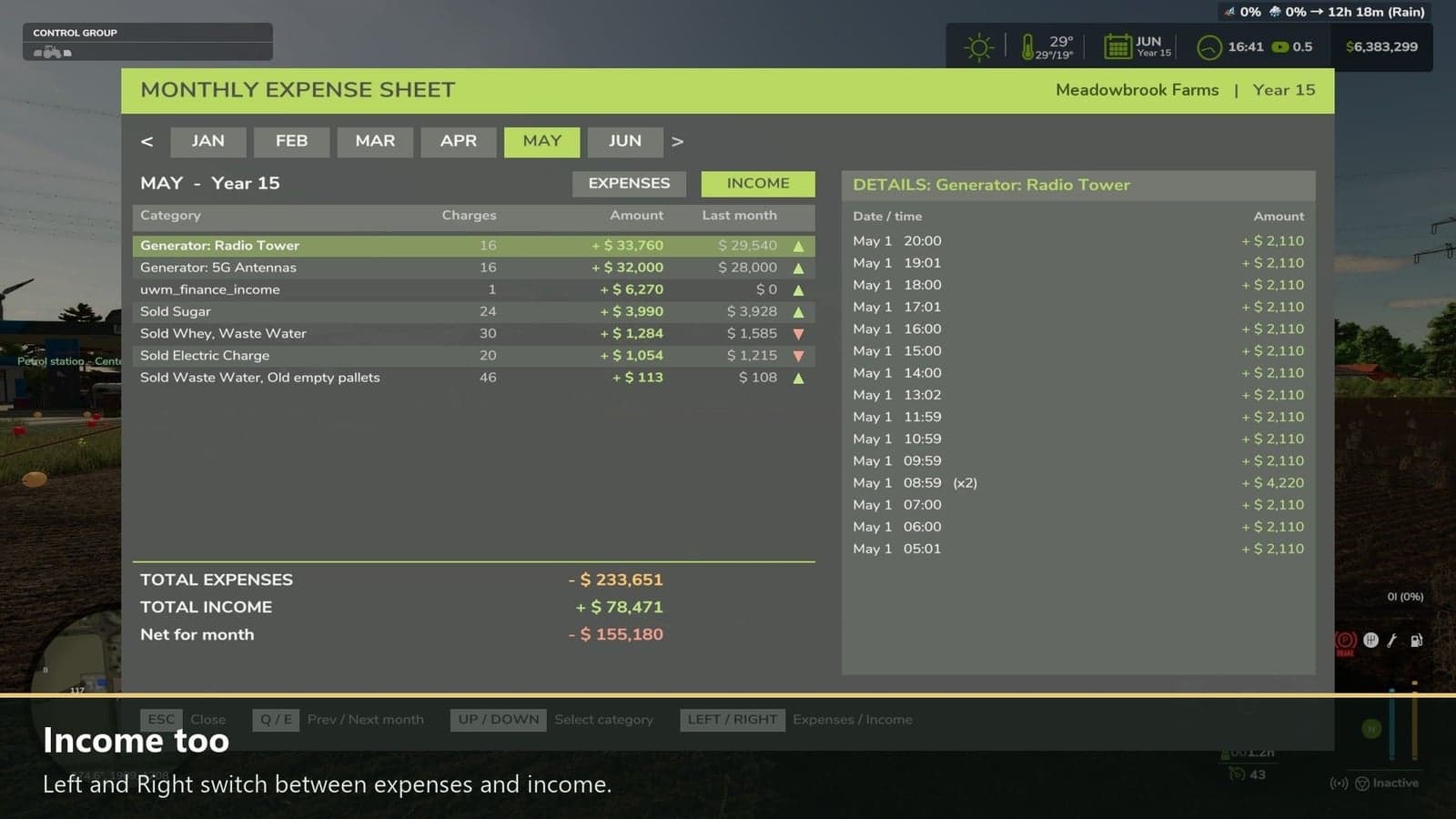
- Sales show what was sold, such as “Sold Wheat”; hourly income from generators, wind turbines and solar is listed per building.
- Money from other mods shows that mod’s name or its own popup text.
- Records are saved with your savegame, last 24 months. In multiplayer, the server keeps the records and each player sees their own farm.
How to use: Left Alt + M opens and closes the sheet. Q / E: previous / next month. Up / Down: select a category. Left / Right: expenses / income. The mouse works too.
Changelog
0.2.2.1
- The author now shows as DTM Mods, PropaineX in the mod list.
- Money from other mods shows its real name instead of a text key (0.2.2.0).
- An unknown text key is shown as readable words instead of the raw key (0.2.2.0).
V1.0.0.3
- Fix: pressing E (or the right arrow) in the current month before anything was recorded in it jumped back to the oldest month. It now goes to the newest month that has records.
- Fix: a saved entry whose category is missing from the savegame file now shows under Other instead of disappearing.
- Fix: animal names made of several words show with spaces (Water buffalo, not Water_buffalo).
- Offline tests (
tests/test_offline.py, 29 tests), run by every build. - Also: brought up to date for the current game version and GIANTS’ ModHub checks.
V1.0.0.2
- Out of BETA: the first full release (1.0), after its beta builds on KingMods.
- Also: brought up to date for the current game version and GIANTS’ ModHub checks.