
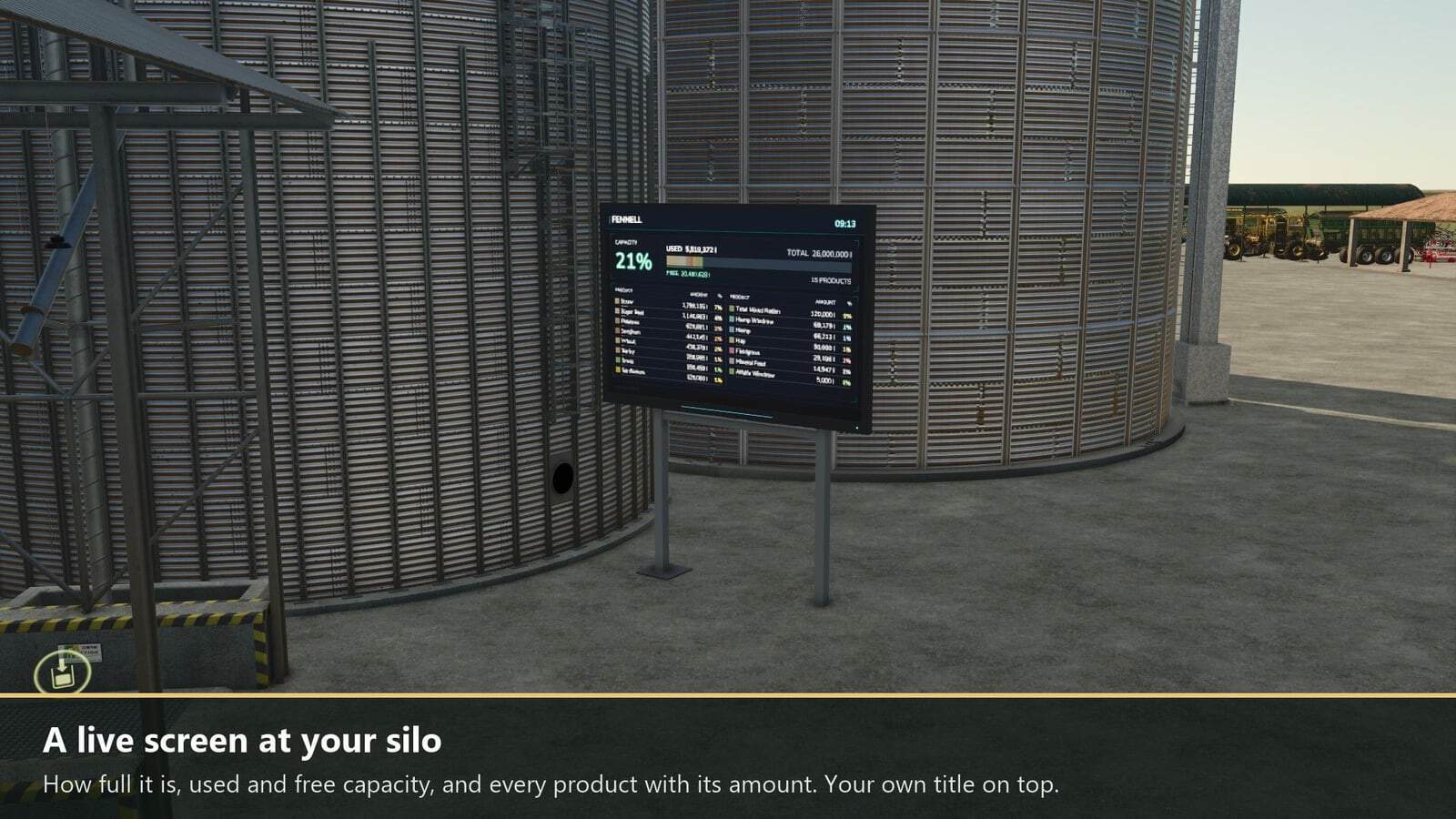
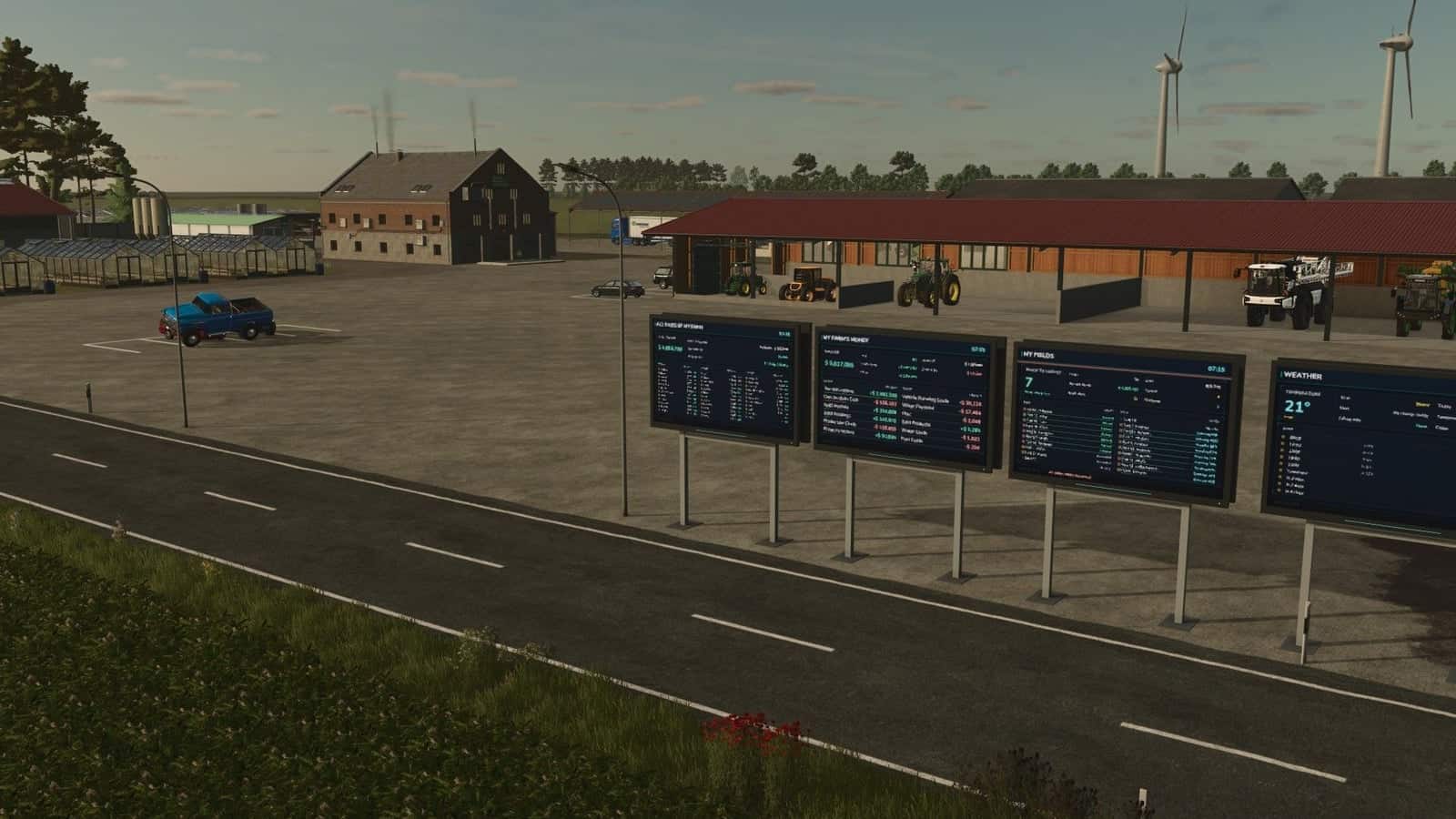
A live screen for silos, productions, animal pens, bunker silos, bale or pallet sheds, manure heaps, greenhouses and beehives, as well as fields, weather, vehicles, contracts, money and a message board for your whole farm.
Place it at a storage to see what is inside in colour, or use it for farm-wide information.
Better Digital Display (Kiosk)
- Category: Buildings > Tools
- Price: $3,500
- Monthly upkeep: $2
Better Digital Display (Wall)
- Category: Buildings > Tools
- Price: $6,500
- Monthly upkeep: $3
Better Digital Display (Billboard)
- Category: Buildings > Tools
- Price: $12,000
- Monthly upkeep: $5
Better Digital Display (Two-Sided Billboard)
- Category: Buildings > Tools
- Price: $18,000
- Monthly upkeep: $7
Better Digital Display (Silo Mount)
- Category: Buildings > Tools
- Price: $6,000
- Monthly upkeep: $3
Better Digital Display (Wall Mount)
- Category: Buildings > Tools
- Price: $5,500
- Monthly upkeep: $3
Better Digital Display (Hanging)
- Category: Buildings > Tools
- Price: $5,500
- Monthly upkeep: $3
Features
- Silos: how full in percent, green, amber and red from the level you set, used, free and total capacity, with one bar for every product in its own colour.
- Shows how fast storage fills or empties, such as “+18,000 l/h”, and when it is full or empty.
- Productions: which lines run, which miss inputs or have a full output store, inputs (IN) and outputs (OUT), empty inputs in red, and which input runs out first.
- Animal pens: number of animals, food, water, straw, productivity and tanks, including how long the food lasts.
- Bunker silos: filling, fermenting in percent or ready, with several bunkers side by side.
- Bale and pallet sheds: how many of how many, and every product with its number of bales or pallets.
- Beehives: hives, honey per day, what it is worth and the pallet spot.
- Every product has its own icon, amount, fill bar and percent, all at once, up to 42 in up to 3 columns. More products turn pages, also with Page Up / Page Down.
- Only the products you pick can be shown. One product alone is shown big, with its rate and what it is worth.
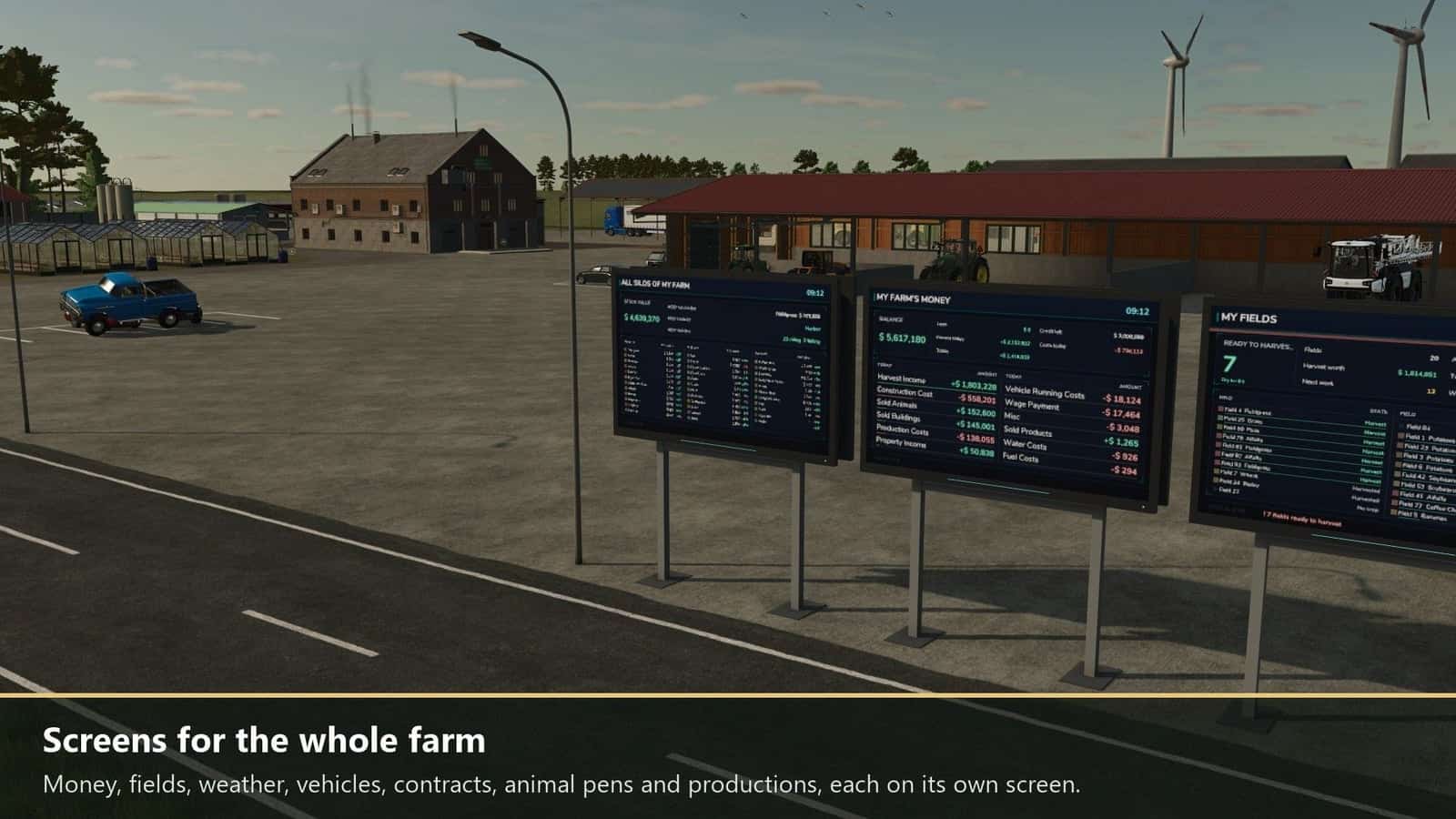
Screens for the whole farm:
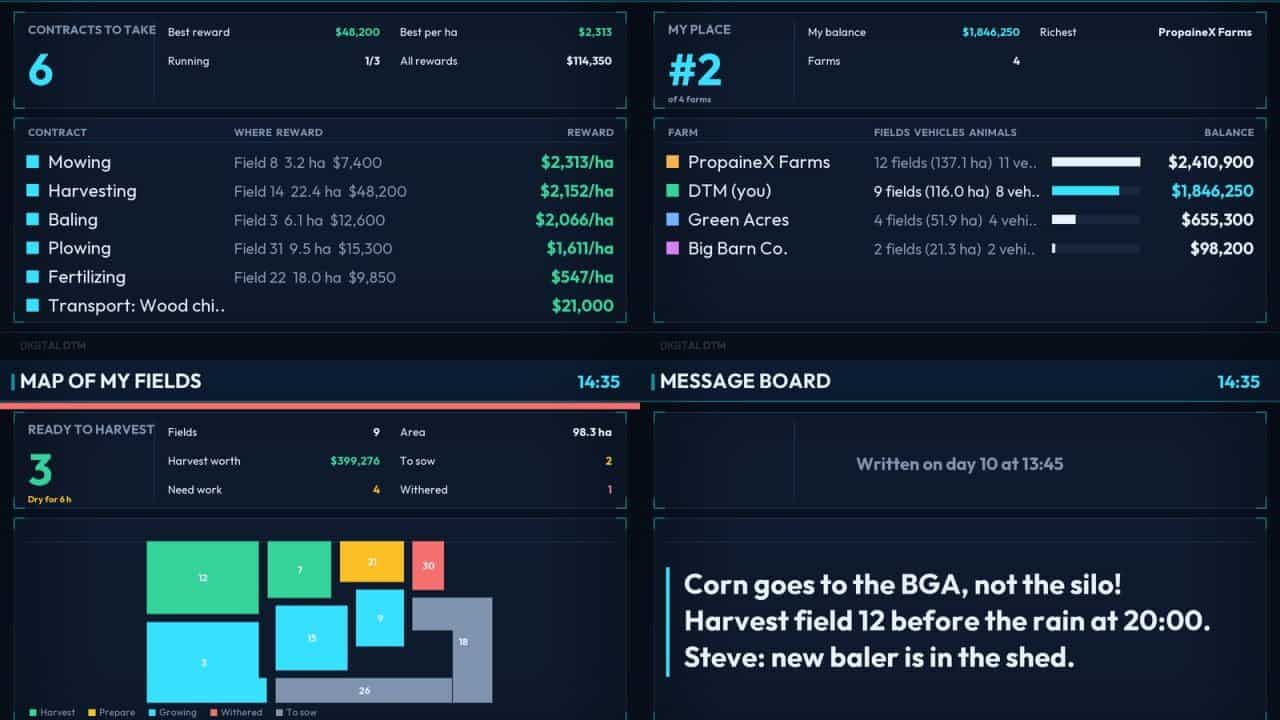
- My fields: the crop on every field, how far it has grown, which are ready to harvest first, withered or to sow, what each needs, including lime, fertilizer, plowing, rolling and weeds, the expected harvest and its worth, and how long it stays dry.
- Map of my fields: every field drawn in the colour of its crop’s state.
- Weather: the temperature, the weather now, in the next hours and the next days, when it changes, and whether the crops are dry.
- My vehicles: helpers at work, fuel and damage of every vehicle, with low fuel and damage first.
- My contracts and contracts to take: the best reward per hectare first, and how many more your farm may take.
- All my animal pens and all my productions on one screen each, with the ones that need you first.
- What my productions need: every input of every production, empty ones red and blinking, low ones amber, how much it takes to fill up and how much your silos hold.
- Production profit: what every running production line earns per in-game hour, inputs, outputs and upkeep.
- When to sell: for every product in your silos, the best month on the seasonal prices and how much more it is worth then.
- All farms: every farm on the server side by side, with money, fields, vehicles and animals.
- Message board: write a message everyone sees on the screen.
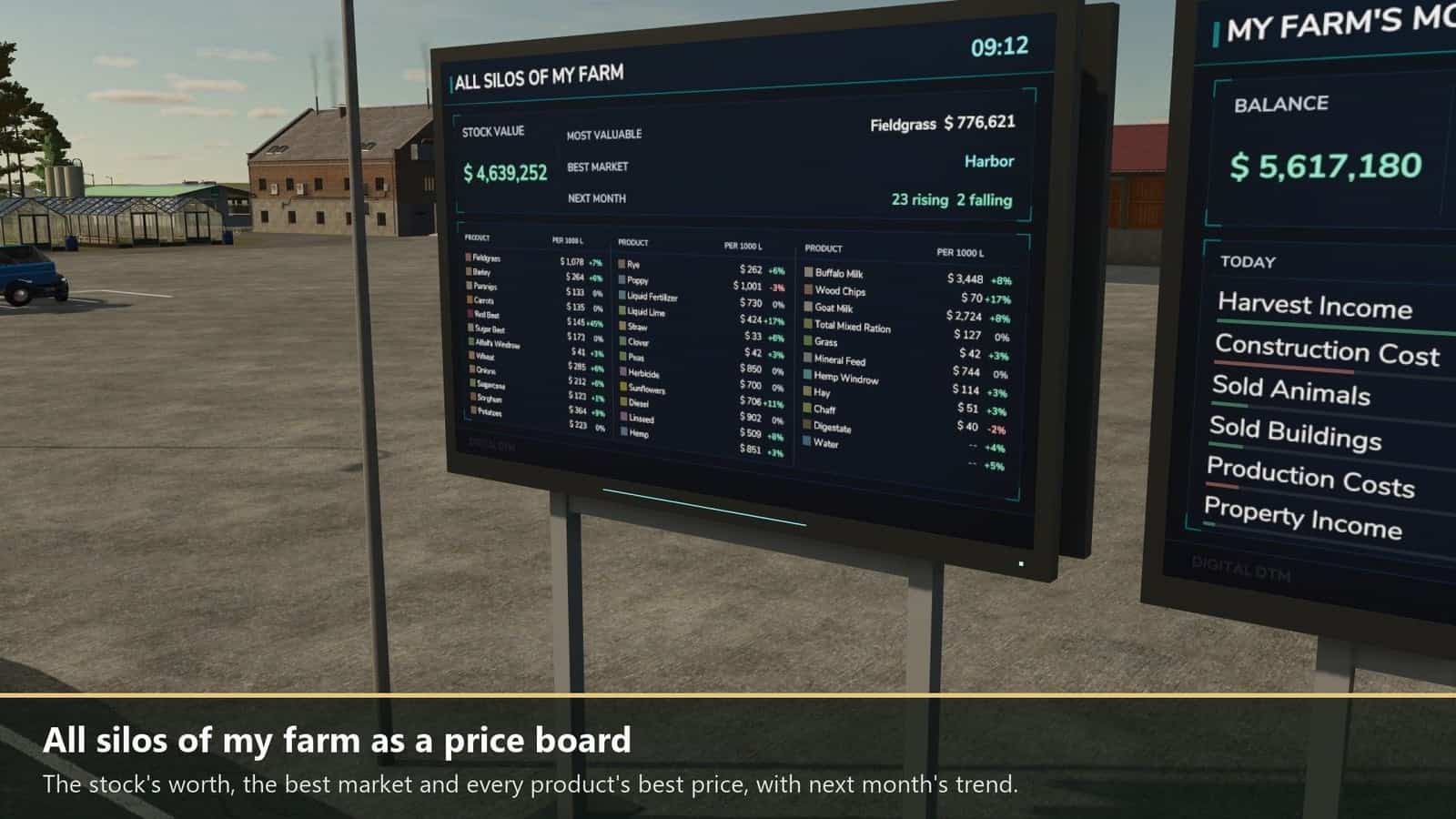
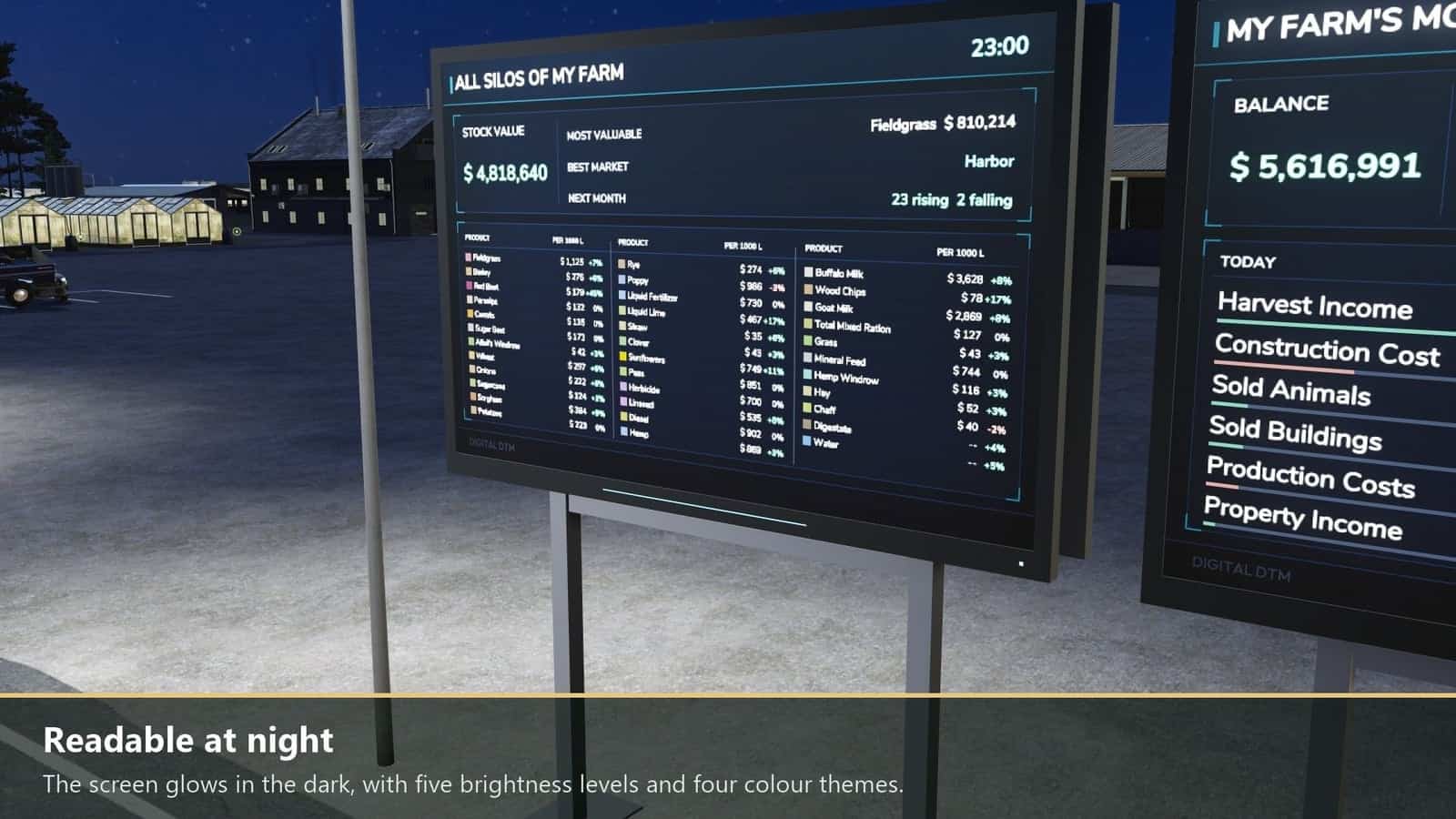
- All silos of my farm, and my farm’s money, including balance, loan, credit, today’s income and costs.
History: Switch a screen to “History (24 h)” to see how full the storage was over the last in-game day as a column chart. For the farm’s money, it shows the balance. The server keeps the history and saves it with the game, so it is there after a restart and for everyone who joins.
Price board: Switch the screen to prices to see, for every product in the storage, the best price and where to sell it, whether the price rises or falls next month, and what the stock is worth.
Slideshow: Select several screens and the monitor shows them in turn, 10 to 60 seconds each. In front of a monitor, Home / End switch to the previous or next screen.
Alerts: A blinking red stripe and a line in the footer appear when a silo is nearly full, from the level you set, an input is empty, animals run low on food or water, a tank is full, fields are ready to harvest and rain is coming, a helper runs out of fuel, or a product sells for the price you wait for. Optionally, alerts can also appear as a game message for everyone on the farm.
Stand in front of it and press the activate key for its settings: the storage or farm screen, connected silos, screen size, 0.8 to 6 m wide, height for Silo Mount, Wall Mount and Hanging, 0.5 to 12 m, brightness with 5 levels readable at night, colours, including night blue, green, amber terminal and daylight, your own title, storage, prices or history, the products shown, alerts, the nearly full level, a price alert and the slideshow. Everyone on the server sees the same settings, and they are saved with the game.
Seven models are available in Buildings > Tools: Kiosk, Wall, Billboard, Two-Sided Billboard, Silo Mount, Wall Mount, flat on a building, and Hanging, on rods for inside a shed.
Changelog
1.4.1.0
- New screen “What my productions need”: every input of every production, empty ones red and blinking, low ones amber, at the top, with how much it takes to fill up, how long the stock lasts and how much of it your silos hold.
- Silo Mount, Wall Mount and Hanging: the height can be set again in the settings, 0.5 to 12 m.
- Hitbox fixed: the monitors are solid and can be selected in construction mode at every size and height.




1. die Anzeige erfasst nur den Hauptsilo, Siloerweiterungen werden nicht mit angezeigt.
2. der Seitenwechsel funktioniert gar nicht. Bei Bild hoch / runter passiert absolut nichts
3. bei Pos1 öffnet sich (bei mir) das Reshade-Menü
4. bei Ende passiert auch nichts.
Schade, sah so gut aus.