Pro Dog Life turns the dogs of Farming Simulator 25 into real pets. Choose among nine breeds, give your dog a name and look after it every day while it follows you, obeys your commands, rides in your vehicles and brings back the game you shoot.
Features
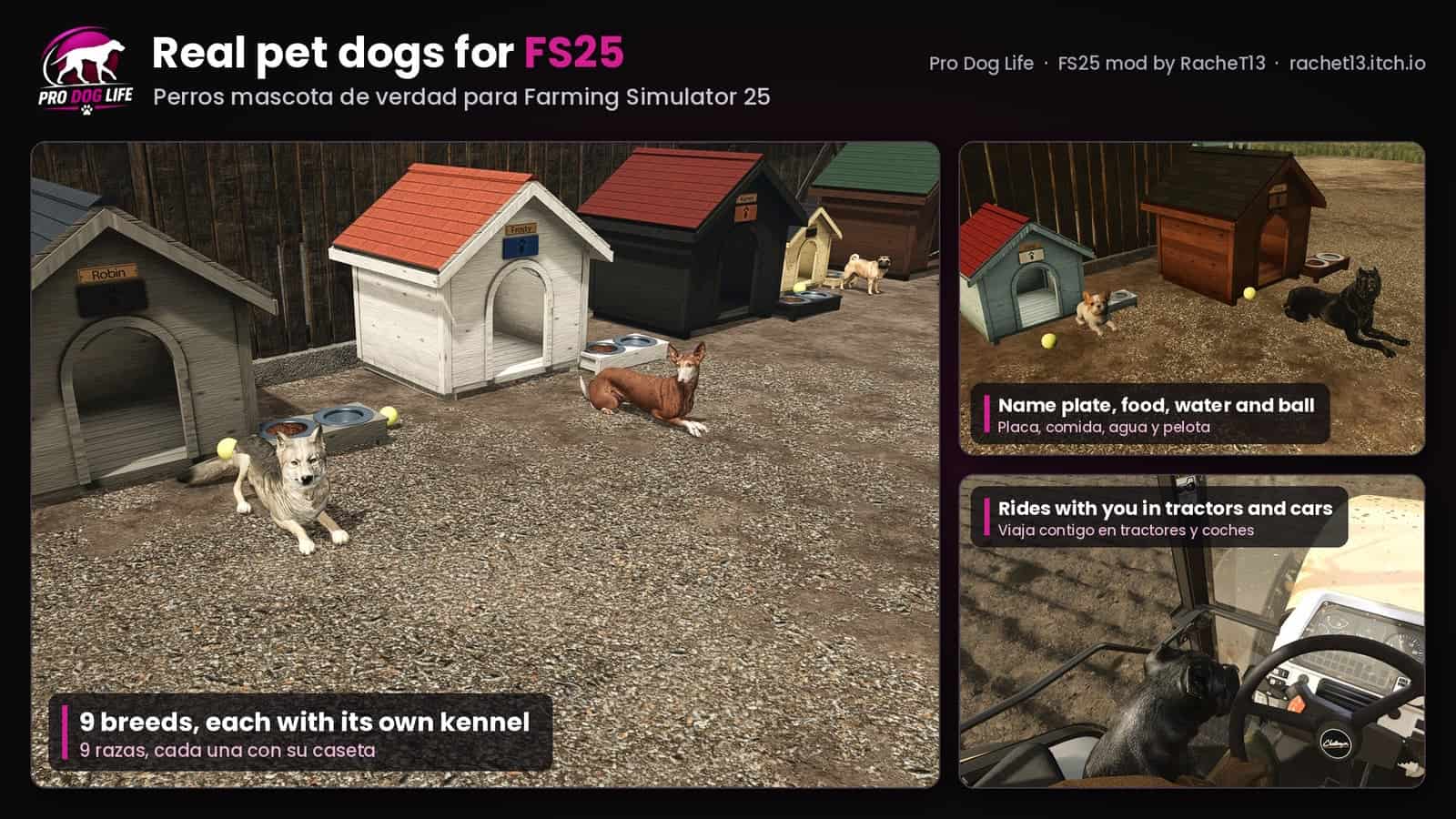
- Nine breeds with their own animated models and sounds: Cane Corso, French Bulldog, German Shepherd, Pitbull, German Shorthaired Pointer, Pug, Doberman, Podenco and Czechoslovakian Wolfdog, each with three realistic coats (you choose it on the first day after buying)
- The dog of the base-game doghouse becomes your pet too
- Command wheel (Left Alt + D): follow, stay, go there, sit, lie down, give paw, speak, roll over, fetch the shot game, get in or out of the vehicle, back to its kennel or dog run, care and pedigree card
- Needs: food, water, energy, mood and health. It eats from its bowls and troughs, drinks from rivers and ponds and sleeps at night
- Own AI: finds its way around buildings, fences and water, explores, greets you, plays with the other dogs, brings back its ball when you throw it, and guardian dogs watch over their home
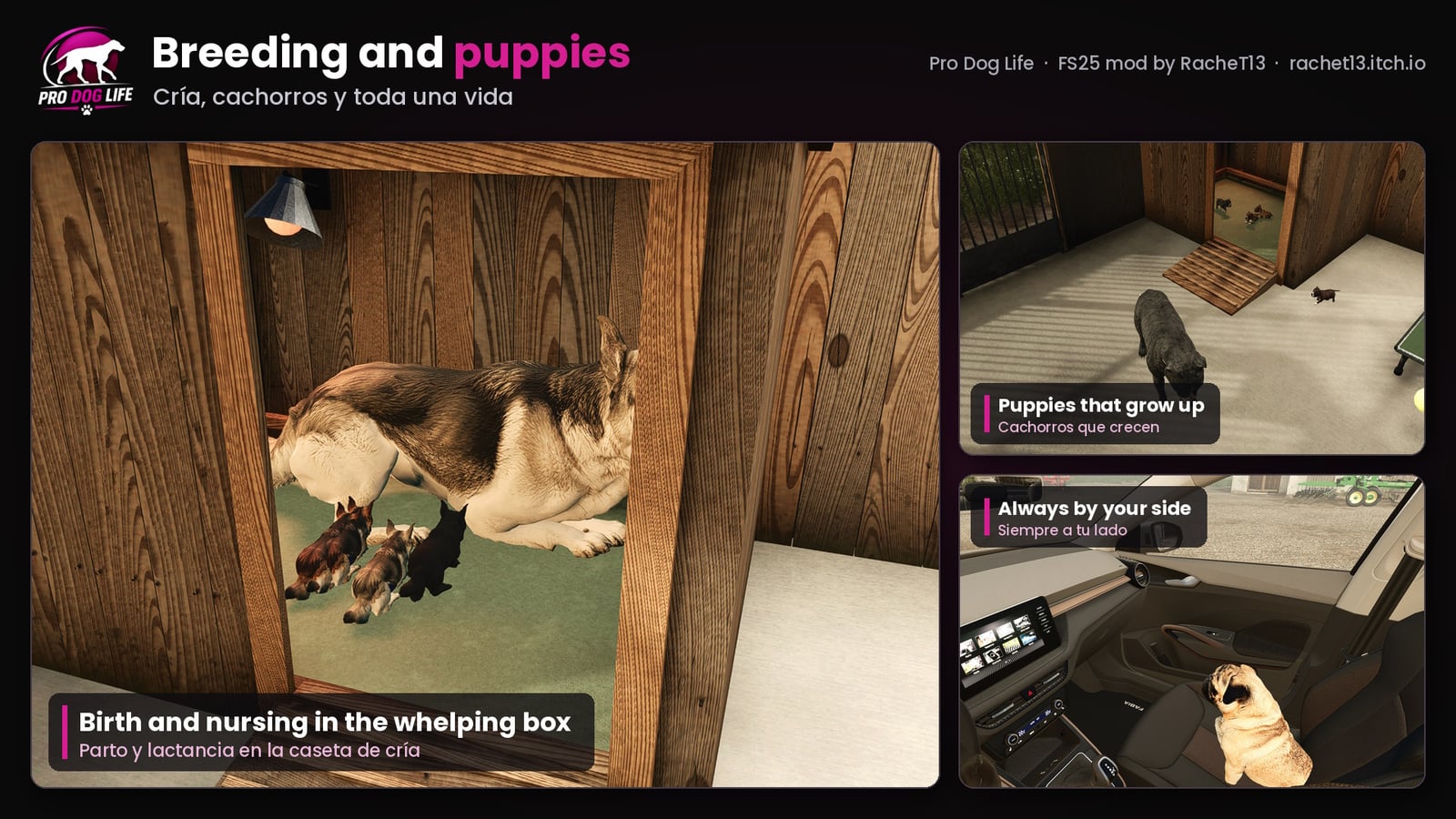
- Rides with you in tractors, trucks, harvesters, pickups and cars
- A wooden kennel with feeder and ball for each breed, or dogs without a kennel that live in a dog run
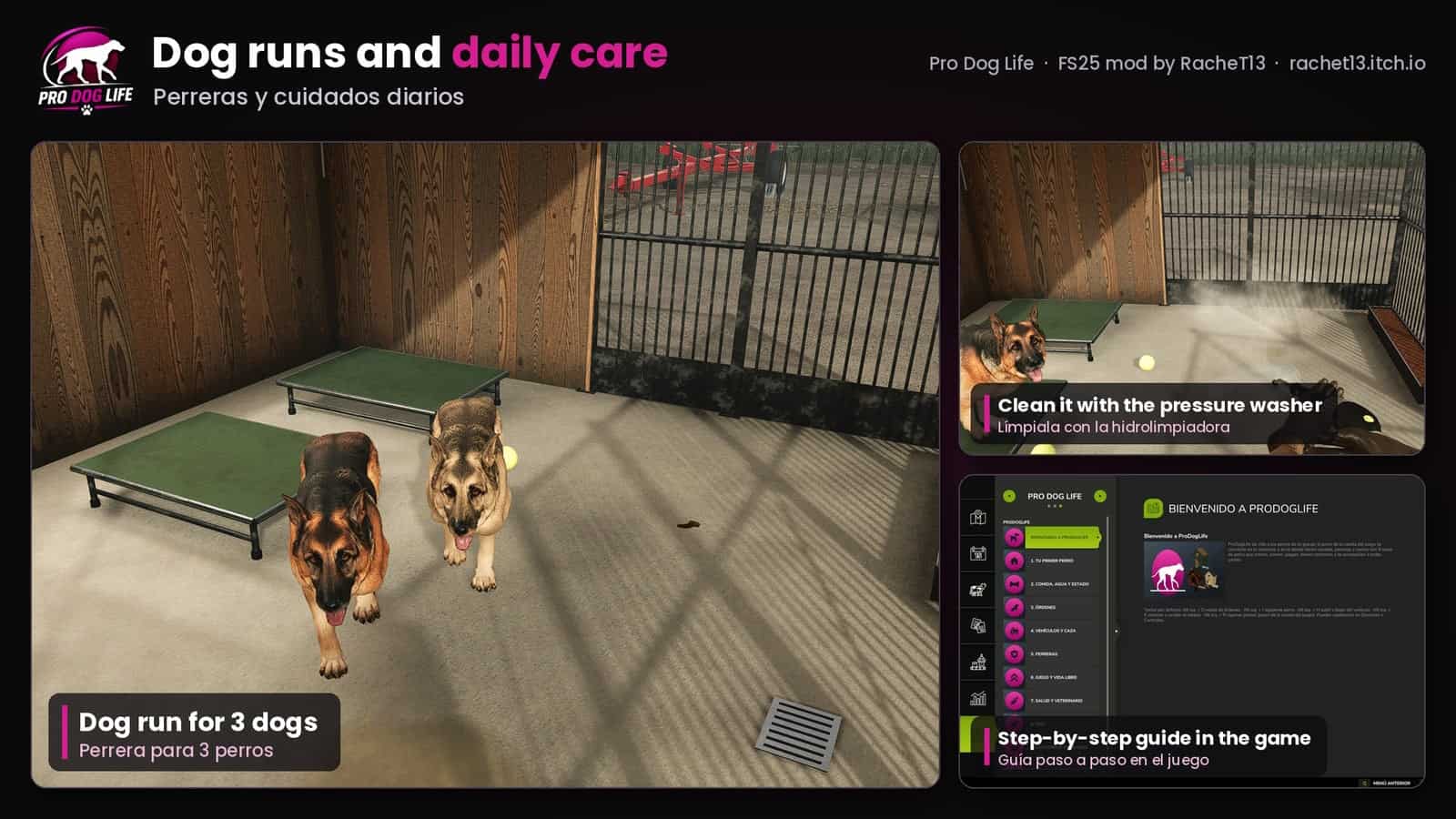
- Concrete dog run for 3 dogs: gate, light, food and water troughs and a whelping box with a ramp and a heat lamp
- A whole life: puppies that grow (newborn, young dog, adult), old dogs that turn grey and die of old age; male or female, heat, mating within the breed, pregnancy, birth in the whelping box, nursing and weaning
- Carry the newborn puppies in your hands like a bale; put down away from their mother, they follow you and run back to her when she is near
- Health: worms, infections, vaccinations, the vet (deworming, treatment, neutering) and a bath after the mud
- Characters (playful, calm, guardian, glutton) and coats are inherited; pedigree card with parents and grandparents
- Dogs relieve themselves: in the dog run the messes pile up until you clean them with the pressure washer
- Name plate on the kennel, status panel when you look at your dog and panel of the dog run
- Fetches the game shot with the hunting of ProNaturLife (optional)
- Step-by-step dog guide in the game’s help menu (
ESC > Help > ProDogLife) - Single player and multiplayer, also dedicated servers
Specifications
- Version: 1.0.0.0
- Languages: English, German, French, Spanish, Italian, Polish, Czech, Russian, Brazilian Portuguese, Portuguese, Dutch, Swedish, Finnish, Japanese, Korean, Simplified Chinese and Traditional Chinese
- The dog’s life runs on game time: every in-game hour counts, and one month of its life is one month of the game calendar (the “days per month” setting of your savegame)
| Life stage (1 day per month) | Game time |
|---|---|
| Heat | every 5.5 – 7 months, lasts about 14 hours |
| Pregnancy | 2.1 months (about 2 days) |
| Weaning | at 2 months |
| Adult size | at 10 months |
| Can breed | from 12 months |
| Grey muzzle | at 8 years |
| Dies of old age | between 12 and 15 years |
Controls (keyboard, can be changed in Options > Controls)
| Action | Keys |
|---|---|
| Command wheel (follow, stay and every command) | Left Alt + D |
| Get in / out of the vehicle | Left Alt + H |
| Refill the food | Left Alt + R |
| Next dog (in the wheel) | Left Alt + J |
| Show / hide the status panel | Left Alt + K |
Shop
Everything is in Animal pens: the kennel of each breed with its dog (1,500 – 2,100 €), the dog run for 3 dogs (6,500 €) and dogs without a kennel (1,000 – 1,600 €) that live in a dog run.
Installation
- 1. Download
FS25_ProDogLife.zip. - 2. Put the zip, without unpacking it, in
Documents/My Games/FarmingSimulator2025/mods. - 3. Start the game and activate Pro Dog Life when you load or create your savegame.
- 4. In multiplayer every player needs the same version of the mod.
(PC / Mac).