
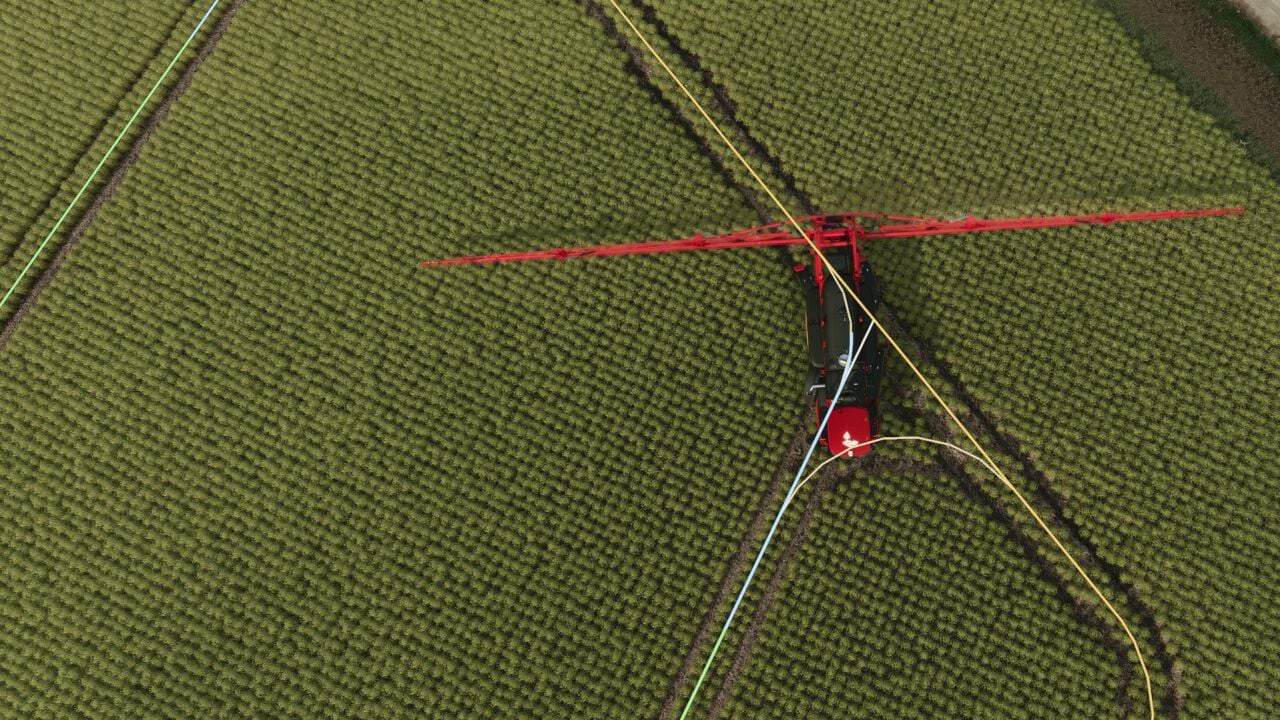
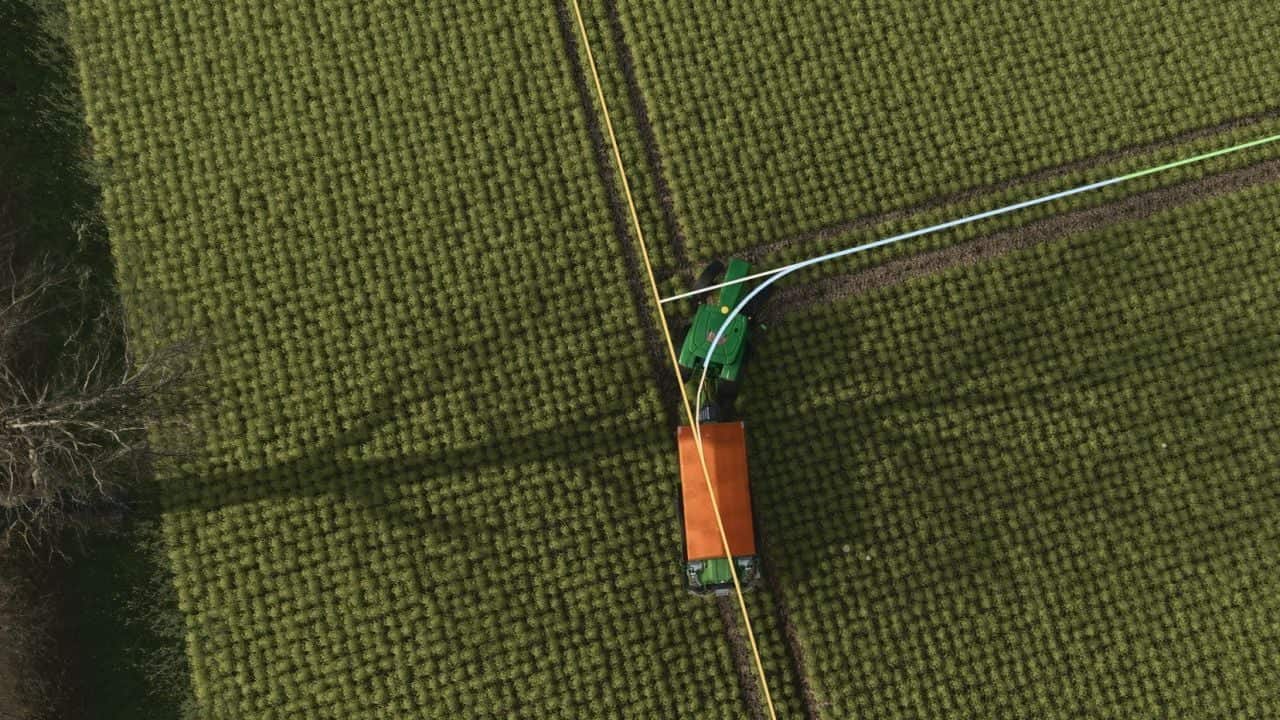
Tramline Pilot plans tramlines for every field, marks them in the field and drives, turns and sprays or spreads only on them. Based on Control Traffic Farming, it stores the same tramlines for use year after year and connects with AutoDrive for refilling.
Precision Farming is not required.
Install FS25_TramlineSystem.zip in Documents/My Games/FarmingSimulator2025/mods, then tick Tramline Pilot in the mod list when you load your savegame.
Features
- Stand on the field and press Right Ctrl+M.
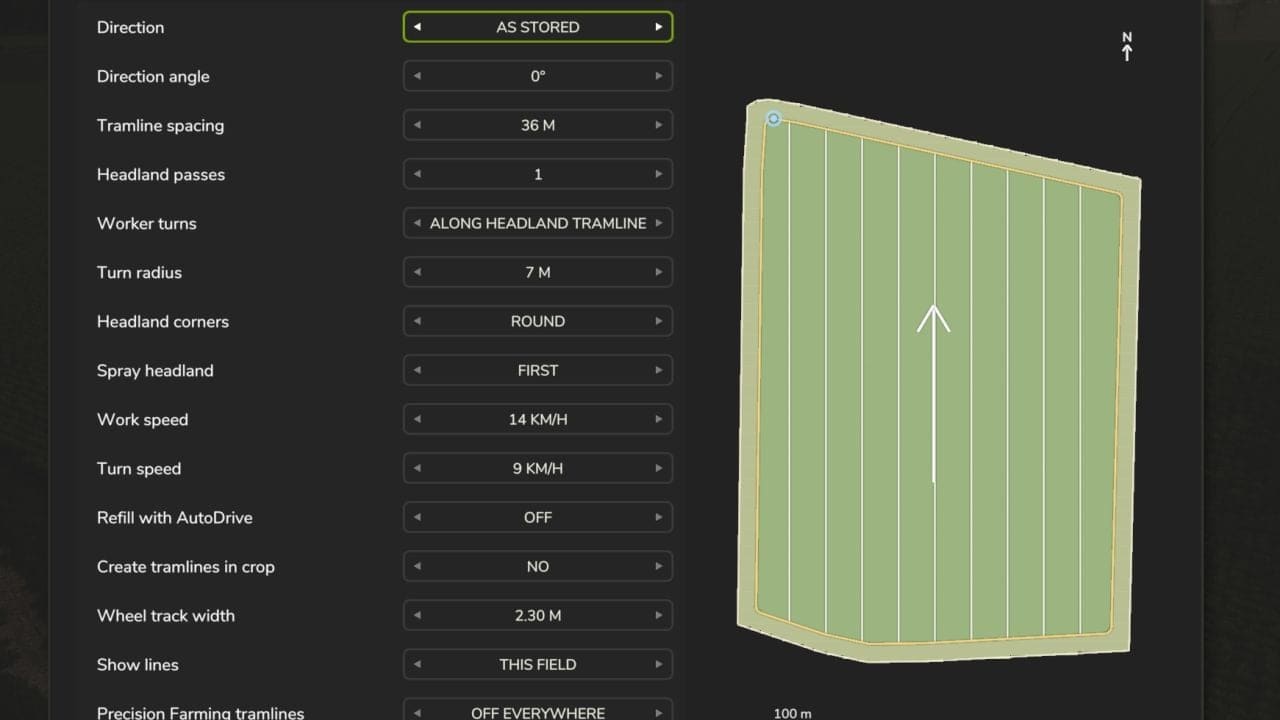
- Set Tramline spacing to your boom width or spreading width.
- Pick a Direction and the number of Headland passes.
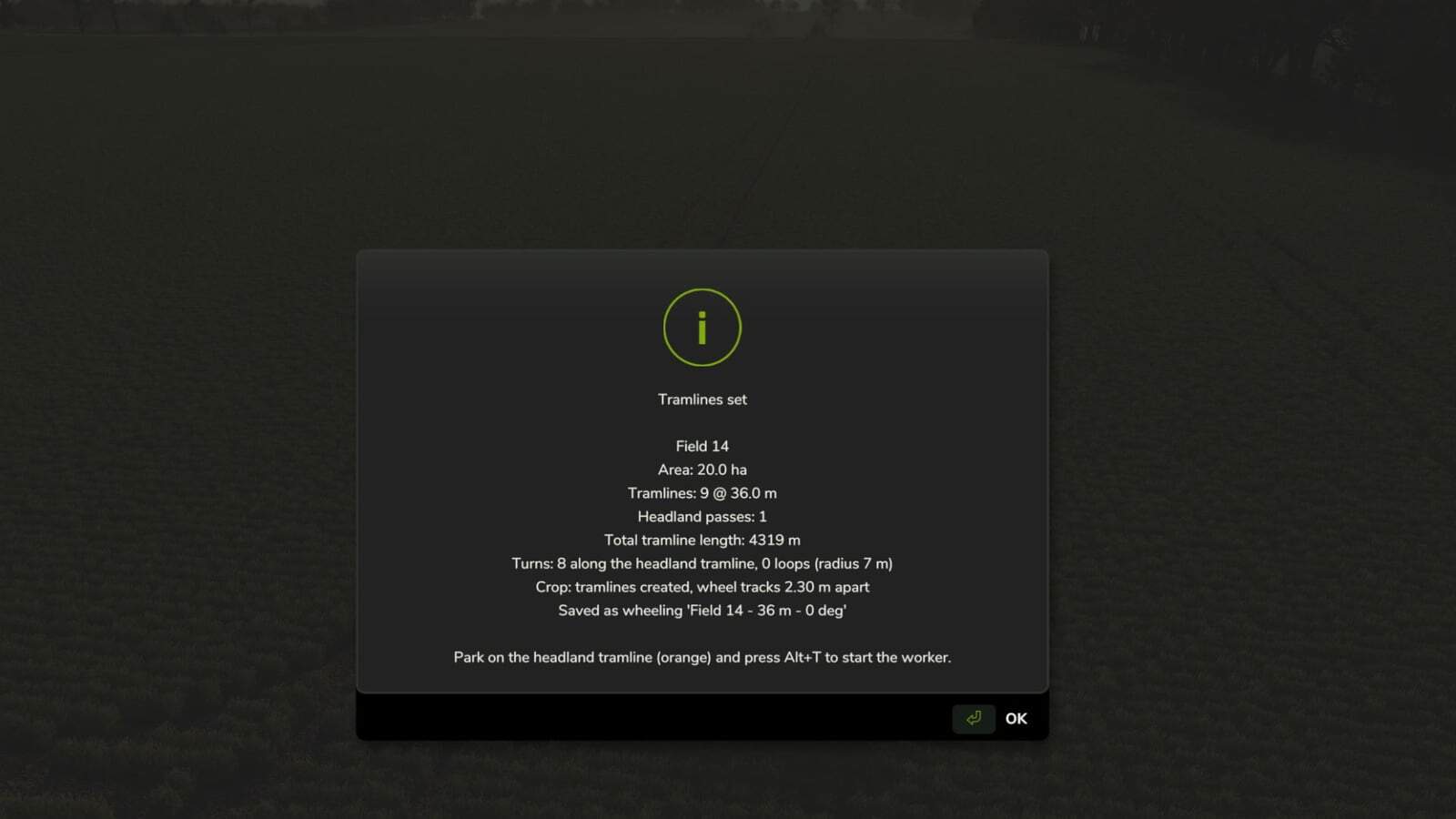
- Press Enter to generate the tramlines.
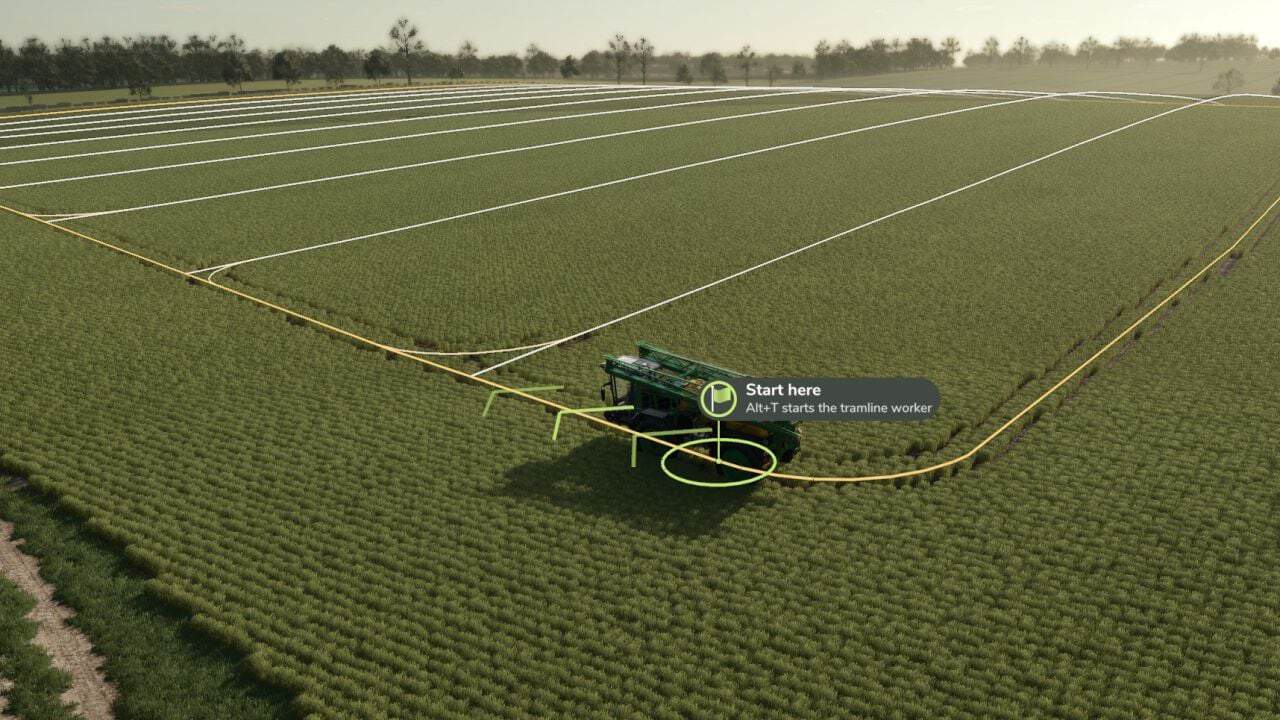
- Fill your sprayer and drive onto the amber headland tramline.
- When the green Start here flag shows, press Alt+T.
- Press Alt+T or Alt+Q to stop.
- Direction options: longest edge, vehicle heading, A – B points using Alt+1 and Alt+2, an angle, or as stored.
- Worker turns: along the headland tramline, or loops where they fit.
- Headland corners: round, or back into corners for self-propelled and mounted sprayers.
- Spray headland: first, last or skip.
- Work speed and Turn speed are used for spraying and turns.
- Refill with AutoDrive can be on or off.
- Create tramlines in crop: no, wheel tracks or a full lane.
- Show lines: off, this field or all fields.
- Precision Farming tramlines: on, off on tramline fields, or off everywhere.
- Buttons: Enter generates, Space opens Saved wheelings, Clear field deletes the layout, and Esc goes back.
- Press Alt+4 to show or hide the lines.
- White lines are the main tramlines; amber lines are the headland tramlines.
- A green line shows where the worker sprays next; blue shows where it drives with the boom off.
- A green flag marks where the course starts and a chequered flag marks where it finishes.
- Last sprayed here marks where an unfinished job stopped.
- Field gate marks where AutoDrive takes over for a refill.
- Drive onto a tramline, using the headland tramline for a new job or a main tramline to start from there.
- Press Alt+T. The worker sprays the field and never leaves the tramlines.
- Press Alt+T or Alt+Q to stop. Alt+Q also works from outside the vehicle.
- To carry on, press Alt+T again. On the spot where it stopped, it carries on. Anywhere else, choose Drive back there, Carry on from here or New job.
- With Back into corners, the sprayer reverses into sharp headland corners so none are missed. This does not apply to trailed sprayers.
- An unfinished job is kept when you save, so you can carry on another day.
- Every layout is saved when you press Generate.
- Next season, open the menu on the field and press Space for Saved wheelings.
- Pick the layout you want, then press Generate.
- Saved wheelings work in every savegame on the same map.
- Create tramlines in crop: choose Wheel tracks, two tracks 2 m apart, or Full lane, 3 m, then press Generate. The crop is removed along the tramlines straight away.
- Precision Farming tramlines: choose Off on tramline fields or Off everywhere, so Precision Farming’s seeders do not make their own tramlines.
Specifications
- Tramline spacing: 6-60 m.
- Headland passes: 0-4 tramlines round the field edge.
- Turn radius: 4-15 m.
- Wheel track width: 1.50-4.00 m, measured between the sprayer’s wheel centres. The width of the machine you are sitting in is marked “your vehicle”. 2m is a good start.
- Wheel tracks: two tracks 2 m apart.
- Full lane: 3 m.
Refilling with AutoDrive
Set it up once per field:
- In AutoDrive, put a marker at the field edge: the field gate.
- Set that marker as the sprayer’s AutoDrive target.
- Set your refill point as the sprayer’s 2nd target.
- In the menu, set Refill with AutoDrive to On.
When the tank runs empty:
- The worker folds up and drives on the tramlines to the gate.
- AutoDrive takes it to refill and brings it back.
- The worker drives back to where it ran out and carries on.
If AutoDrive is stopped on the way, start AutoDrive again or press Alt+T on the field.
Keys
- Right Ctrl+M: setup menu
- Alt+T: start or stop the worker
- Alt+Q: stop the worker
- Alt+4: show or hide the lines
- Alt+1 / Alt+2: set points A and B
- Handy console commands:
tlNewJobforgets an unfinished job,tlRefillrefills now,tlPaintcreates the tramlines in the crop, andtlWheelings/tlLoad/tlSavehandle saved wheelings.
If something goes wrong
- “Drive onto the headland tramline”: you are not on a tramline; drive to the amber marker.
- It will not back into corners: it needs a self-propelled or mounted sprayer, a headland pass and Back into corners.
- Refill does not start: check the AutoDrive target is a marker at the field edge and the 2nd target is the refill point.
- The unfinished job has gone: it is dropped when you generate a different layout.
- No lines: press Alt+4.
- It cannot follow the corners: set Turn radius to your sprayer’s turning circle.
- Gaps in the wheel tracks: press Generate again with Create tramlines in crop set to Wheel tracks.
ISSUES: https://github.com/FS-MModding/FS25_TramlinePilot
Changelog
- V1.1.0.0
New – Headland direction: a new option in the setup menu, requiring at least one headland pass. Choose As the vehicle faces, Clockwise or Anticlockwise.
With Clockwise or Anticlockwise, the worker always goes round the headland that way. It turns off the headland into the tramlines, and back onto the headland at the end, with one curve each instead of two.
The tramlines are still done up and down, turning one way at one end and the other way at the other end.
With Back into corners, the worker backs into each corner from the same side, so each corner needs one corner tramline instead of two.
Facing the wrong way, the worker will not set off: the start marker shows “Turn round” and which way the field goes.
Saved wheelings remember the direction.
Fixes – Tramlines made in the crop no longer turn into another crop. On maps with extra crops they showed as the last crop in the list, onion, for example, on the crop map (GitHub issue #1).
Other – Version number now 1.1.0.0. Changelog, README and tutorial on GitHub updated for the headland direction. - V1.0.0.1
https://github.com/FS-MModding/FS25_TramlinePilot
Fixed – Stopping course
Added – user logging