Wear, overload damage, and maintenance for your grassland equipment in FS25. Grassland Care Plus combines Pickup Plus, Mower Plus, and Swather/Tedder Plus, featuring HMT spare parts and multiplayer synchronization (beta).
Features
- From mowing, tedding, and swathing to collecting, wear and maintenance are a standard part of daily field operations.
- Overloading causes additional damage, while blockages can interrupt your work.
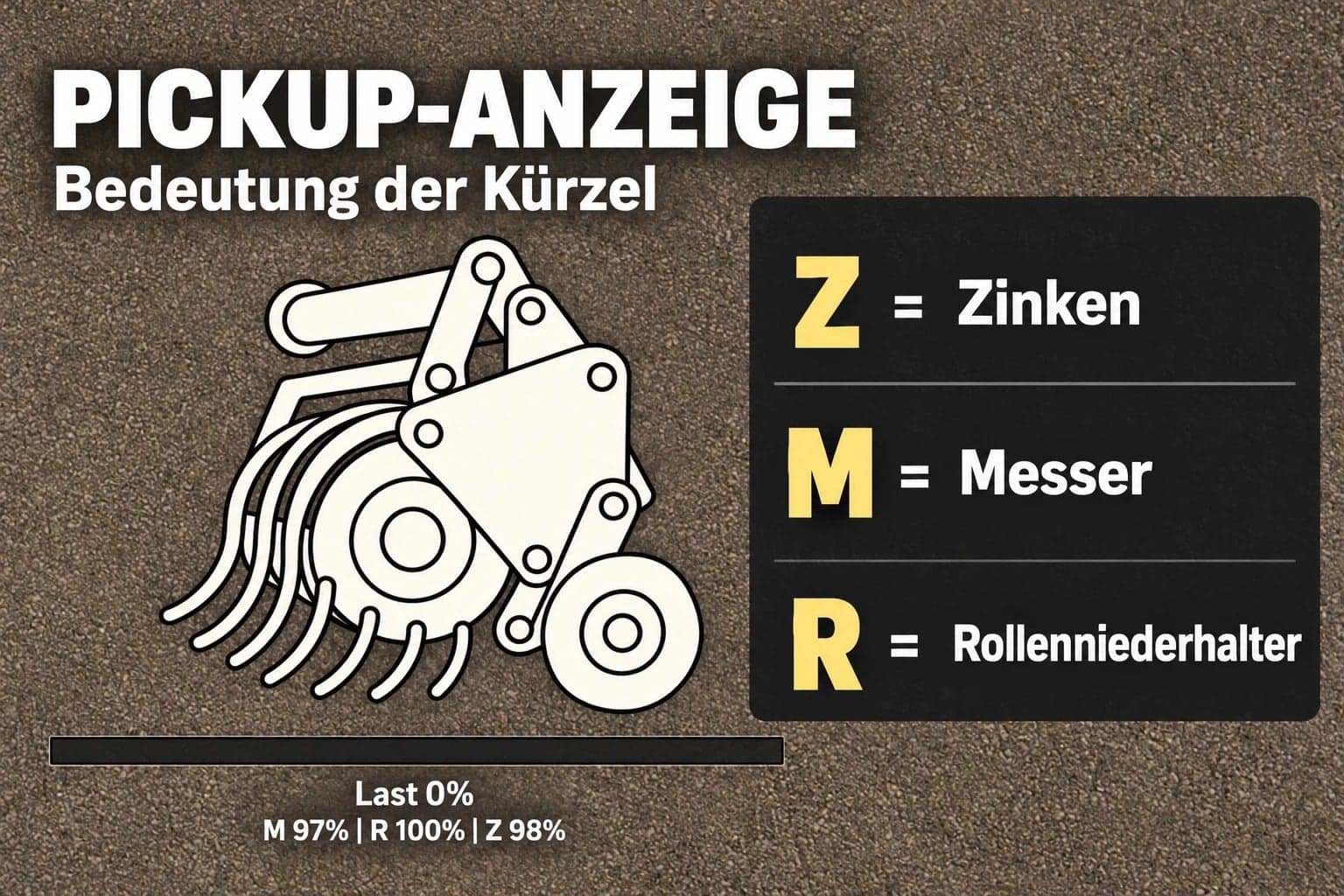
- Balers and forage wagons: Wear on knives, pickup tines, and roller windguards.
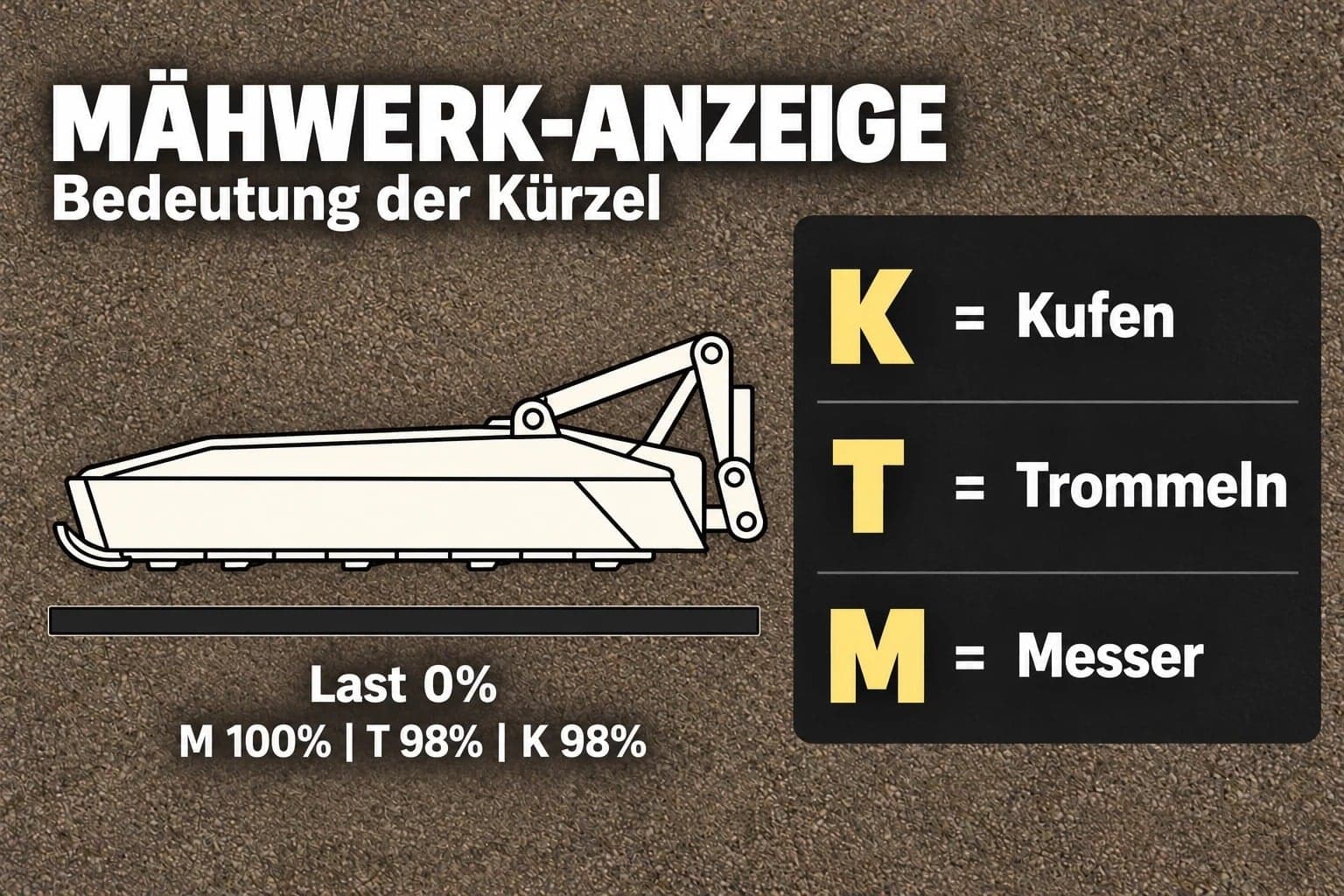
- Mowers: Wear on blades, drums, and skids.
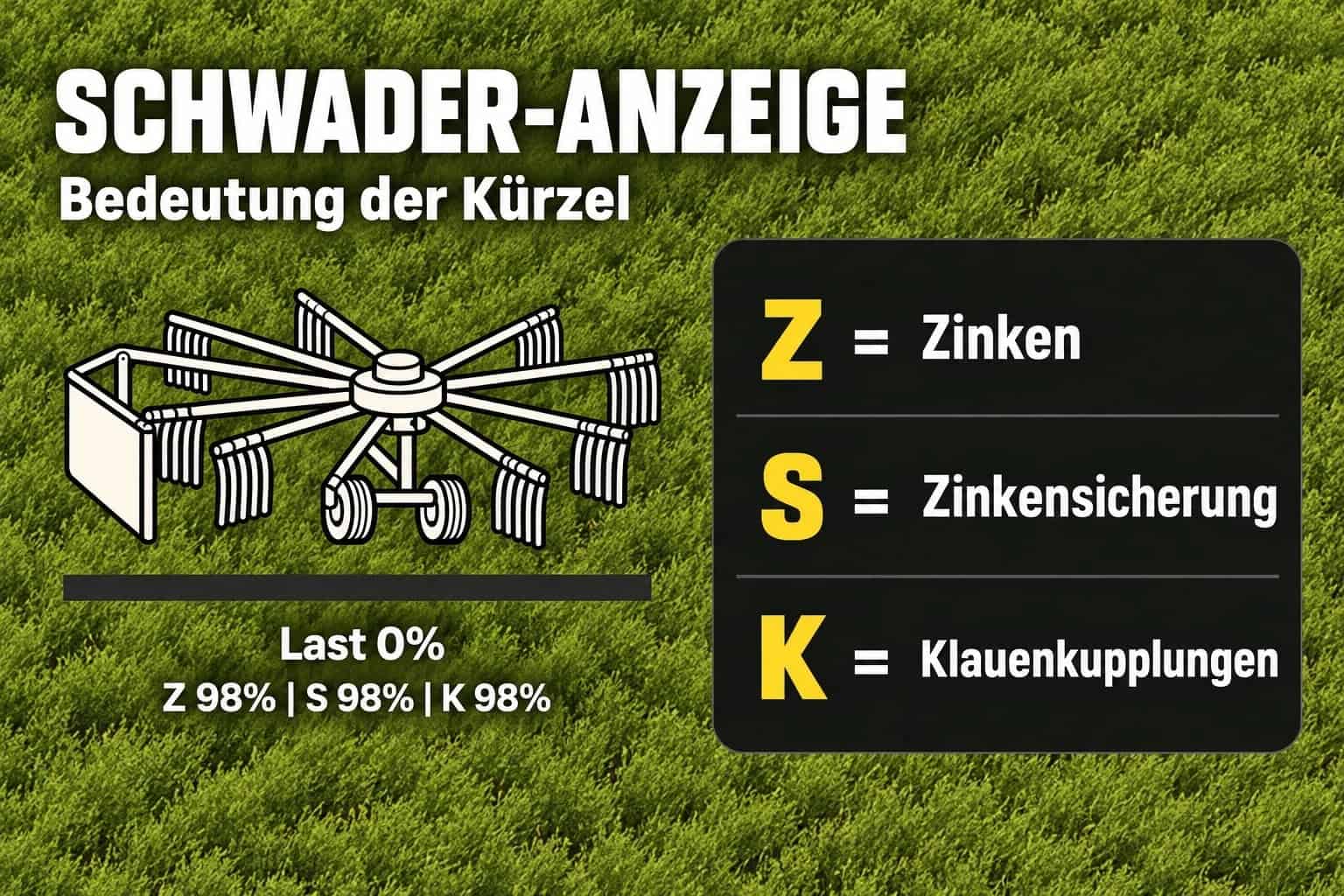
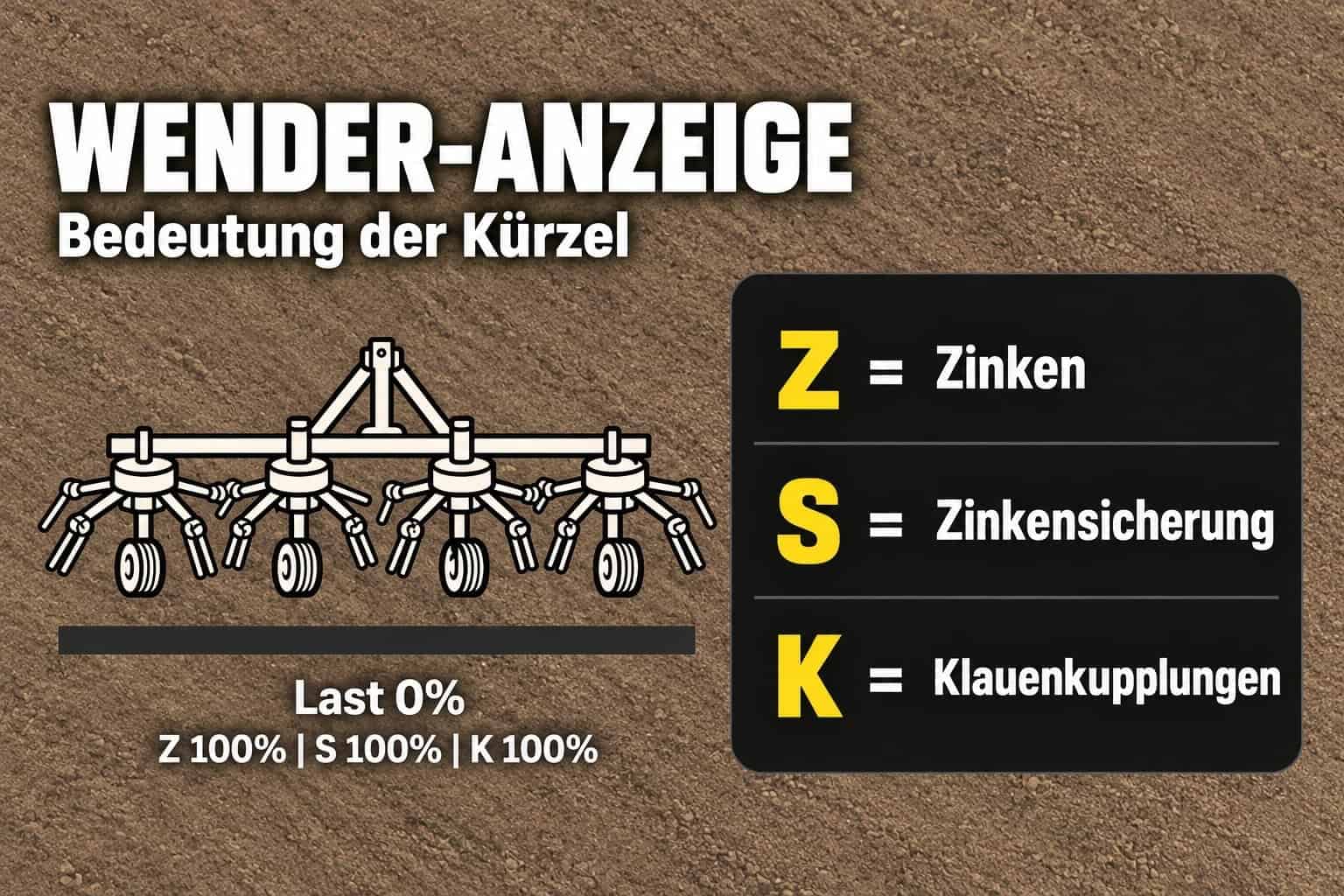
- Swathers and tedders: Wear on tines, tine retainers (or safety guards), and claw couplings.
- Pickups, mowers, and swathers/tedders can be toggled on or off individually under “General Settings” → “Grassland Care+”. These settings are saved within the savegame. In multiplayer, they are managed by the host or server administrator.
- An “Easy Mode” is available for each module. This disables blockages for both players and AI workers and clears any existing blockages, while keeping load, wear, and spare-part-based maintenance active.
- Players can individually set the HUD text size (large or small) locally.
- The text size for “Load” and “Wear” has been increased across all four HUDs.
- Partial maintenance is possible if at least one spare part is available.
- The number of parts required is automatically adjusted based on the detected component count. If no specific detection is available, the system defaults to pre-set standard values.
Menu and “Easy” Mode
In the pause menu, under General Settings → Grassland Care+, you can configure settings for pickups, mowers, and swathers/tedders individually:
- Off: The equipment operates using standard FS25 mechanics. The Grassland HUD, load limits, wear, and maintenance are disabled.
- Easy: Blockages are disabled for both the player and AI workers. Switching to this mode clears any existing blockages. Load monitoring, wear, and maintenance (requiring spare parts) remain active.
- On: All Grassland features are active. If a piece of equipment becomes blocked while being operated by an AI worker, the task will stop, and a notification will appear. Once the blockage is cleared, you can restart the AI worker.
- These module settings are saved within your savegame. In multiplayer, the host or server administrator determines the settings for all players.
Spare Parts and Component Maintenance
- You can find the appropriate spare parts in the “HMT Spare Parts” shop category.
- Options include individual boxes with selectable quantities and pallets containing ten units of a single type of part.
- The contents and number of boxes for each item are displayed in the shop.
- To replace components, come to a stop, switch off the implement, and ensure the necessary spare parts are available within a five-meter radius.
- Maintenance begins as soon as at least one suitable spare part is present.
- If ten parts are required but only five are available, those five will be installed. A final notification will indicate how many parts are still needed to complete the replacement.
- No spare parts are required to clear a blockage.
HUD and Controls
The HUD displays component wear and status. The HUD text size can be adjusted, large or small, for each player via the Grassland menu.
- Left Ctrl + Left Alt + 3: Show or hide the HUD.
- Left Ctrl + Left Alt + 4: Toggle move mode. Click and hold the left mouse button to drag the HUD to a new position; press the key combination again to exit move mode. Camera and zoom controls are disabled while in this mode.
- Left Ctrl + Left Alt + 5: Cycle through HUD size settings (50%, 25%, 20%, and 75% of the speedometer width).
- Ctrl + Alt + Caps Lock: Start or cancel maintenance, unless a custom key binding has been assigned for this action.
- All four actions can be remapped via Options → Controls → Grassland Care+. If a custom keyboard or controller binding is saved for the maintenance function, it will replace the default Caps Lock assignment.
Changelog
Grassland Care Plus 0.2.0.14, changes since version 0.2.0.8
- AI workers will now end their task if a blockage occurs and report the reason. Once the blockage is cleared, they can be restarted.
- Fixed an issue where AI workers would not stop during a blockage in multiplayer. The notification now appears for players belonging to the farm that initiated the AI worker.
- Shop icons for boxes and pallets have been updated, with backgrounds removed.
- Custom load curve implemented for the base-game KRONE BiG M 450: 60% load at 14 km/h and 80% load at 19 km/h. The maximum operating speed remains 25 km/h.
- Grassland Care Plus combines the features of Pickup Plus, Mower Plus, and Swather / Tedder Plus into a single, integrated mod.
Multiplayer Beta
To facilitate collaborative development, the number of runtime scripts has been reduced from 21 to ten. The goal is to establish a more cohesive foundation for multiplayer gameplay.
CVT Menu Fix and Testing with DashboardLive Mods
During targeted menu testing using Grassland Care Plus 0.2.0.6, CVT-Addon 2.1.0.0, DashboardLive 2.1.2.0, and DashboardLiveVanillaVehicles 1.1.0.1, the CVT menu was successfully opened multiple times.
When DashboardLive is not present, a Lua callstack error occurs upon opening the CVT menu. It is currently unclear whether this involves an interaction with Grassland Care Plus.
Support
If you encounter any issues, please provide your full log.txt file along with a brief description of the situation in the designated support area.
Important
The three individual mods remain available separately. Do not enable Grassland Care Plus and the corresponding individual mods at the same time!