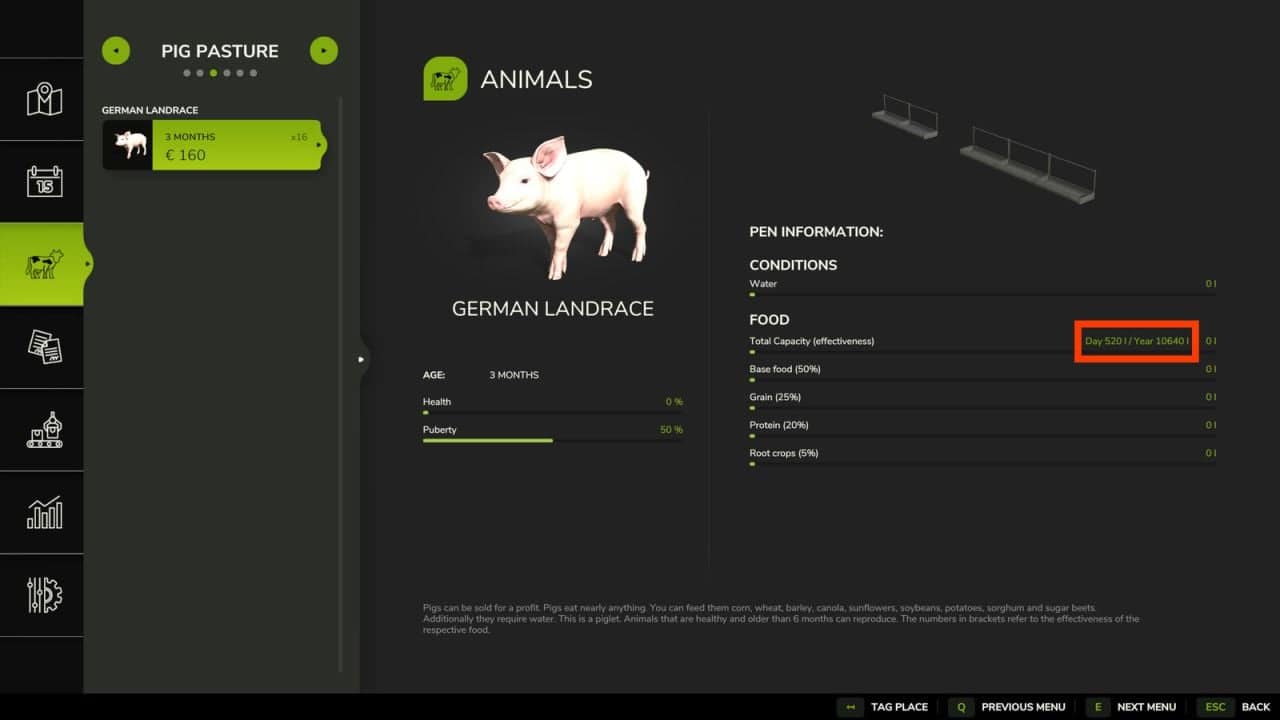
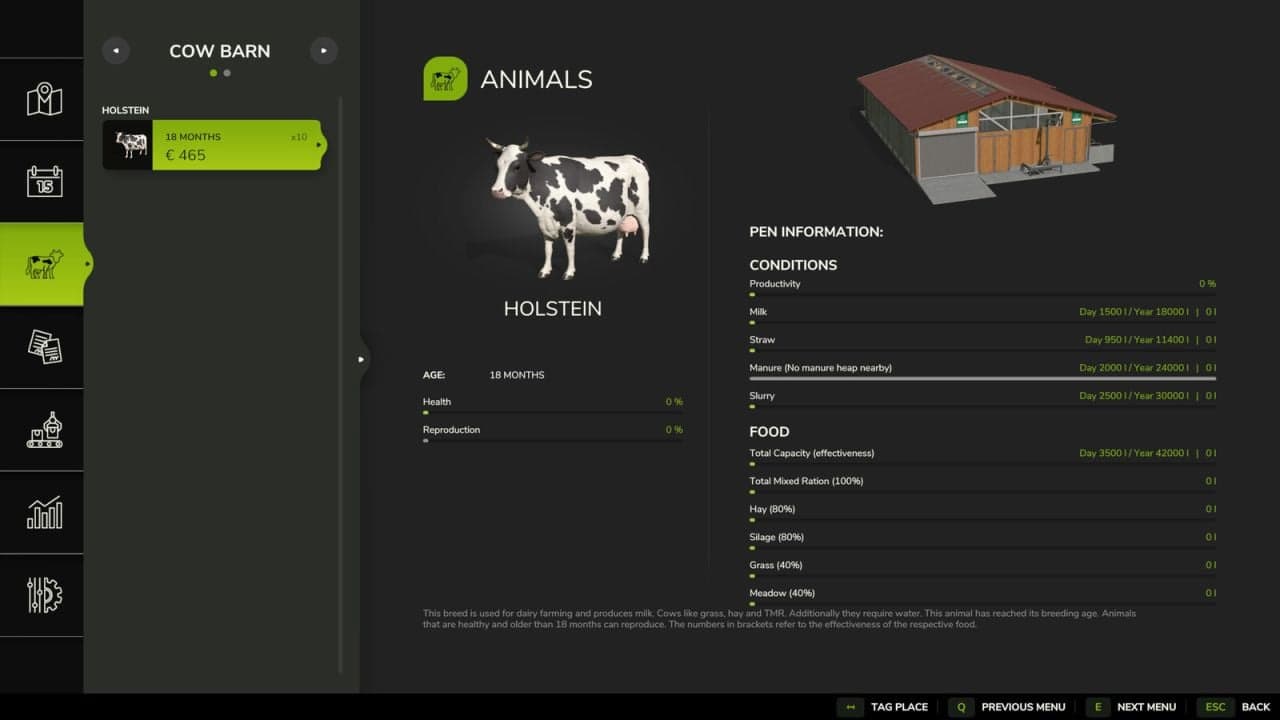
The Animal Food Calculator, or AFC for short, provides an overview of animal husbandry in FS25. It shows animal consumption, production and selling prices directly in the animal menu.
AFC does not automatically change animal consumption, production, prices, shearing times or husbandry capacities. These values remain unchanged unless you deliberately enable or adjust the corresponding AFC features yourself.
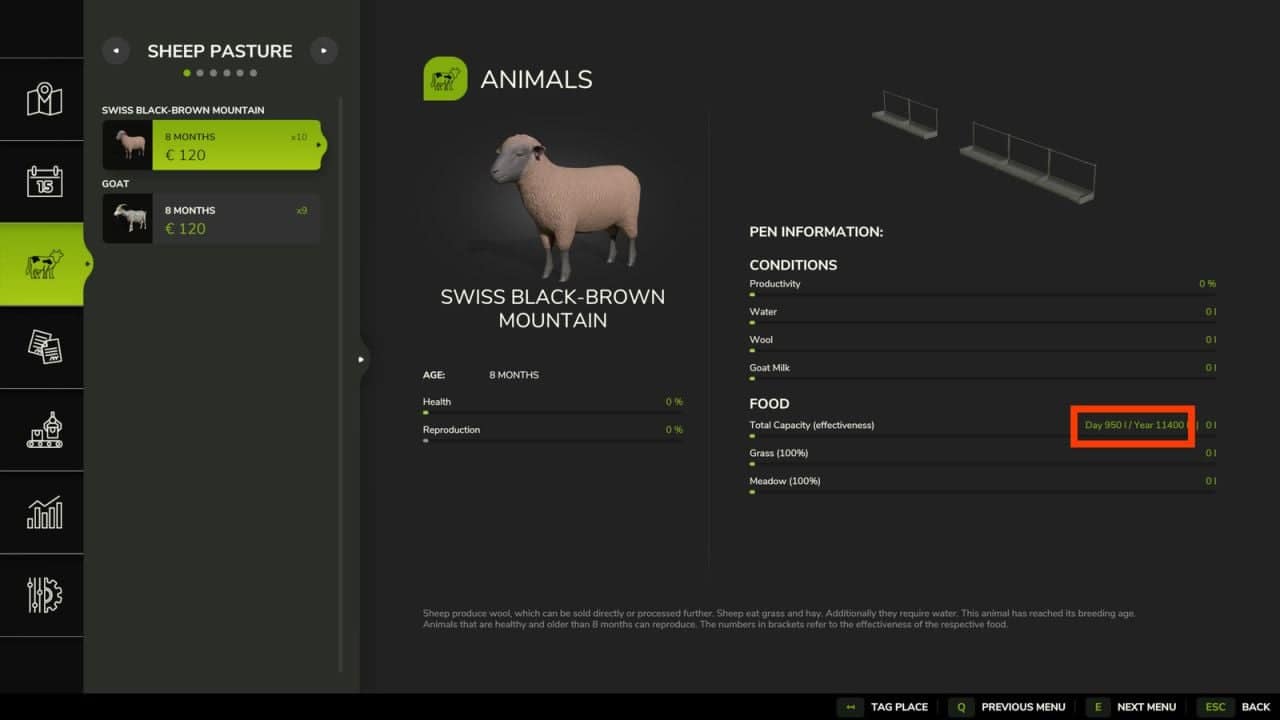
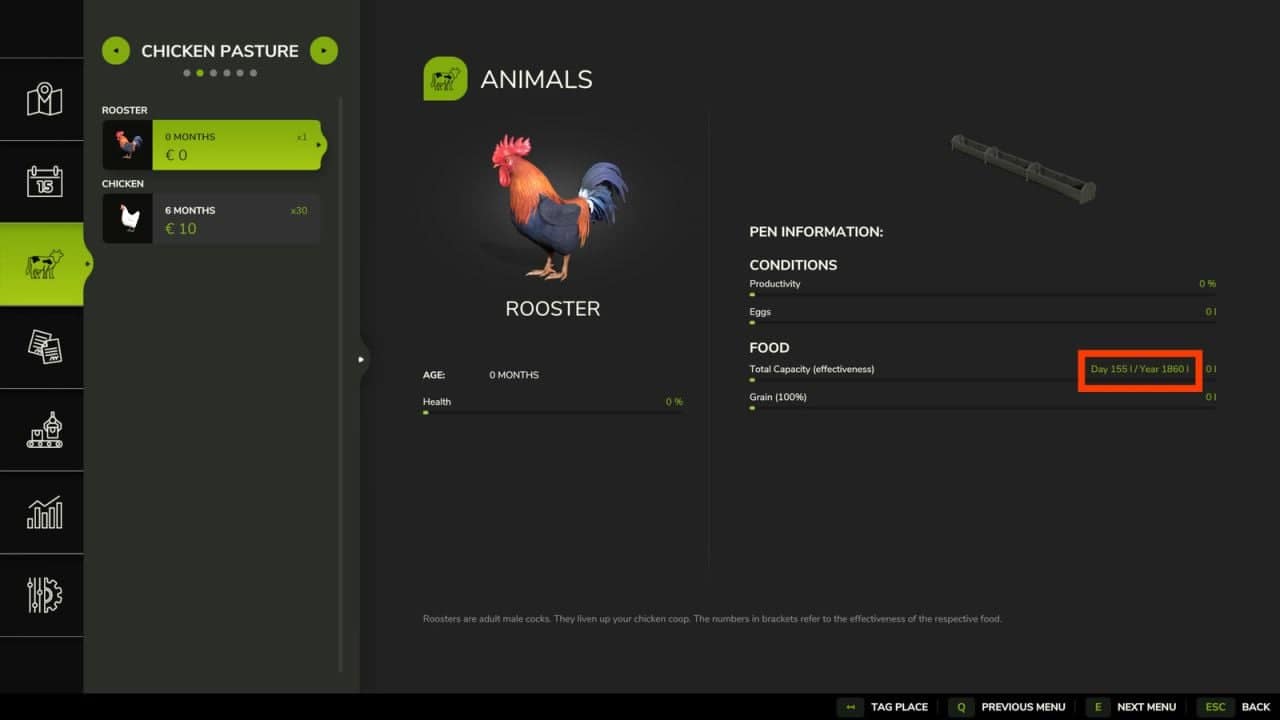
Input and output display
AFC shows directly in the animal menu which amounts your animals consume and produce.
- Food consumption
- Water requirements
- Straw consumption
- Milk, manure, slurry, wool, eggs and goat milk production
The display helps you estimate supplies, storage, feed planning and production amounts more easily.
Depending on the animal type, husbandry and active mods, different values may be shown. AFC uses the actually available animal data and only displays values that make sense for the selected husbandry and animal type.
Animal Value Advisor
AFC shows in the animal overview when your animals reach their best selling price. A short hint appears directly next to the current animal value:
- Xmeans the best selling price will be reached in X months.TOPmeans the animal is currently in the best price range.+Xmeans the animal is already X months beyond the best price range.
Example:
- 6= 6 months until the best priceTOP= the optimal selling range has been reached+4= 4 months beyond the best selling range
The display also supports price plateaus. If an animal has the same highest selling price for several months, the entire period is shown as TOP.
The Animal Value Advisor uses the currently active reference source. If you switch between Map, Custom, Basegame or AnimalPackage, the purchase prices, selling prices, transport costs and displayed best selling time change accordingly.
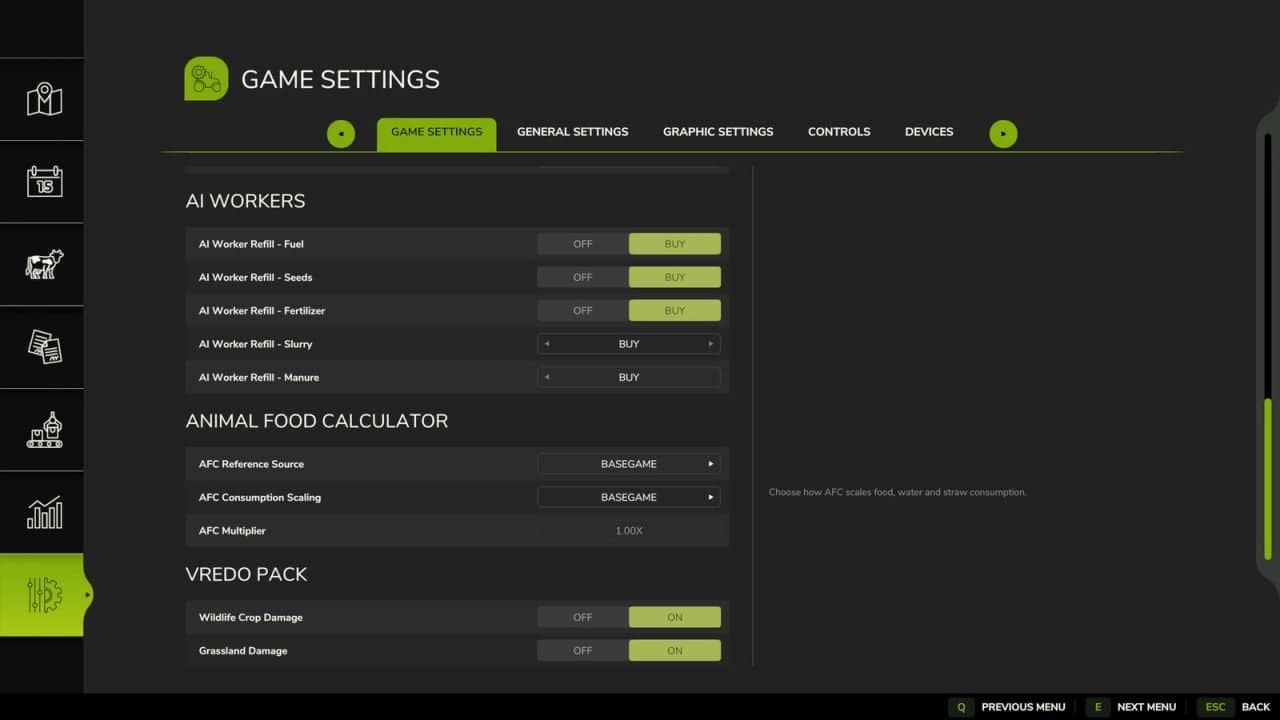
Select reference source
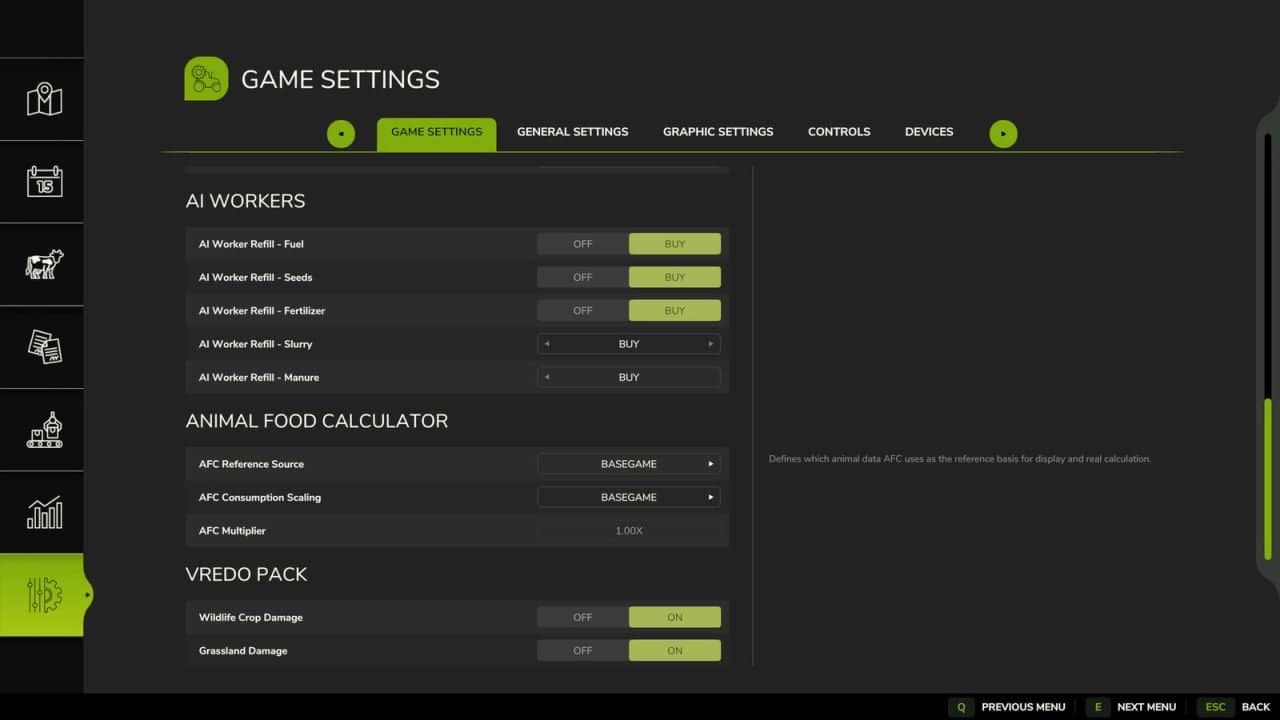
AFC can read animal values from different sources. The reference source determines which animal data AFC uses as the basis for display, calculation, scaling and animal prices.
This is especially important when playing with mod maps, custom animal values or the AnimalPackage.
Available reference sources:
- Basegame: AFC uses the animal values from the base game. This setting is useful if you want to stay as close as possible to the standard FS experience.
- Map: AFC uses the animal values from the currently played map, if the map provides its own
animals.xml. This is especially useful for mod maps with their own animal balancing. - AnimalPackage: AFC uses the values from FS25_AnimalPackage_vanillaEdition by BavarianRedneck. If the AnimalPackage is active, its animal types and values are handled accordingly.
- Custom: AFC uses its own
animals.xmldirectly from the mod. This option is intended for players who want to deliberately adjust their animal values without changing the map or other mods.
AFC checks whether a reference source matches the animal SubTypes of the currently played map. If a map uses its own animals or different SubTypes, incompatible references are not offered.
The Custom reference is only offered if it fully contains all SubTypes of the map. If matching entries are missing, the Map reference remains the default values.
Scale inputs and outputs
In addition to the display function, AFC can optionally scale the actual in-game inputs and outputs. This feature is optional and must be deliberately selected in the AFC settings.
- Play more relaxed
- Manage more realistically
- Balance larger farms better
- Make longer months more useful
- Set consumption and production higher or lower
AFC provides several scaling modes:
- Basegame: No additional AFC scaling is applied. AFC uses the selected reference source but does not calculate an additional factor. The multiplier is effectively 1.0.
- Auto: AFC scales automatically based on the selected days per month. If you play with more days per month, animals can consume and produce more over the course of the month.
- Manual: AFC only uses the multiplier selected by you. Days per month are not included automatically. This setting is useful if you want full control over the strength of the scaling.
- Hybrid: AFC combines both systems. Values are scaled according to the selected days per month and additionally adjusted by your own multiplier. This is the most flexible option for players who want to tune their balancing very precisely.
Own animals.xml in the mod
For players who want to adjust their own animal values, AFC includes its own animals.xml inside the mod.
This file can define custom reference values for consumption, production and animal prices. These values can then be used through the Custom reference source.
Depending on the animal type, the Custom file can contain values for:
- Food
- Water
- Straw
- Milk
- Manure
- Slurry
- Wool
- Eggs
- Goat milk
- Purchase price
- Selling price
- Transport costs
When Custom is active as the reference, consumption, production and animal prices form one shared AFC balancing profile. The Animal Value Advisor then uses the Custom prices as well.
This is useful if you want to use your personal balancing without directly changing the map, the base game or other animal mods.
Compatibility with EnhancedAnimalSystem and AnimalPackage
AFC is designed for use with EnhancedAnimalSystem and FS25_AnimalPackage_vanillaEdition.
With EnhancedAnimalSystem, AFC takes supported additional logic into account, such as lactation factors, so the display and calculations better match the extended animal behavior.