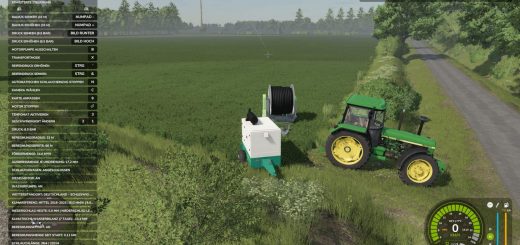
Your engine wears out, your oil gets dirty, and your turbo breaks down if you never perform maintenance. Hyper Realistic Maintenance 2 adds a continuous mechanical simulation to all motorized vehicles in your save game, including tractors, trucks, combine harvesters, and cars, with real gameplay consequences.
The def pack mod is recommended to simulate the new DEF systems. The def pack and variable tire pressure mods can be used together without compatibility issues.
Features
- Engine simulation with 5 independent components: cylinder, piston, bearings, crankshaft, and valves. These components influence one another, so cylinder wear increases blow-by, contaminates the oil, and further accelerates wear.
- Coolant temperature rises with load, and the engine overheats if the radiator is degraded.
- Oil level, oil contamination, and coolant level can be checked and require maintenance.
- Transmission wear affects the clutch, gearbox, turbo, and battery/starter motor over time.
- Probabilistic breakdowns increase sharply once the relevant component exceeds ~35% wear. Critical overheating above 118°C is guaranteed, not left to chance.
- Tractors, trucks, combine harvesters, and cars wear down at different, realistic rates.
- Actual power loss reduces the engine’s effectively available torque.
- A dead battery or worn starter motor can prevent the engine from turning over, accompanied by an on-screen warning.
- Combine harvesters lose actual threshing efficiency as the engine’s condition deteriorates.
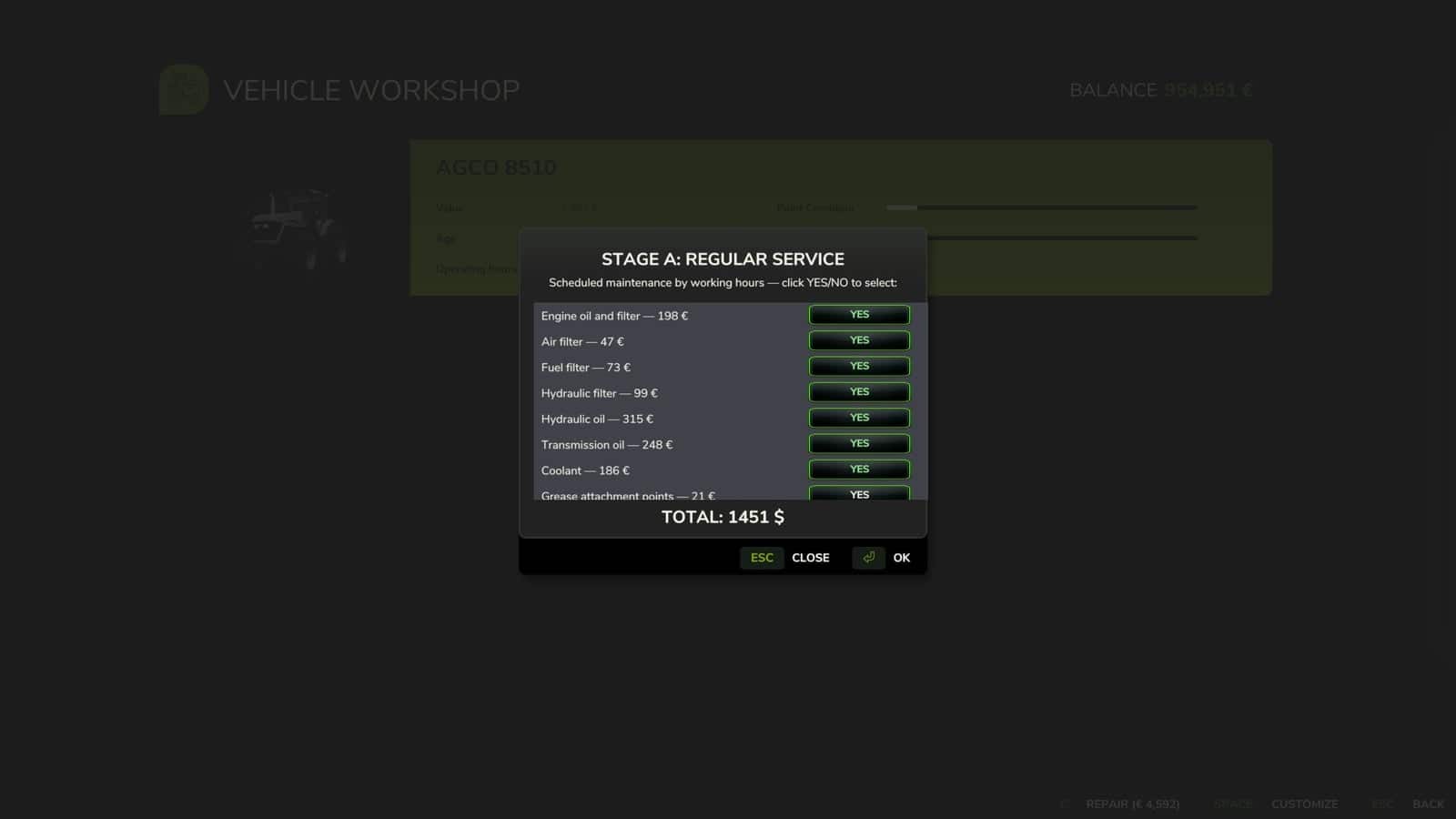
- 10 maintenance items, including engine oil, filters, hydraulic/transmission oil, coolant, grease, belts, and more. Each has its own interval and real cost to the farm, automatically adjusted based on the vehicle’s actual power.
- Neglecting maintenance for too long accelerates wear by up to 120%.
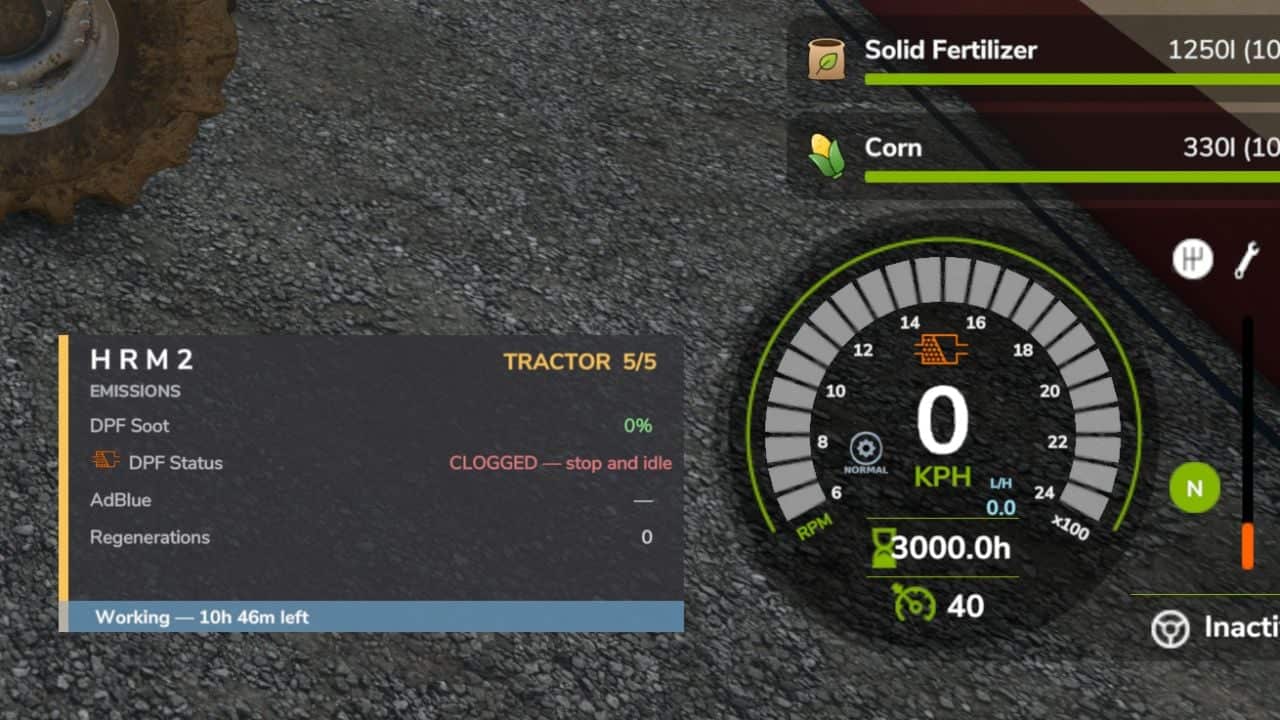
- 3-page vehicle HUD with an overview, detailed engine diagnostics, and maintenance status. HUD positioning can be adjusted in the game’s Settings menu.
- The game’s own repair screens, including the shop, farm workshop, and mobile workshop, also perform a full HRM2 service.
- Works entirely standalone.
- If the
4x4 Traction Systemmod is installed, the two mods automatically detect each other. Driving with 4WD or differential lock has a real, additional effect on the drivetrain. - Significantly improved multiplayer support, tested on a real dedicated server. See the changelog for details and known limitations.
- Maintenance progress is saved with the game save.
Changelog
- V1.3.0.0
The new features were added recently, so they may still contain values that are not quite realistic. This aspect is still WIP and will be updated as bugs or more accurate values are detected.New icons were added to the dashboard to identify DEF regeneration or clogging. Rated power (hp) is shown on the speedometer and now reads the actually purchased engine configuration, not the base one. DPF regeneration RPM increases and decreases smoothly, rather than instantly.
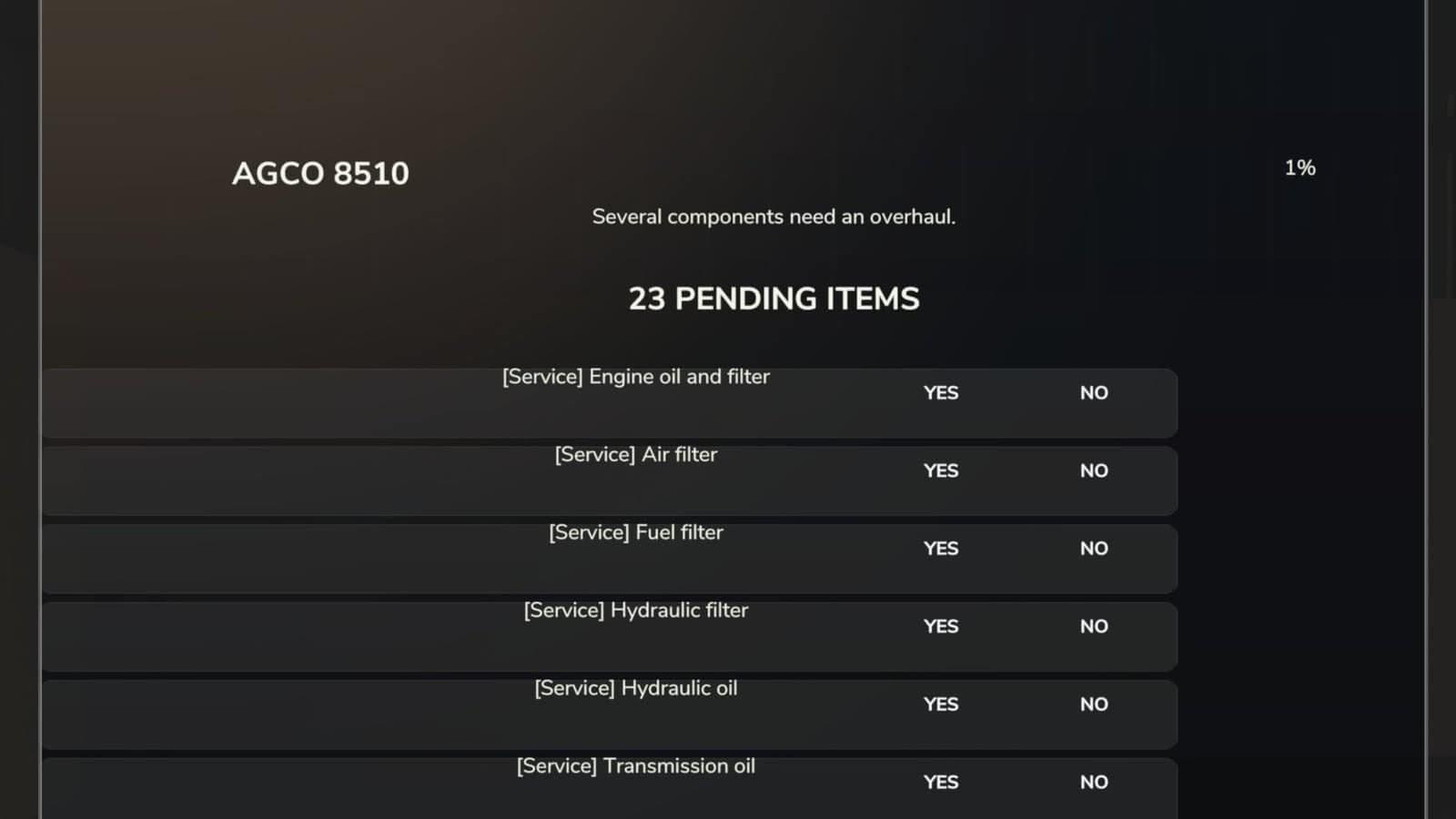
New Workshop, single window: replaces the old sequence of several chained windows with a single window containing all maintenance requests, schedule, breakdowns, and general service in one list. Each item shows its category, for example [Service] Engine oil, the cost, and two YES/NO buttons side by side for you to choose. A “quick diagnosis” is shown at the top, for example “There are active breakdowns – deal with them first”, along with the vehicle’s overall health. The total to pay and estimated downtime are always visible and updated in real time as you select items. You no longer need to leave the game to find out how long the tractor will be stopped. Opens with the REPAIR button in the game’s native workshop, or via the
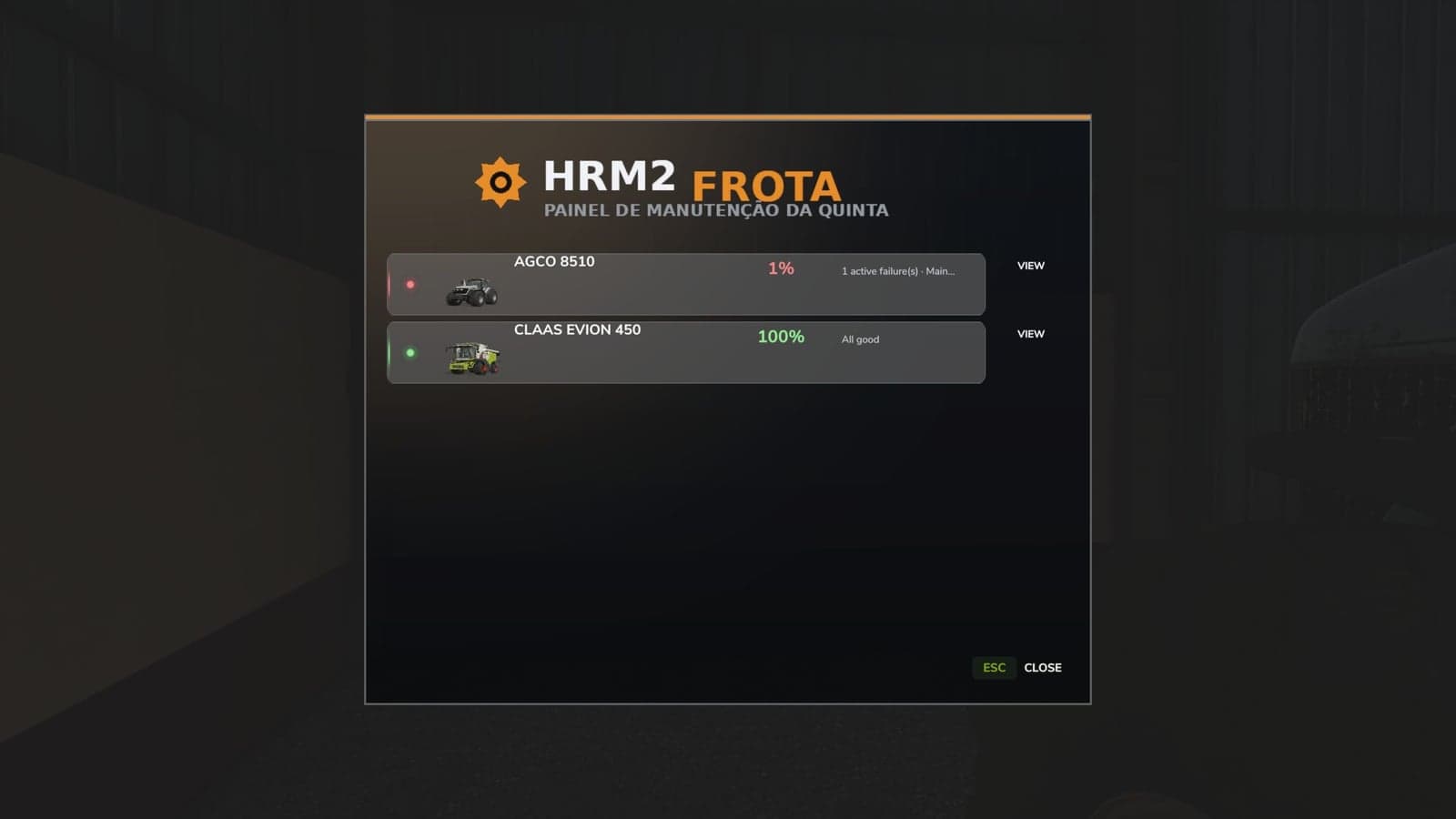
hrm2Workshopcommand.New Fleet Panel: lists all vehicles on the farm with HRM2, sorted by urgency, with breakdowns and overdue maintenance first. Shows an image, name, health percentage, and summarized status for each vehicle, with a button to open that vehicle’s Workshop directly. Opens with the F9 key.
New simulated systems:
– Air intake filter: gets dirty during dusty field work, reduces power, increases consumption, and darkens the smoke. The “Air filter” maintenance item already has a real effect.
– Hydraulic system: the pump and hydraulic oil wear out when using heavy implements. Extra consumption results from drag caused by the degraded pump. The “Hydraulic filter” and “Hydraulic oil” items already have a real effect.
– EGT and regeneration duration on the dashboard appear only during DPF regeneration and disappear when it ends.
– Actual interruption of DPF regeneration: switching off the engine halfway no longer “freezes” progress. It really cancels it, and each interruption slightly dirties the oil, just like a real engine.Recalibrated power modes: Eco mode was recalibrated for a more realistic reduction, -12% instead of -20%, close to what real tractor economy modes offer. An artificial inflation of engine load that made the turbo and sound seem more strained in Eco than in the other modes was fixed. The “NORMAL” icon is more representative of what the mode actually does.
Extended support: self-propelled sprayers and fertilizer spreaders are now recognized and handled by HRM2. Previously, they were completely ignored. Other vehicle classes will be added in future updates.
- V1.2.0.0
Move the HUD with the mouse. A new way to position the HRM2 panel was added, requested by the community: press Ctrl+Shift+H to activate HUD editing mode, which shows the mouse cursor, click and hold on the panel, and drag it wherever you want. Release the button to confirm the new position, then press Ctrl+Shift+H again to exit editing mode. The position is saved for the player, not the savegame. Configure it once and it will remain the same across all savegames; you do not need to repeat it for each save. If the shortcut does not respond, check under Settings → Controls that the “HRM2 – Edit HUD” action is actually assigned to a key. In some cases, the game may leave it unassigned by default. Small internal stability and code-cleanup adjustments have also been made. - V1.1.1.0
Multiplayer compatibility warning: this mod’s multiplayer support has been significantly improved in this update, but it is not yet fully validated in MP. Most actions, including services, detailed inspection, and state sync on entering a vehicle, now go through proper network events and have been tested on a real dedicated server. At least two known paths still need fixing, including the emergency jump-start. The maintenance bug where the server does not send all information to the client side if you start maintenance and leave the server also remains. Do not leave the server if you have any vehicle under maintenance. Other edge cases may still exist. Use on a server with that in mind, and please report any issue you find, ideally with a log.Fixes in 1.1.1.0:
Critical, game freeze on save, fixed: the bug present in 1.1.0.0 where saving the game while a vehicle’s maintenance or repair was in progress could leave that vehicle permanently stuck, with the engine refusing to start and no way to recover short of reloading, was fixed. Root cause: the code responsible for lifting the “immobilized” state after a repair finished only ran on the client, never on the authoritative side in multiplayer, or after certain save/reload sequences, so the lock was never cleared.Critical, maintenance progress lost on save/reload, fixed: Maintenance progress (service interv