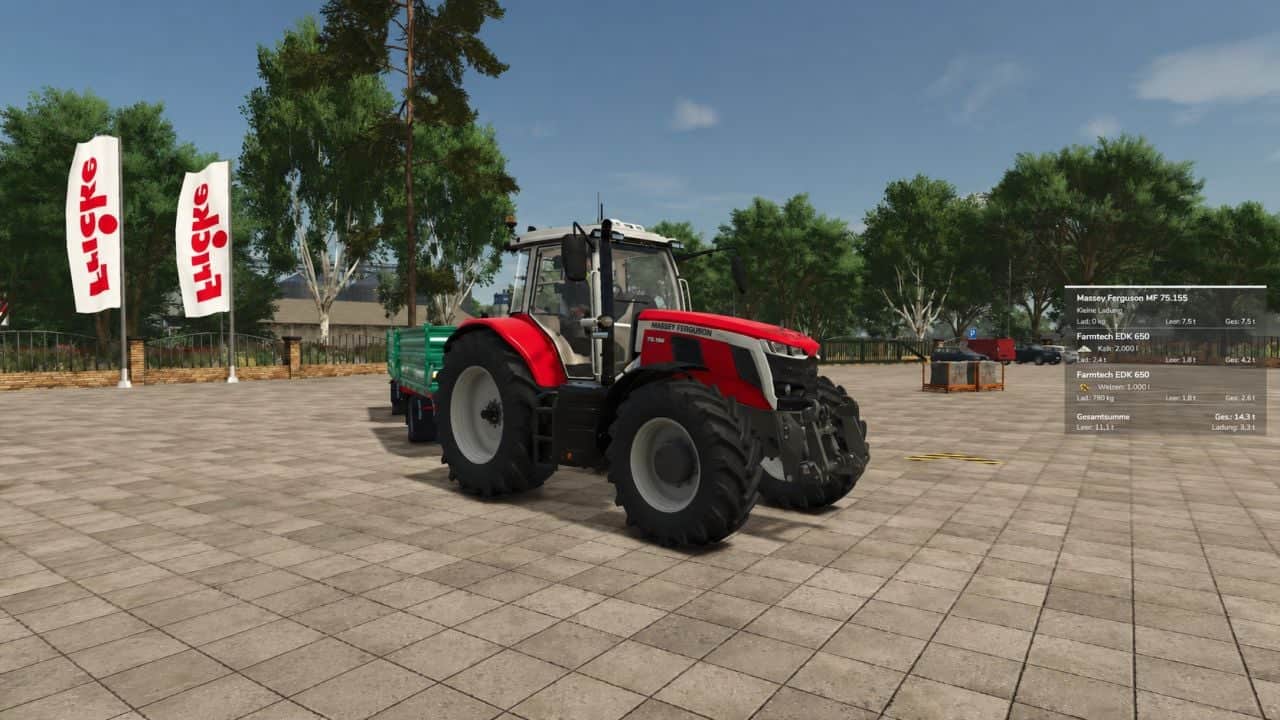
SmartWeight HUD brings a compact weight and cargo overview to Farming Simulator 25. It displays the empty weight, cargo weight, and total weight of vehicle combinations while driving.
Features
- Separate weight display for the towing vehicle and attached trailers.
- Empty weight, cargo weight, and total weight for each displayed vehicle, plus a grand total for the entire combination.
- Display of fill types, fill levels, and mixed loads with corresponding icons.
- Accounts for pallets, bales, and other objects secured with tension belts.
- Timber cargo details including log count, volume (m³), and weight.
- Support for tank, water, fuel, and service trailers, as well as visible integrated tanks.
- Corrected weight calculation for service tanks and trailers with limited physics mass: the displayed empty weight does not decrease when additional cargo is added.
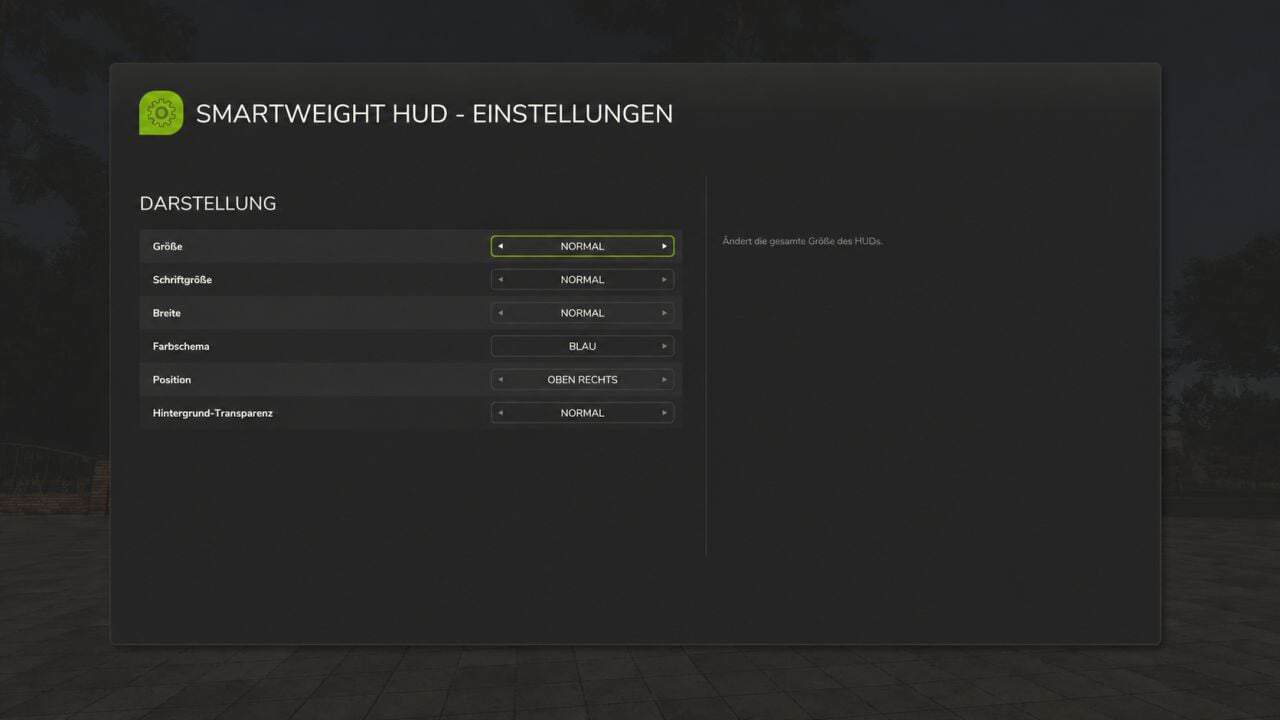
- Customize the HUD size, font size, width, and background transparency.
- Choose from nine screen positions and five color schemes: blue, green, orange, red, and gray.
- All settings are saved per player and restored after rejoining or a server restart. If the HUD is turned off, it remains off.
- The interface is available in German and English.
- The mod does not alter vehicles, their driving behavior, or physical weight limits; it simply adds a display overlay.
Timber Transport
Logs on timber trucks, trailers, and forwarders are accounted for as cargo. The HUD displays the number of logs, their volume, and their weight. Log weight already transferred to the vehicle via tension belts is not double-counted.
Additionally, timber loads already registered by AutoLoadWood and Universal Autoload are detected. Timber containers with fill levels retain their standard cargo calculation.
Important: On standard timber transporters, logs must be secured with tension belts. Alternatively, they must already be registered in a supported autoload list. Loose, unassigned logs and wood lying next to the vehicle are not automatically counted as cargo.
Weight Warning
The total weight is color-coded based on the load and weight:
- Green: Vehicle combination without load, up to and including 40 tonnes.
- White: Normal weight range with load.
- Red: Loaded vehicle combination from 35 tonnes up to and including 40 tonnes.
- Dark red with warning icon: Total weight exceeding 40 tonnes.
Color transitions are smooth. The warning thresholds are fixed HUD indicators, not vehicle-specific payload checks.
Multiplayer and Compatibility
SmartWeight HUD supports both single-player and multiplayer modes; log synchronization has been tested on a dedicated server with a connected client.
In multiplayer, the server provides the log count, wood volume, and original log weight. Unloading, switching vehicles, and joining a session with already loaded logging vehicles are all accounted for. While loading data is pending, the HUD displays a loading indicator.
Front loader arms, buckets, front weights, and other front attachments are attributed to the towing vehicle. Other connected implements remain part of the total combination weight. For standalone wheel loaders, telehandlers, front loaders, and skid-steer loaders, SmartWeight HUD remains hidden so that a separate loader weighing system can be used.
For multiplayer, the server and all players must use the same mod version.
Keybindings
Left Ctrl + Left Shift + W: Show/hide HUD.Left Ctrl + Left Shift + S: Open settings.
Keybindings can be customized in the game settings.
Version: 1.0.0.3